Table of Contents
Introduction
Imagine managing a hotel with dozens of televisions, running a sports bar where every screen needs a reliable live feed, or distributing presentations across multiple rooms in a corporate building. You want clear pictures, synchronized audio, minimal delay, and a system that works consistently without requiring constant technical intervention. However, choosing the right video distribution equipment can be challenging when manufacturers use different terminology, offer different streaming protocols, and advertise a wide range of features. This is where an HDMI IPTV encoder becomes valuable. It converts an HDMI video and audio source into a digital stream that compatible devices can receive over an IP network. By choosing the right hardware, you can build a more flexible and scalable professional streaming system.
If you are comparing HDMI IPTV encoder products in the United States, you need to look beyond resolution and price. The number of independent inputs, supported codecs, streaming protocols, network requirements, receiver compatibility, warranty, and technical support all affect your final decision. A low-cost device may be sufficient for one camera or a small installation, while a hotel, campus, or professional broadcast environment may require a multichannel appliance with more advanced management features. This guide explains how HDMI IPTV encoders work, what specifications matter, which product categories deserve consideration, how pricing varies, and how to choose equipment that meets your requirements without paying for unnecessary features.
What Is an HDMI IPTV Encoder?
An HDMI IPTV encoder is a hardware device that receives a video and audio signal through an HDMI input, compresses the content into a supported digital format, and prepares it for distribution over an IP network. Instead of sending the original HDMI signal directly to a nearby television, you can transmit an encoded stream to compatible receivers, computers, media players, or streaming platforms. This makes the technology useful when your video source and viewing screens are separated by significant distances or when several displays need access to the same source. Depending on the model, an encoder may support Full HD, 4K, H.264, H.265, multicast, and several streaming protocols.
It is important to understand that an encoder is only one component of an IPTV distribution system. The device creates the stream, but you still need an appropriate network and compatible receiving equipment. Some systems use dedicated IPTV set-top boxes, while others use software players, supported smart TV applications, or specialized IP video decoders. Larger installations may also require middleware to organize channels, manage receivers, and control access. Before purchasing an HDMI IPTV encoder, identify the complete signal path from the source to the display. This prevents a common mistake: buying a technically capable encoder that cannot communicate with the playback devices or IPTV platform you already use.
How Does an HDMI IPTV Encoder Work?
The encoding process begins when a source device sends video and audio through HDMI. Your source might be a computer, camera, presentation system, licensed satellite receiver, video switcher, or another compatible device. The encoder receives the signal, processes it using its supported compression technology, and produces a stream that can travel through Ethernet. Depending on its capabilities, the device may package the content for UDP/RTP, RTSP, HLS, RTMP, SRT, NDI, or other supported workflows. These protocols serve different purposes, so you should never assume that every encoder supports every format.
Once the stream enters your network, compatible receiving equipment accesses it and decodes the compressed video and audio. A simple installation might connect an HDMI source to an encoder, connect the encoder to an Ethernet switch, and send the resulting stream to an IP decoder attached to a television. A more advanced installation may distribute several channels to multiple receivers across a building. Multicast can be particularly useful when many viewers need the same live stream, provided that the network and receiving devices support it and the switches are configured correctly. Your final performance depends on the encoder, network, receiver, and overall system configuration working together.
What Can You Use an HDMI IPTV Encoder For?
An HDMI IPTV encoder can support a wide range of professional video distribution applications. In hospitality, it can help distribute authorized television feeds, promotional videos, and information channels to compatible displays. In sports bars and restaurants, it can make a selected live source available to multiple screens through an appropriately designed network. Schools and universities can use encoders to distribute classroom presentations, campus announcements, and live event feeds. Corporate offices can transmit meeting presentations to conference rooms, while houses of worship can distribute services to overflow areas or remote viewing locations.
The technology is also useful in control rooms, digital signage networks, event venues, and selected broadcast workflows. However, the best device depends on the actual application. A venue that needs low-latency sports distribution may prioritize different specifications from a business that streams presentations to a web platform. Similarly, an organization that distributes several independent channels needs enough separate inputs and encoding resources. Before selecting a product, document the sources you want to distribute, the number of receiving screens, the required image quality, and whether the content must remain on a local network or reach viewers over the internet.
Best HDMI IPTV Encoder for Professional Streaming: What to Look For
The best HDMI IPTV encoder is not necessarily the most expensive product or the device with the longest specification list. It is the one that meets your technical requirements, integrates with your existing equipment, and delivers reliable performance at a reasonable total cost. Start by identifying your input sources and the number of independent channels you need. Then compare resolution, frame rate, compression, supported protocols, network interfaces, latency, management features, and warranty coverage. For a small business, ease of installation and responsive technical support may be more valuable than advanced broadcast features. For a larger facility, channel density, monitoring, and compatibility with existing IPTV infrastructure may be more important.
You should also distinguish between features that sound impressive and features that solve an actual problem. A 4K encoder offers little benefit if your source, network, or receiving displays only support 1080p. Likewise, H.265 compression may reduce bandwidth requirements, but it is useful only if your receiving equipment can decode the resulting stream. A device advertising several protocols might still lack the specific output mode required by your software. Read the technical datasheet, confirm compatibility with the manufacturer or integrator, and test the complete workflow whenever possible. These steps can save you from unexpected installation expenses and expensive equipment replacements.
Video Resolution and Image Quality
Resolution is one of the first specifications you should evaluate. Full HD, commonly described as 1080p, is suitable for many business presentations, hotel information channels, training sessions, and standard live video applications. A 4K UHD encoder can provide greater image detail when the source and display support 4K, making it attractive for high-resolution signage, premium venues, production environments, and other applications where fine visual detail matters. However, the resolution listed on a product page does not tell you everything about its performance. You must also verify the supported input formats, output resolution, frame rate, compression settings, and any restrictions that apply to particular input combinations.
Frame rate is especially important when your content contains fast movement. Sports, action footage, camera feeds, and live events may benefit from 60 frames per second, provided that the complete signal chain supports it. A model that accepts 4K at 30 fps is not automatically equivalent to one that accepts 4K at 60 fps. You should also examine bitrate controls, image quality at the intended bandwidth, and how the encoder handles changes in source resolution. For professional installations, test representative content rather than relying solely on marketing descriptions. A practical test using your actual source and receiver can reveal motion artifacts, compression problems, or compatibility issues that a specification table cannot fully explain.
H.264 vs. H.265: Which Video Codec Should You Choose?
H.264, also known as AVC, is widely used in streaming and video distribution. Its broad ecosystem support makes it a practical choice when your installation includes older receivers, existing IPTV software, or devices with uncertain decoding capabilities. H.265, also known as HEVC, can deliver comparable visual quality at a lower bitrate under suitable encoding conditions. This can be particularly useful when you need to distribute high-resolution content or conserve network capacity. Nevertheless, the actual savings depend on the content, encoder settings, target quality, and implementation. You should not assume that every H.265 stream will use exactly half the bandwidth of an H.264 stream.
| Feature | H.264 / AVC | H.265 / HEVC |
|---|---|---|
| Device compatibility | Broad support across many devices | Requires compatible decoding support |
| Bandwidth efficiency | Good | Often better at comparable quality |
| Encoding complexity | Generally lower | Can require more processing |
| Common applications | General IPTV, live video, business streaming | Bandwidth-conscious HD and 4K workflows |
| Main consideration | Compatibility and dependable playback | Efficiency balanced against compatibility |
For most buyers, the correct choice depends on the receiving environment. If you are distributing video to a mixed collection of devices, H.264 may simplify deployment. If you control the entire system and have confirmed HEVC support, H.265 may provide a more efficient workflow. Some professional encoders support both codecs, allowing you to select the appropriate configuration for each project. Before buying, confirm which codecs are available at your required resolution and frame rate, whether audio formats are compatible, and whether the device can generate the specific stream profiles your receivers require.
Streaming Protocols and IPTV Compatibility
Streaming protocols determine how an encoded stream is delivered and consumed. UDP and RTP are common in low-latency local distribution workflows. They can be useful for live video over a managed network, but they require careful network design because packet loss and congestion can affect playback. RTSP provides session control for compatible streaming systems, although the actual media transport depends on the implementation. HLS delivers video through HTTP-based segments and is widely used in internet streaming workflows, often with adaptive bitrate options when the full system supports them. RTMP is commonly associated with contribution workflows to streaming platforms, while SRT is designed to improve reliable delivery over networks that may experience packet loss or variable conditions.
NDI is another option in certain professional audiovisual and live production environments, where networked video sources need to work with compatible production tools. These technologies are not interchangeable, and the right choice depends on your destination. A stream intended for an IPTV decoder on a local Ethernet network may need different settings from a stream sent to a cloud platform. When comparing HDMI IPTV encoders, check the exact protocols supported for input, output, and simultaneous streaming. Confirm whether the protocol is included in the standard model, whether additional licensing is required, and whether your receivers can decode the resulting stream without conversion.
Single-Channel vs. Multi-Channel HDMI IPTV Encoders
A single-channel encoder is designed to process one independent source at a time. It is often a sensible choice for a church camera, a conference room, a single presentation feed, or a small streaming installation. Single-channel hardware can simplify configuration and troubleshooting because you can focus on one source and one encoded output. It may also allow you to expand gradually by adding more units as your requirements grow. However, multiple separate encoders increase the number of devices, power supplies, network connections, and management interfaces that you need to maintain.
A multi-channel HDMI IPTV encoder can process several independent inputs in one appliance. This approach can reduce rack space and simplify centralized management in hotels, campuses, sports venues, and other installations with multiple sources. You must still verify how many inputs can encode simultaneously, which resolutions each channel supports, and whether the advertised channel count changes with codec or frame-rate settings. Some products offer several configurations within the same model family. Compare the cost per independent channel, installation complexity, redundancy options, and future expansion requirements before deciding between several compact encoders and a single rack-mounted unit.
Network Connectivity, Latency, and Reliability
Network performance is essential because even a capable encoder cannot compensate for an overloaded or poorly configured network. Begin by checking the device’s Ethernet interface and whether its available throughput is sufficient for your streams. Gigabit Ethernet is common in professional installations, but the correct network capacity depends on the number of streams, their bitrates, and whether traffic is delivered through unicast or multicast. You should also consider VLAN support, multicast configuration, IGMP snooping, switch capacity, and the network path between the encoder and each receiver. For internet delivery, upload capacity, routing, and the performance of the destination platform also matter.
Latency describes the delay between the original source and the displayed picture. It can be important when distributing live sports, conducting interactive events, or synchronizing multiple displays. Encoding settings, buffering, transport protocols, network congestion, and decoding performance can all contribute to the final delay. If low latency is a requirement, ask the manufacturer for realistic end-to-end performance information under comparable conditions and test the complete system. Reliability features also deserve attention. Depending on your needs, you may benefit from remote administration, status monitoring, firmware updates, redundant power, or backup streaming paths. These capabilities may cost more initially but can help reduce operational disruption in a business-critical installation.
Best HDMI IPTV Encoders to Consider in 2026
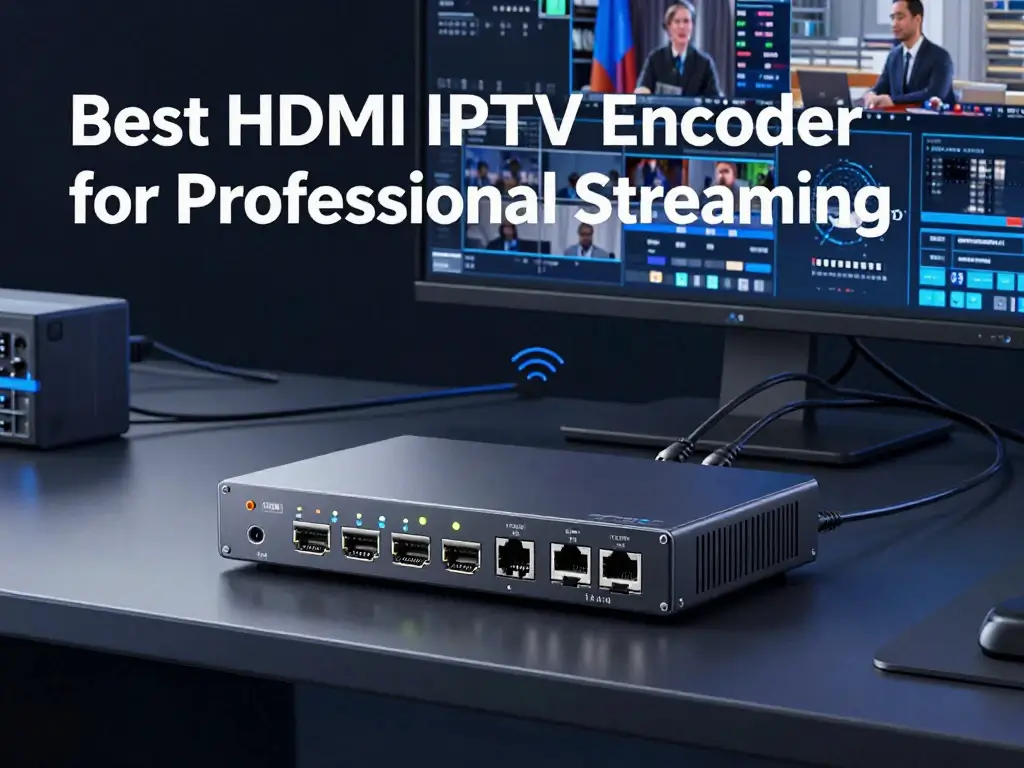
There is no single HDMI IPTV encoder that is best for every professional streaming application. A small organization distributing one camera feed has different requirements from a hotel distributing numerous channels across a building. Rather than selecting a device based only on popularity, compare real products according to their documented specifications, available interfaces, supported output formats, warranty, and current price. Manufacturer product pages and authorized reseller listings are useful starting points, but you should confirm that the selected configuration includes the features you need. The following examples illustrate different product categories available to US buyers and are intended as a starting point for further evaluation, not a claim that one model is universally superior.
When evaluating products, make sure you distinguish IPTV encoding from general-purpose streaming equipment. Some encoders are designed primarily to send content to internet platforms, while others are intended for local IPTV distribution, professional AV networks, or broadcast contribution. A device can support HDMI input and network streaming without supporting every feature required by your IPTV headend. For this reason, compare the exact workflow you plan to use. Verify the input type, maximum resolution and frame rate, codec, protocol, number of simultaneous streams, and receiving-device compatibility. Product specifications and prices can change, so confirm the current information directly with the manufacturer or supplier before making a purchase.
Best HDMI IPTV Encoder for Small Installations
For a small installation, a compact single-channel encoder is often the easiest place to start. You may need to distribute one presentation computer, a camera, a licensed TV receiver, or another HDMI source to a few compatible endpoints. In this situation, a straightforward configuration process, stable encoding, clear documentation, and reliable support may matter more than high channel density. A dedicated hardware encoder can also reduce the need to maintain a separate computer for encoding, depending on the product and streaming workflow. However, you should still check how the encoder delivers streams and whether the destination devices can play them natively.
One product worth evaluating in this category is the Pro Video Instruments VeCASTER HD H.264. Its manufacturer lists a 1080p H.264 workflow, multiple streaming outputs, and a US product listing price of $495 at the time of research. The product page also advertises HLS, RTMP, SRT, and UDP support. These features may make it relevant to small professional installations, but you should verify the precise supported combinations and output behavior against your requirements before ordering. You can review the manufacturer’s listing here: https://www.provideoinstruments.com/products/vecaster-hd-h264-hdmi-iptv-encoder. [1]
Best HDMI IPTV Encoder for Hotels and Commercial Buildings
Hotels and commercial buildings often need a centralized approach to video distribution. A property may have several independent HDMI sources, a dedicated network, numerous receiving displays, and requirements for remote management. The key decision is whether the installation needs one encoder per source or a multi-channel appliance that combines several inputs. A multi-channel device can simplify rack installation and administration, but it may also create a larger single point of failure if the system lacks suitable redundancy. You should evaluate serviceability, channel capacity, support availability, and the ability to expand the system as the property adds more sources or screens.
The Pro Video Instruments VeCODER ULTRA HD H.264 is one example of a multi-channel product to investigate. The manufacturer lists configurations from four to sixteen channels and a starting price of $2,990 in its US-facing product listing. Its published description includes HLS, RTMP, SRT, and UDP support, along with centralized web management. These specifications make it a candidate for evaluating a multi-source installation, but the correct configuration depends on your channel count, resolution, and required output formats. Review the manufacturer’s current product details at https://www.provideoinstruments.com/products/vecoder-hd-h264-multichannel-iptv-encoder.
Before installing an encoder in a hotel or commercial building, assess the complete IPTV architecture. Determine whether your existing network supports the intended traffic patterns, whether multicast needs to be configured, and how the receiving devices will access the channels. If the property uses IPTV middleware, confirm that the middleware recognizes the encoder’s output format. You should also ask about monitoring, firmware maintenance, warranty handling, and technical support. A successful commercial installation requires more than getting a picture on one screen during testing. It needs to remain manageable when several channels and many receiving devices are operating simultaneously.
Best HDMI IPTV Encoder for Live Events and Professional AV
Live events and professional AV environments often prioritize reliable operation, predictable latency, and compatibility with production equipment. Your source may be a presentation switcher, a camera, a live production system, or a dedicated HDMI output from an event workstation. The receiving destination could be an on-site display network, a remote production team, or a streaming platform. You should select an encoder based on the actual signal path, not simply its advertised resolution. Check whether it supports the necessary HDMI input formats, audio embedding, network protocols, and output modes. If the workflow includes production tools, confirm that those tools accept the stream without an additional conversion step.
Pro Video Instruments’ VeCASTER range includes models aimed at different streaming needs, while other vendors offer equipment for professional IP contribution. For example, Thor Broadcast lists the H-SPARTAN-1 as a single-channel network encoder with HDMI, CVBS, and SDI inputs, with support for H.264 video and several streaming formats. The manufacturer’s listing describes UDP/RTP, HLS, RTMP, and HTTP options. This makes it a product to consider when comparing professional streaming workflows, although you should verify the current specifications, availability, and exact supported formats with the supplier. [3] You can review the range at https://thorbroadcast.com/products/ip-network-encoders.
For live events, perform a full rehearsal before the event date. Test the source at the intended resolution and frame rate, confirm audio synchronization, and measure the delay from the original source to the receiving display. If the stream must travel across the public internet, evaluate how the system handles network variation and packet loss. If a failure would interrupt a paid event or important broadcast, ask about backup equipment and failover procedures. You should also confirm whether the event’s content can legally be distributed to the intended audience. Technical compatibility alone does not grant permission to rebroadcast copyrighted television, sports, or other protected material.
Best HDMI IPTV Encoder for 4K Streaming
A 4K HDMI IPTV encoder is appropriate when your source, delivery network, and receiving displays can all take advantage of Ultra HD resolution. Common applications include high-detail digital signage, premium viewing areas, production monitoring, and professional environments where image detail is important. Before purchasing, verify the supported HDMI input standard, maximum frame rate, codec, and output resolution. A model that supports 4K at 30 frames per second may not support 4K at 60 frames per second, and some models may have restrictions when particular input formats or output modes are used. You should also confirm whether HDR is supported if your application requires it.
The Pro Video Instruments VeCASTER 4K HEVC is one example to investigate. Its manufacturer lists HDMI 2.0b input and 4K at 30 fps capability, with a displayed price of $1,196 at the time of research. This model may be relevant when you need a dedicated 4K HEVC streaming workflow without the requirements of a higher-end 4K60 system. However, it is important not to treat all 4K encoders as equivalent. Confirm the source compatibility, supported frame rate, output codecs, streaming protocols, and receiver capabilities before ordering. [4] Product details are available at https://www.provideoinstruments.com/collections/vecaster-iptv-encoders.
Your network and receiving devices must also support the selected 4K workflow. A 4K stream may require more bandwidth than a comparable HD stream, depending on codec, content, and encoding settings. HEVC can improve compression efficiency, but every receiver in the signal path must be compatible. If you need to distribute 4K content to older displays, you may need a system that can generate a suitable lower-resolution output or use separate processing equipment. Ask the manufacturer whether simultaneous output profiles or downscaling are available. This is particularly important when a facility has a mixture of newer 4K displays and older Full HD equipment.
Best Multi-Channel HDMI IPTV Encoder
A multi-channel HDMI IPTV encoder is designed for installations that need several independent sources encoded at the same time. This can be useful when a property wants to distribute multiple authorized TV feeds, event sources, presentation channels, or camera feeds across a common network. Consolidating channels into a rack-mounted appliance can reduce the number of separate boxes and simplify administration. Nevertheless, the advertised channel count is only the starting point. You must verify how many channels can run simultaneously at the required resolution, frame rate, and codec, as well as the available output formats and management options.
The VeCODER ULTRA range from Pro Video Instruments provides an example of multi-channel encoding hardware. The manufacturer’s listings describe HD configurations with four to sixteen channels and 4K configurations with fewer simultaneous channels, depending on the model family. Its published pricing begins at $2,990 for one of the HD H.264 configurations, while H.264/H.265 and 4K variants are listed separately. These differences illustrate why you should compare the exact model rather than relying on the product family name. [1][2] Before purchasing, request a quotation that identifies the channel count, codec, supported resolution, included features, warranty, and any required accessories.
When comparing a multi-channel appliance with several individual encoders, calculate the cost per usable channel and consider the operational implications. A consolidated unit may reduce rack space, cabling, and administration, but a failure could affect several sources at once. Multiple independent units may offer more flexibility and allow you to isolate problems, although they require more hardware and configuration. The right arrangement depends on your reliability requirements, maintenance resources, and budget. For critical installations, ask an integrator to design a system that includes suitable backup plans, monitoring, and clear recovery procedures rather than focusing exclusively on the purchase price.
HDMI IPTV Encoder Comparison Table
Use the following table as a preliminary comparison of real product examples. Prices are the displayed US prices found during research and may change; they should be reconfirmed before publication or purchase. The table is not a substitute for the full manufacturer datasheets.
| Product | General category | Published capability | Displayed starting price | Potential use |
|---|---|---|---|---|
| Pro Video Instruments VeCASTER HD H.264 | Single-channel HD | 1080p H.264 | $495 | Small installations and HD streaming |
| Pro Video Instruments VeCASTER HD HEVC | Single-channel HD | H.264/H.265 options | $895 | HD workflows needing HEVC |
| Pro Video Instruments VeCASTER 4K HEVC | Single-channel 4K | 4K at 30 fps, according to listing | $1,196 | Selected 4K streaming workflows |
| Pro Video Instruments VeCODER ULTRA HD H.264 | Multi-channel HD | Configurations from 4 to 16 channels | From $2,990 | Multi-source distribution |
| Thor Broadcast H-SPARTAN-1 | Single-channel professional encoder | H.264 and multiple streaming options | From $1,495 | Professional IP streaming |
Sources: manufacturer listings from Pro Video Instruments and Thor Broadcast. [1][2][3][4]
When you use a product comparison table in a commercial article, avoid filling missing specifications with assumptions. If the manufacturer does not clearly state a maximum frame rate, a specific protocol combination, or a feature such as redundant power, mark it as requiring confirmation. Likewise, distinguish a price for the base model from a price for a higher-channel configuration. This is especially important when a product family contains several versions with different codecs or input capabilities. Accurate comparison helps readers make a confident purchase and makes your content more useful than a generic list of products.
HDMI IPTV Encoder Pricing: How Much Should You Expect to Pay?
The price of an HDMI IPTV encoder depends on more than the number of HDMI ports. Resolution, frame rate, codec support, streaming protocols, simultaneous output capability, management features, build quality, and manufacturer support can all influence the cost. A basic encoder for one HD source may cost a few hundred dollars, while a professional device with HEVC support, advanced transport options, or multiple channels can cost considerably more. High-end broadcast equipment and specialized headend systems may require a custom quotation. For buyers in the United States, shipping, applicable taxes, accessories, installation, and any recurring software charges should also be included in the budget.
You should compare products based on the cost of achieving your actual objective rather than the lowest advertised price. If you need one HDMI source distributed to a handful of compatible receivers, a compact encoder may be sufficient. If you need several independent channels, a multi-channel unit may provide better value than buying numerous individual devices. However, a larger appliance may require additional installation planning and could create a broader service impact if it fails. Request quotations for realistic configurations and compare the included hardware, warranty, support, and compatibility requirements. A product that costs more initially may offer better value if it reduces installation complexity and ongoing maintenance.
Entry-Level HDMI IPTV Encoder Pricing
Entry-level HDMI IPTV encoders are generally designed for simpler applications with one source and a limited set of requirements. They may be suitable for a small meeting room, a training space, a basic live stream, or a test installation. Depending on the product, you may receive a compact device with an HDMI input, an Ethernet connection, and a limited range of encoding and streaming options. However, entry-level equipment varies significantly. Some inexpensive units are intended for consumer streaming rather than professional IPTV distribution, so you should confirm that the product supports the required network protocols and can operate reliably in your intended environment.
For a practical budget reference, Pro Video Instruments lists its VeCASTER HD H.264 at $495 during the research period. This is an example of a dedicated professional-style single-channel product rather than a universal price for every entry-level encoder. Lower-cost devices may be available, but the features and support can differ. Before buying a budget model, verify the maximum supported input format, output resolution, audio handling, configuration options, and whether the stream can be played by your intended receiver. If the device does not support the correct protocol, you may need additional software or hardware, which can eliminate the apparent savings.
Mid-Range HDMI IPTV Encoder Pricing
Mid-range HDMI IPTV encoders often add capabilities that matter when you need more control over image quality, compression, or streaming destinations. These may include H.265 support, additional transport protocols, improved management interfaces, higher-resolution input options, or features designed for professional installation. The exact definition of mid-range varies by manufacturer, so it is better to compare actual specifications than to rely on a price band alone. Some devices in this category are single-channel encoders, while others are designed to serve a more specialized production or distribution workflow.
As an example, Pro Video Instruments lists the VeCASTER HD HEVC at $895 and the VeCASTER 4K HEVC at $1,196 during the research period. These examples show how codec and resolution requirements can affect the budget even within a single product family. [1][4] When comparing similar products, determine whether you genuinely need HEVC, 4K input, low-latency transport, or additional output formats. If your entire system is limited to 1080p H.264, paying for unused 4K capabilities may not make financial sense. Conversely, if you expect to upgrade your sources soon, purchasing equipment that supports the future workflow could reduce replacement costs.
Professional and Multi-Channel Encoder Pricing
Professional and multi-channel encoders are designed for installations with greater channel counts, more demanding operational requirements, or specialized distribution workflows. Their pricing can reflect the number of independent inputs, processing capacity, supported resolutions, management functions, rack design, and technical support. For example, Pro Video Instruments lists a VeCODER ULTRA HD H.264 configuration starting at $2,990, with higher-channel configurations available within the product family. Thor Broadcast lists the H-SPARTAN-4, a four-channel network encoder, from $2,495. These are manufacturer-listed examples, not guarantees of the lowest available price or the final cost of a complete installation. [2][3]
When evaluating professional hardware, request a detailed quotation instead of comparing only the base price. Ask how many channels are included, which codecs each channel supports, and whether the quoted configuration can run all streams simultaneously at your required settings. Confirm warranty terms, firmware updates, technical support, and the availability of replacement hardware. For business-critical applications, also ask whether redundant power, backup units, monitoring, or failover options are available. These details affect both initial cost and operational risk. A suitable professional system should meet your technical requirements while remaining supportable by your team or integrator over its expected service life.
Hidden Costs to Include in Your Budget
The encoder is only one part of the total project cost. You may also need an Ethernet switch, structured cabling, compatible receivers, HDMI cables, mounting accessories, power protection, and installation services. A system with multiple channels may require additional rack space, ventilation, and network configuration. If your installation uses IPTV middleware, streaming servers, or third-party management software, confirm whether licenses or subscriptions apply. You should also account for staff time spent testing, documenting, and maintaining the system. These costs can be especially important in hotels, educational institutions, and businesses where equipment must remain available with minimal disruption.
| Cost category | Questions to ask |
|---|---|
| Encoder hardware | What inputs, codecs, and protocols are included? |
| Network equipment | Is the existing switch adequate for bandwidth and multicast? |
| Receivers | Do displays need dedicated decoders or set-top boxes? |
| Software and licensing | Are middleware, streaming services, or advanced features charged separately? |
| Installation | Is professional configuration required? |
| Maintenance | What are the warranty, support, and replacement policies? |
| Expansion | Can the system accommodate more channels later? |
To calculate a more realistic budget, list every source, receiving display, and required connection. Obtain prices for the encoder and all supporting components, then add installation and ongoing maintenance costs. If you are comparing two designs, evaluate the total cost over the expected service period rather than looking only at the initial purchase. A lower-cost device that requires an additional converter or complicated workaround may be more expensive in practice. Conversely, an advanced encoder may not justify its premium if your installation needs only one basic stream and has no plans for expansion.
How to Choose the Right HDMI IPTV Encoder for Your Needs
Choosing the right encoder begins with a clear description of the problem you want to solve. Identify your HDMI sources, required number of independent streams, destination devices, desired image quality, and whether the content will be delivered locally or over the internet. Then compare products against those requirements. This process makes it easier to separate essential features from optional extras. For example, a classroom distributing a single presentation may prioritize simple operation and compatibility, while a hotel with numerous channels may require a multi-channel appliance and centralized monitoring. A live production team may care most about latency and transport flexibility.
Before placing an order, confirm compatibility across the entire system. The source must output a signal the encoder can accept, the encoder must produce a stream the network can carry, and the receiver must decode that stream. If any part of this chain is incompatible, the system may fail or require additional equipment. You should also consider who will install and maintain the system. A technically advanced product may be suitable for an experienced AV team but unnecessarily complicated for a small organization without dedicated support. When the installation is important to business operations, consult the manufacturer or a qualified integrator before committing to a configuration.
Choose Based on Your Number of HDMI Sources
Count the independent sources you need to distribute, not simply the number of televisions you own. If five televisions must display the same source, you may be able to distribute one encoded stream to multiple compatible receivers. If each television or group of televisions needs a different source, you need enough independent channels to generate those streams. This distinction can significantly affect your equipment budget. A single-channel encoder may serve multiple endpoints, while a multi-channel encoder can process multiple separate sources at once. The precise limits depend on the device, protocol, receiver count, and network configuration.
Create a source inventory before comparing products. Record the type of each source, its output resolution, the number of independent channels required, and the intended viewing locations. Then identify whether those locations will receive the same content or different content. For example, a sports bar might need several different licensed feeds, whereas a corporate building may distribute one announcement channel to many displays. Once you understand the channel requirements, compare the cost per usable stream, installation complexity, and options for future expansion. This simple planning step helps you avoid buying either an underpowered encoder or an unnecessarily expensive system.
Match Resolution and Codec to Your Displays
Your encoder should match the capabilities of both the source and the receiving devices. If the source outputs 1080p and the displays are Full HD, a compatible 1080p encoder may be sufficient. If you require 4K, verify that the source, encoder, network, and receivers all support the intended 4K format. Check the maximum frame rate as well as the resolution. A product supporting 4K at 30 fps may not meet a requirement for 4K at 60 fps. If your displays vary, investigate whether the encoder or the wider system supports downscaling or multiple output profiles.
Codec selection should follow the same logic. H.264 offers broad compatibility, while H.265 can provide improved compression efficiency when the receivers support it. Do not select HEVC solely because it appears more advanced; verify that the receiving devices can decode the stream at the intended resolution and frame rate. Likewise, check the supported audio formats if your source includes embedded audio. For mixed environments, testing the encoder with representative receivers is particularly valuable. You can then assess picture quality, audio synchronization, buffering, and compatibility before the system is deployed across the entire building.
Check Compatibility With Your Existing IPTV System
Compatibility is one of the most important factors in selecting an HDMI IPTV encoder. If you already operate IPTV middleware, set-top boxes, or a collection of networked displays, verify that they can consume the encoder’s output. Confirm the exact protocols, codecs, stream formats, and configuration requirements. Do not rely on a broad statement such as “IPTV compatible,” because it may not specify whether the device supports your particular receiver or platform. Ask the manufacturer for configuration documentation or a list of tested integrations where available.
You should also review network requirements before installation. Some systems use multicast to distribute one stream efficiently to multiple receivers, while others use unicast connections. Multicast may require appropriate switch support, IGMP snooping, and correct VLAN configuration. Firewalls and routing rules can affect streams that cross network boundaries. If you plan to stream to an external platform, verify the destination’s required protocol, authentication method, resolution, bitrate, and codec. Finally, check HDMI source restrictions, including HDCP requirements, because protected content may not be available for unrestricted encoding or redistribution. Always confirm that you have the necessary rights to distribute the source material.
Calculate Network Bandwidth Requirements
Bandwidth planning helps prevent buffering, packet loss, and unexpected performance problems. Start by estimating the bitrate of each encoded stream. Multiply the bitrate by the number of simultaneous streams that the network must carry, then account for protocol overhead and other network traffic. For example, eight streams at 8 Mbps each produce an aggregate video bitrate of approximately 64 Mbps before overhead. This is a simple planning calculation rather than a guarantee of required network capacity. Actual traffic depends on the encoder settings, transport protocol, delivery architecture, and whether streams are duplicated for individual receivers.
Unicast and multicast behave differently. In a unicast design, each receiver may create a separate stream connection, so network traffic can increase as more viewers access the same source. In a properly configured multicast design, a single stream can be distributed to multiple interested receivers without the source sending a separate copy across every shared network segment. However, multicast requires suitable network support and configuration; it is not automatically efficient in every installation. You should also account for other traffic, uplink capacity, switch performance, and network congestion. If the system is business-critical, have your network administrator or integrator verify the design and test it under realistic peak loads.
Evaluate Warranty, Technical Support, and Scalability
A professional encoder is an investment in an operating system, not just a piece of hardware. Before buying, review the warranty duration, the process for obtaining repairs, firmware update availability, and the manufacturer’s technical support arrangements. If your installation operates every day, determine whether replacement units or spare parts are readily available. Ask whether support includes configuration assistance, troubleshooting, and compatibility guidance, or whether these services require an additional agreement. A low purchase price can become less attractive if the device is difficult to configure or if technical help is unavailable when a problem occurs.
Scalability is equally important. Consider whether you may add channels, move to 4K, introduce HEVC, or distribute streams to additional locations in the future. A system that meets today’s needs but cannot expand may require a costly redesign later. At the same time, avoid paying for capacity you are unlikely to use. The goal is to select a system that supports realistic growth without unnecessary complexity. For larger installations, request a documented design that explains the encoder configuration, network requirements, receiver compatibility, monitoring approach, and maintenance plan. This gives your team a practical reference when troubleshooting or expanding the system.
HDMI IPTV Encoder Buying Checklist
Use this checklist before purchasing:
- Confirm the number of independent HDMI sources you need to encode.
- Verify supported input resolution and frame rate.
- Confirm output resolution and available codec options.
- Check the exact streaming protocols required by your receiver or platform.
- Determine whether you need unicast, multicast, or internet streaming.
- Calculate expected bandwidth and verify network switch capabilities.
- Check compatibility with existing IPTV middleware and playback devices.
- Verify HDMI audio support and source-protection requirements.
- Compare warranty coverage and technical support.
- Include receivers, cabling, switches, software, installation, and maintenance in your budget.
- Request a written quotation for the exact configuration.
- Test the complete signal path before a large-scale deployment.
HDMI IPTV Encoder vs. HDMI Video Encoder vs. HDMI Extender
Product terminology can be confusing because manufacturers sometimes use similar names for devices that perform different tasks. An HDMI IPTV encoder converts a source signal into an IP stream suitable for compatible streaming or distribution systems. An HDMI video encoder is a broader term that may refer to equipment designed for IPTV, internet streaming, production, surveillance, or other applications. An HDMI extender, by contrast, is intended primarily to transport an HDMI signal over a longer link, which may use dedicated cabling or a network connection with compatible transmitter and receiver hardware.
These distinctions matter because devices that all advertise HDMI and Ethernet connections may not be interchangeable. An extender may not produce a stream that your IPTV software can access, and an encoder may not provide a direct HDMI output without a separate decoder. Before purchasing, identify whether you need to distribute an encoded channel, transport a signal to a nearby display, or capture video into a computer. Selecting the correct category first will make it easier to compare specifications, estimate the full project cost, and avoid paying for equipment that does not perform the required task.
HDMI IPTV Encoder vs. HDMI Video Encoder
An HDMI IPTV encoder is a specialized type of video encoder designed to create a stream for IP-based distribution. It may support protocols and formats commonly used in local IPTV systems, professional AV networks, or internet streaming workflows. The broader term “HDMI video encoder” can include products with different purposes, such as streaming to an online platform, integrating video into a production workflow, or sending a signal to a particular software application. Some devices serve several of these purposes, but you should verify the supported workflows instead of assuming that all encoders provide the same functionality.
When comparing these categories, focus on the receiving endpoint. If you want a stream that can be entered into an IPTV receiver or management platform, confirm the encoder’s output protocols and compatibility. If your objective is to send a live feed to an online service, verify the platform’s required input format and authentication settings. If you need a production workflow using tools such as NDI or SRT, check whether the encoder supports the required mode. The product’s category name is only a starting point; the published specification and a successful compatibility test provide much stronger evidence that it will meet your needs.
HDMI IPTV Encoder vs. HDMI Extender
An HDMI extender is designed to carry an HDMI signal from one location to another. Depending on the model, it may use a dedicated cable, a point-to-point Ethernet connection, or an AV-over-IP architecture. Many extender systems require a matching receiver that converts the transported signal back to HDMI. This can be an effective solution when you simply need to connect a source to a distant display. However, an extender does not necessarily create a conventional IPTV stream that a software player or existing IPTV platform can access.
An HDMI IPTV encoder is more appropriate when the objective is to generate a network stream for compatible receivers or distribution software. It can support a more flexible architecture in which several endpoints access a channel, depending on the protocols and network design. The trade-off is that you must ensure receiver compatibility and configure the network correctly. Before purchasing either type of equipment, draw the connection path from source to display and identify what each endpoint requires. If you need direct HDMI transport, an extender may be simpler. If you need network-based channel distribution, an IPTV encoder may be the better fit.
HDMI IPTV Encoder vs. Capture Card
A capture card brings a video signal into a computer or production system. It may connect through USB, PCIe, or another supported interface and make the source available to compatible software. Capture cards are commonly used for live production, recording, video conferencing, and software-based streaming. A hardware HDMI IPTV encoder typically performs the encoding within a dedicated appliance and produces a network stream directly, although the exact capabilities vary by model. The two approaches can overlap, but they are designed around different system architectures.
A capture card may be the right choice if you already have a capable computer and need flexible software control over scenes, recording, graphics, or streaming destinations. A standalone encoder may be more convenient if you want a dedicated device that can be configured for a specific distribution workflow without relying on a general-purpose computer. Compare the total cost, including the computer or software required for capture-card workflows. Also consider operational complexity, supported resolutions, latency, and how the stream will reach your viewers. Your best option depends on whether you need a production workstation, a dedicated network stream, or both.
| Device type | Primary purpose | Typical destination |
|---|---|---|
| HDMI IPTV encoder | Convert HDMI to a network stream | Compatible IPTV receiver or software |
| HDMI extender | Transport HDMI to a remote endpoint | Matching extender receiver or AV-over-IP endpoint |
| HDMI capture card | Bring video into a computer | Recording, production, or streaming software |
How to Set Up an HDMI IPTV Encoder for Professional Streaming
Setting up an HDMI IPTV encoder involves more than plugging in an HDMI cable and connecting Ethernet. You need to confirm that the source produces a supported signal, configure the encoder’s output, prepare the network, and ensure that the receiver can decode the stream. The exact interface and configuration steps vary by manufacturer, so you should follow the product manual for model-specific settings. The process below provides a general workflow for a typical local network installation. If you are configuring a large hotel, campus, or business-critical system, involve a qualified AV or network professional before making changes to shared infrastructure.
A reliable installation begins with planning. Record the source resolution, required frame rate, expected bitrate, destination device, and desired streaming protocol. Confirm the IP addressing scheme and determine whether the network uses VLANs or multicast. If your receiving devices are already deployed, test one encoder and one receiver before adding more channels. This makes troubleshooting easier because you can isolate problems before the system becomes complex. After the stream is working, document the configuration, including the source, IP address, protocol, output settings, and receiver details. Good documentation can significantly reduce recovery time if settings change or equipment needs replacement.
Step 1: Connect Your HDMI Source
Begin by connecting a compatible HDMI source to the encoder’s input. The source may be a computer, camera, presentation switcher, or another device that you are authorized to distribute. Check the encoder’s manual for supported input resolutions, frame rates, and audio formats before connecting the source. If the source is configured for a signal the encoder cannot accept, you may see a black screen, an unstable picture, or no input detected. Use suitable cables and adapters, and ensure that any required power supplies are connected correctly.
If the source provides multiple video outputs, confirm which output is intended for the encoder. Some devices may change their output format based on the connected display or configuration settings. If the encoder does not detect a signal, test the source with a known-compatible display and verify the output resolution. You should also check whether the source uses HDCP or other content-protection features that restrict capture or redistribution. Do not attempt to bypass protection. Instead, confirm that the intended source and distribution workflow are authorized and supported by the equipment manufacturer.
Step 2: Connect the Encoder to Your Network
Connect the encoder’s Ethernet interface to an appropriate network switch or other supported network connection. Follow the manufacturer’s instructions for assigning an IP address, whether through DHCP or a static configuration. Make sure the management interface is accessible from the computer you use for setup and that your network’s security policies permit the required access. If the encoder and receiver are on different VLANs or subnets, additional routing or multicast configuration may be needed, depending on the protocol and system design.
For professional installations, avoid making assumptions about the existing network. Ask the network administrator whether the switch supports the required traffic, whether multicast is used, and whether any firewall rules or access controls could block communication. Check link speed and verify that the Ethernet connection remains stable. If several streams will operate simultaneously, estimate their combined bandwidth and account for other network traffic. Once connectivity is established, record the encoder’s IP address and management settings in your installation documentation. Secure the management interface with appropriate credentials and follow the manufacturer’s recommendations for firmware updates and network access.
Step 3: Configure Video, Audio, and Streaming Settings
Open the encoder’s management interface and select the appropriate input and output settings. Depending on the model, you may be able to configure resolution, frame rate, bitrate, codec, audio format, and one or more streaming protocols. Start with settings that match the source and are supported by the receiver. If you choose H.265, confirm that the receiver can decode HEVC. If the installation uses a local IPTV network, verify whether the receiver expects UDP/RTP, RTSP, or another supported format. If the destination is an internet streaming platform, follow its specific ingest requirements.
Avoid selecting the highest bitrate simply because it appears to offer the best quality. The correct bitrate depends on resolution, content, codec, frame rate, and the capabilities of the network. A very low bitrate may produce visible artifacts, while an unnecessarily high bitrate can consume bandwidth without a meaningful improvement. Test typical content, including fast motion and scenes with fine detail, and inspect the result on the intended display. Also check audio synchronization and channel configuration. Once the stream is stable, save the configuration and document the settings so that the system can be restored consistently after maintenance or equipment replacement.
Step 4: Configure the IPTV Receiver or Platform
The receiver needs the correct information to access the encoded stream. Depending on the encoder and protocol, this may be a stream URL, a multicast address, a port number, or a configuration entered into compatible IPTV middleware. Consult the encoder and receiver manuals for the correct format. Do not assume that a URL designed for one protocol will work in a player that supports a different protocol. If your installation uses a management platform, check whether it requires a channel entry, a specific naming format, or additional configuration to make the stream available to users.
Start by connecting one compatible receiver and testing playback. Verify that the video appears, audio is present, and playback remains stable over time. If the receiver cannot open the stream, check the URL or address, protocol selection, codec compatibility, network reachability, and any relevant firewall or multicast settings. Once the basic workflow succeeds, add other receiving devices gradually. For a large installation, maintain a list of channel names, source inputs, stream addresses, and receiving groups. This makes the system easier to manage and reduces the risk of confusing channels when several sources are active.
Step 5: Test Playback and Optimize Performance
Testing should cover more than whether the first picture appears. Play representative content for a sustained period and look for buffering, dropped frames, compression artifacts, audio delay, or unexpected interruptions. If the application involves live sports or interactive content, measure end-to-end latency from source to display. Check performance on the actual network and with the intended number of receivers. A stream that works on a single test device may behave differently when many endpoints are active or when the network is carrying other traffic.
If you encounter problems, change one variable at a time. For example, reduce the bitrate to test whether bandwidth is a constraint, or connect the receiver to a known-good network path to isolate a connectivity issue. Review the encoder’s status indicators and logs if available. Confirm that switches and routers are configured correctly for the chosen delivery method. When performance is stable, record the tested settings and create a simple troubleshooting procedure for your team. For business-critical deployments, consider periodic health checks and a backup plan for equipment failure. A documented and tested installation is much easier to support than a system whose configuration exists only in one technician’s memory.
Basic HDMI IPTV Encoder Signal Path
A typical local distribution workflow looks like this:
HDMI source → HDMI IPTV encoder → Ethernet switch → compatible IPTV receiver or IP decoder → display
For a larger system, the Ethernet network may distribute the encoded stream to multiple receivers. The number of receivers and the traffic generated depend on the protocol, network design, and encoder capabilities. An IPTV encoder does not automatically make every television compatible; each endpoint must be able to decode the stream or use an appropriate receiver.
Common HDMI IPTV Encoder Problems and How to Fix Them
Even a well-designed streaming system can encounter problems during installation or daily operation. The most effective troubleshooting method is to work through the signal path in order: source, HDMI connection, encoder input, encoding configuration, network transport, and receiver output. Changing multiple settings at once can make the cause harder to identify. Begin with the simplest checks, then use the manufacturer’s documentation and available status information to investigate more complex issues. If the system is used in a commercial environment, record recurring problems and their solutions so that other staff members can follow the same procedure.
It is also important to distinguish between a hardware failure and a compatibility problem. A black screen may be caused by an unsupported input format, while buffering may result from congestion rather than an encoder defect. Similarly, a receiver may fail to play a stream because it does not support the selected codec or protocol. Before replacing equipment, test the source with a known-compatible display, verify the network connection, and confirm the stream settings. If a problem persists, collect the model number, firmware version, input format, output configuration, and relevant error messages before contacting technical support.
No Video Signal or Black Screen
If the encoder does not show a video signal, first check that the HDMI cable is securely connected and that the source device is powered on. Confirm that the source output resolution and frame rate are supported by the encoder. If possible, test the source with a known-compatible display and test the encoder with another supported source. This helps determine whether the problem originates from the source, cable, input interface, or encoder configuration. Also verify that any required input selection or configuration setting is correct.
Content protection can also affect some HDMI workflows. If the source is protected by HDCP or another restriction, the encoder may not be permitted to capture or redistribute it. Check the device documentation and use only a supported, authorized signal path. Do not attempt to circumvent protection mechanisms. If the input is supported and the connections are correct but the problem remains, review the encoder’s status indicators and logs, check for firmware updates recommended by the manufacturer, and contact technical support with the exact source format and model details.
IPTV Stream Keeps Buffering
Buffering can occur when the network cannot deliver data consistently or when the receiver cannot process the stream quickly enough. Begin by checking the bitrate of the encoded stream and estimating the aggregate traffic generated by all active channels. Inspect network utilization, packet loss, switch errors, and the connection between the encoder and receiver. If the stream is sent over the internet, test upload capacity and the stability of the network path. A connection’s advertised speed does not guarantee that it will deliver a constant bitrate under all conditions.
Next, determine whether the problem affects every receiver or only one device. If all receivers experience buffering simultaneously, investigate the encoder, network path, or source. If only one receiver is affected, check its network connection, decoding capability, and local settings. You can also test a lower bitrate to see whether network capacity is contributing to the issue. For multicast systems, verify that the switches and VLANs are configured correctly. Avoid changing several settings at once; test each adjustment and record the result. If buffering continues, collect logs and network measurements to help identify the cause.
High Streaming Latency
Latency is the total delay between the original source and the picture displayed by the receiver. It can be affected by the encoder’s processing time, the selected codec, network transport, buffering, and receiver decoding. If low latency matters, start by checking whether the encoder and receiver support a suitable low-latency workflow. Review the protocol, bitrate, and buffering settings, and compare the delay on a direct local network connection with the delay in the full deployment. Be sure to measure the complete signal path rather than relying only on a manufacturer’s encoding-latency figure.
Do not assume that a protocol alone guarantees a specific end-to-end delay. The complete system and its settings determine the final result. HLS, for example, may introduce segment and player-buffering delays depending on the implementation, while other workflows may be configured for lower latency. If the delay is too high, consult the encoder and receiver documentation for supported low-latency modes. Test changes with representative content and realistic network conditions. If the application requires very tight synchronization, ask the manufacturer or integrator for verified performance data before purchasing the equipment.
No Audio or Audio Synchronization Problems
If video appears but audio is missing, check the source’s audio output, the encoder’s audio configuration, and the receiver’s supported audio formats. Some sources allow audio output to be configured independently of video, so verify that the correct device is selected. If the encoder has audio settings, confirm that the selected format is supported by the destination. Test with another source or a known-compatible audio configuration where possible. Also check the receiver’s volume, mute setting, and audio output path.
When audio is present but out of sync, determine whether the problem occurs at the encoder, during transport, or at the receiver. Test the stream on another compatible player and compare the results. Review available settings related to audio encoding, buffering, and synchronization. If the issue affects several receivers, investigate the source and encoder configuration first. If it occurs on only one endpoint, check the receiver and display settings. Document the source format and the exact conditions that cause the issue before contacting support. A repeatable test makes it easier for a technician to identify whether the problem is related to encoding, decoding, or the wider signal path.
IPTV Receiver Cannot Play the Stream
If the receiver cannot open the stream, confirm that it supports the protocol and codec selected on the encoder. Verify the stream URL, IP address, port, and any channel configuration required by the player. If the system uses multicast, check that the receiver can join the intended group and that the network permits the traffic. If the stream crosses VLANs or subnets, verify routing and firewall rules with the network administrator. A stream may be reachable from one device but unavailable to another because their network paths differ.
You should also confirm that the encoder is actually producing the stream. Review its status page or logs, and test the output with a known-compatible player if the manufacturer supports that workflow. If a different player works, compare the receiver’s supported codecs and protocol modes. If no player can access the stream, focus on the encoder configuration and network connectivity. Avoid factory-resetting equipment before documenting its current settings, especially in a production environment. If the problem remains unresolved, provide the manufacturer with the exact model, firmware version, stream configuration, receiver model, and relevant error messages.
Is an HDMI IPTV Encoder Worth It for Your Business?
An HDMI IPTV encoder can be a worthwhile investment when you need to distribute video from one or more sources across a network. It can help centralize signal distribution, reduce the need for a direct HDMI connection to every display, and make it easier to deliver the same source to multiple compatible endpoints. For hotels, campuses, corporate offices, event venues, and other organizations, a properly designed IPTV system may simplify channel distribution and support future expansion. However, the value depends on your actual requirements. A small installation with one nearby display may not need a dedicated IPTV encoder, while a larger building may benefit significantly from centralized network-based distribution.
You should evaluate the complete system rather than the encoder alone. Consider the cost of hardware, network equipment, receivers, installation, licensing, and maintenance. Assess the staff time required to manage the platform and the consequences of a service interruption. If the system carries important business content, reliability, technical support, and recovery procedures may be as important as image quality. Compare the proposed IPTV design with alternatives such as HDMI extenders, capture cards, or other AV-over-IP solutions. The right choice is the one that solves your distribution problem with appropriate reliability, manageable complexity, and a reasonable total cost over its expected service life.
Benefits for Hotels, Businesses, and Educational Facilities
One major benefit is centralized distribution. Instead of connecting every display directly to each source, you can encode the source once and distribute the resulting stream to compatible receivers across the network. This can be useful in hotels, where several displays may need access to authorized channels, or in educational facilities, where presentations and campus announcements need to reach multiple locations. Businesses can also use the technology to distribute meeting content, training videos, and internal information. The practical benefits depend on the system design and how well the encoder integrates with the existing network and playback equipment.
Another benefit is flexibility. Depending on the encoder and distribution platform, you may be able to add receivers, expand the number of channels, or connect additional locations without redesigning every physical HDMI connection. A centralized architecture can also make it easier to monitor and maintain the distribution system. However, these advantages are not automatic. They depend on compatible receivers, sufficient network capacity, appropriate configuration, and a clear management plan. Before committing to a project, identify the specific operational improvements you expect, such as reducing cabling complexity or simplifying source distribution. Then compare those benefits with the cost of implementation and ongoing support.
Potential Limitations and Risks
An HDMI IPTV encoder introduces its own technical requirements. You must ensure that the source produces a compatible signal, the encoder supports the required format, and the receiver can decode the resulting stream. Network configuration can become more complicated when a system uses multicast, multiple VLANs, or streams that cross network boundaries. Some devices may require additional software, licenses, or specialized receivers. If your team has limited networking experience, installation and troubleshooting may require help from an AV integrator or qualified IT professional. These factors should be considered before you choose an encoder based only on its purchase price.
You should also plan for operational risks. A failed encoder can interrupt the stream it produces, and a multi-channel appliance may affect several sources at once if it experiences a major fault. Firmware changes or configuration mistakes can cause compatibility issues, so document the working settings and follow the manufacturer’s maintenance guidance. Content rights are another important consideration: owning an encoder does not grant permission to redistribute protected television, sports, movies, or other content. Confirm that the intended use is authorized and compliant with applicable licensing terms. A careful design, suitable equipment, proper security, and a clear support plan can reduce many of these risks.
When Should You Upgrade to a Professional Encoder?
You may need a professional encoder when your current device cannot support the number of channels, image quality, or streaming protocols required by your installation. Other signs include persistent reliability issues, limited configuration options, insufficient management capabilities, or the inability to integrate with your IPTV platform. If you are adding 4K sources, adopting H.265, or expanding to more receiving locations, compare your current system’s limitations with the requirements of the new workflow. An upgrade may be more appropriate than adding workarounds that increase complexity and make the system harder to maintain.
Before upgrading, identify the problem you want to solve and confirm that a new encoder will address it. If buffering is caused by network congestion, replacing the encoder alone may not help. If the receiver cannot decode the selected codec, you may need a compatible receiver or a different output profile. If the system lacks enough independent channels, a multi-channel encoder may be the most direct solution. Ask the manufacturer or integrator to review the complete signal path and recommend a configuration based on documented requirements. A successful upgrade should improve measurable performance, simplify operation, or provide capabilities that your business genuinely needs.
Frequently Asked Questions About HDMI IPTV Encoders
What Is the Best HDMI IPTV Encoder?
The best HDMI IPTV encoder depends on your application, number of sources, required resolution, streaming protocol, network setup, and budget. A compact single-channel unit may suit a small installation, while a multi-channel appliance may be better for a hotel or larger venue. Compare manufacturer specifications and confirm that the encoder works with your intended receivers. Before buying, verify the exact configuration, warranty, technical support, and total system cost rather than choosing based on a product’s marketing label alone.
How Much Does an HDMI IPTV Encoder Cost?
The price varies by model, codec, resolution, channel count, and professional features. During research, examples included a VeCASTER HD H.264 listed at $495, a VeCASTER HD HEVC listed at $895, and a VeCODER ULTRA HD H.264 configuration starting at $2,990. These are manufacturer-listed prices observed during research and may change. Your total budget should also include receivers, networking equipment, software, installation, applicable taxes, shipping, and maintenance.
Can an HDMI IPTV Encoder Stream in 4K?
Yes, selected HDMI IPTV encoders support 4K streaming, but you must verify the precise capabilities of the model. Check the supported HDMI input format, maximum frame rate, encoding codec, output resolution, and streaming protocols. A device supporting 4K at 30 fps may not support 4K at 60 fps. You also need compatible receivers, sufficient network capacity, and a source that produces a supported signal. If HDR or another advanced video feature is required, confirm that it is supported throughout the signal chain.
Does an HDMI IPTV Encoder Work With Smart TVs?
An HDMI IPTV encoder can work with a smart TV when the television or an attached receiver supports the encoder’s output protocol and codec. The presence of an Ethernet port on a television does not guarantee compatibility with every IPTV stream. Some installations use a dedicated IP video decoder or set-top box connected to the TV through HDMI. Before purchasing an encoder, verify the playback options available on your particular television and confirm the stream format required by the chosen application or receiver.
What Is the Difference Between an HDMI IPTV Encoder and an HDMI Extender?
An HDMI IPTV encoder converts an HDMI source into a network stream that compatible receivers or software can access. An HDMI extender is primarily designed to transport an HDMI signal to a remote endpoint, often using a matching receiver. Some AV-over-IP extenders use network infrastructure, but they do not necessarily create a standard IPTV stream. Choose an encoder when you need IP-based stream distribution and an extender when your primary requirement is to carry HDMI to a remote display using the extender system’s supported architecture.
How Many TVs Can Connect to One HDMI IPTV Encoder?
The number of TVs depends on the encoder’s capabilities, the stream delivery method, network capacity, and the receiving devices. One encoded source may be distributed to multiple compatible receivers, but that does not create additional independent channels. Unicast connections may increase network traffic as additional receivers connect, while multicast can distribute the same stream more efficiently on a correctly configured network. Check the manufacturer’s limits and test the intended number of receivers before deploying the system across a large building.
Is H.265 Better Than H.264 for IPTV Streaming?
H.265 can provide better compression efficiency than H.264 at comparable visual quality, which may reduce the bitrate required for some streams. However, H.264 is widely supported and may be the simpler choice when your receivers include older or mixed devices. The better codec depends on your image-quality target, bandwidth, encoder performance, and receiver compatibility. If your system supports both, test representative content and compare quality and bandwidth before selecting a standard for the entire installation.
Does an HDMI IPTV Encoder Require IPTV Middleware?
Not always. A basic encoder may send a stream directly to compatible receivers or software players without a complete middleware platform. Larger installations may benefit from middleware for channel organization, device management, user access, electronic program guides, and centralized control. The need depends on the size and complexity of the system. Before purchasing, determine whether your existing platform can accept the encoder’s output and whether any additional licensing or configuration is required.
Can I Use an HDMI IPTV Encoder for Live Sports?
Yes, an appropriately configured encoder can distribute a compatible HDMI sports source to supported receivers or streaming destinations. For live sports, pay particular attention to latency, motion quality, audio synchronization, and network stability. You should also confirm that the source and receiving equipment support the required resolution and frame rate. Most importantly, make sure you have the appropriate rights to distribute the content to your intended audience. Technical ability to encode a signal does not automatically authorize retransmission.
What Network Speed Do I Need for an HDMI IPTV Encoder?
There is no single network speed that suits every encoder. The requirement depends on each stream’s bitrate, the number of simultaneous streams, protocol overhead, and whether traffic is delivered using unicast or multicast. For example, eight streams at 8 Mbps each represent about 64 Mbps of aggregate video bitrate before overhead. You should leave capacity for other network traffic and verify the switch and uplink performance. For a commercial installation, have your network administrator test the design under realistic operating conditions.
Conclusion: Find the Best HDMI IPTV Encoder for Your Streaming Setup
Choosing the best HDMI IPTV encoder begins with understanding how you intend to distribute video. A compact single-channel device may be sufficient for a small streaming project, while a multi-channel encoder may be more suitable for hotels, corporate facilities, campuses, and professional AV installations. Resolution, frame rate, H.264 or H.265 support, streaming protocols, latency, network capacity, and receiver compatibility all influence the final decision. The right device is not necessarily the one with the highest specifications; it is the one that meets your requirements reliably and integrates smoothly with the rest of your system.
Before purchasing, compare real manufacturer specifications and current US pricing. Confirm how many independent sources you need to encode, whether your receivers support the selected stream, and whether your network can carry the expected traffic. Include receivers, switches, cabling, software, installation, and maintenance in your budget. For a larger or business-critical deployment, request a detailed quotation and consider professional assistance with system design. A little preparation can help you avoid compatibility problems, unnecessary expenses, and unreliable playback.
Ready to choose your HDMI IPTV encoder? Start by listing your sources, required resolutions, destination devices, and expected number of channels. Compare suitable models using those requirements, review the manufacturer’s documentation, and request a quotation for the exact configuration. If possible, test the encoder with your existing equipment before purchasing multiple units. With the right combination of hardware, network planning, and receiver compatibility, you can build a professional streaming system that supports your business today and provides a practical path for future growth.