Table of Contents
Introduction: Find the Best IPTV Service in the USA for Your Entertainment Needs
Choosing the best IPTV service in the USA can feel overwhelming when every provider promises more channels, better streaming quality, and a lower price. You might be tired of paying for an expensive cable package that includes dozens of channels you never watch. Perhaps you want to follow your favorite sports teams, keep up with local news, enjoy movies with your family, or watch television on your Smart TV without installing complicated equipment. Whatever your reason for exploring internet-based television, the right service should fit your entertainment habits, budget, and preferred devices.
The good news is that you have more choices than ever. Internet television services range from established live-TV streaming platforms with published channel lineups to specialized IPTV providers offering different content packages. However, these services are not interchangeable. Their licensing arrangements, available channels, pricing structures, streaming features, and customer protections can differ considerably. Understanding these differences before subscribing helps you avoid disappointing purchases and unexpected expenses.
In this guide, you will learn how to compare the best IPTV services in the USA in 2026, evaluate subscription plans, understand essential features, and identify warning signs before making a decision. You will also find practical advice about streaming devices, internet speeds, sports coverage, pricing, and troubleshooting. The goal is not simply to find the cheapest subscription. It is to help you choose a dependable service that provides the content you want, works with your equipment, and offers clear terms.
One important distinction will guide this comparison: IPTV describes a method of delivering television over internet networks, while the legality of a particular service depends on whether it has the necessary rights to distribute its content. For that reason, the recommendations and buying criteria below emphasize identifiable providers, transparent terms, and verifiable content availability.
What Is IPTV and How Does It Work in the USA?
What Does IPTV Mean?
IPTV stands for Internet Protocol Television. It refers to the delivery of television programming through internet protocol networks rather than exclusively through traditional broadcast, cable, or satellite distribution. When you watch a live channel through an internet-based television application, for example, the video reaches your device through an internet connection. Depending on the service, you may also be able to watch recorded programs, browse a movie catalog, or resume a show you started earlier.
The technology itself is not new, but faster home broadband connections and widely available streaming devices have made internet television more convenient for American households. Instead of relying on a dedicated cable box, some services allow you to watch directly through a compatible Smart TV, streaming player, phone, tablet, or computer. Others require a specific application or additional hardware.
It is essential to understand that not every service marketed as IPTV operates in the same way. Established live-TV platforms publish their channel offerings, subscription conditions, and regional limitations. Other providers may advertise extremely large channel libraries without clearly explaining their distribution rights. A high channel count alone does not prove that a service is reliable, legal, or good value.
How Does an IPTV Subscription Work?
A typical internet television subscription follows a straightforward process. You select a provider, choose a plan, create an account, and install or open the supported application. After signing in, you can browse the content included with your subscription. Depending on the provider, that content might include live television, on-demand programs, sports, news, or entertainment channels.
Your exact experience depends on the service and device. Some platforms offer a dedicated app with a program guide and cloud DVR. Others provide a browser-based viewing experience or work through a compatible third-party player. You should always follow the provider’s official setup instructions and avoid installing unfamiliar software from unverified sources.
Your internet connection is another important part of the process. The video must travel from the service to your device continuously, so a weak Wi-Fi signal or congested network can cause buffering. A compatible device, stable connection, and suitable subscription can make streaming easier, but no provider can guarantee that every stream will be free from interruptions under all network conditions.
Live TV, Video on Demand, and Time-Shifted Programming
Before comparing IPTV plans, understand the three main types of content you may encounter.
- Live TV: Programs are delivered according to a scheduled broadcast, including news, sports, and entertainment.
- Video on demand (VOD): You select an available movie or television episode and watch it when you choose.
- Time-shifted programming: Depending on the service, you may replay previously broadcast content, watch selected programs after their original airing, or use a recording feature.
These features are not automatically included in every subscription. A provider may offer live television without an extensive movie library, while another may concentrate on entertainment channels rather than local news or live sports. Recording, replay, and catch-up functions can also have restrictions.
When evaluating the best IPTV service in the USA, start with the content you genuinely use. If you watch local news every morning, prioritize local station availability. If your family mainly watches movies, investigate the on-demand catalog. If you follow professional sports, confirm that the specific channels and competitions you need are available in your area.
IPTV vs. Cable TV vs. Satellite TV
Internet television gives you a different way to access programming, but it is not automatically cheaper or better than traditional television. Your total cost depends on the plan, add-ons, internet service, equipment, and the content you want.
| Feature | Internet TV / IPTV | Cable TV | Satellite TV |
|---|---|---|---|
| Delivery method | Internet connection | Cable network | Satellite signal |
| Equipment | Compatible device or streaming player | Usually a cable box or supported app | Usually a dish and receiver |
| Internet required for viewing | Generally yes | Not always for traditional linear TV | Not always for traditional linear TV |
| Channel selection | Depends on provider and plan | Depends on package and location | Depends on package and location |
| Portability | Often convenient on supported devices | Depends on provider and app | Depends on provider and app |
| Local channels | Depends on provider and location | Often available in the package | Depends on package and market |
| Recording | May include cloud DVR | Depends on equipment and plan | Depends on receiver and plan |
| Contract terms | Vary by service | Vary by provider | Vary by provider |
Traditional cable and satellite providers may bundle television with internet, telephone, or other services. An internet-only television package can offer greater flexibility, but it still depends on a reliable broadband connection. You should compare the full cost of your current setup against the complete cost of the alternative rather than looking only at the advertised monthly subscription.
Best IPTV Services in the USA in 2026: Options Compared
There is no single provider that is best for every American household. A sports fan who needs regional coverage may prioritize different features from someone who mainly watches entertainment channels or wants the lowest possible monthly bill. Your location also matters because local stations, regional sports networks, blackout rules, and promotional offers may differ.
For a practical comparison, begin with established services that identify their channel packages and publish subscription terms. The following options are useful starting points for evaluating internet-delivered live television. They are not interchangeable, and the best choice for you will depend on the channels and features available at your address.
YouTube TV — A Broad Live-TV Package
YouTube TV is an internet-based live television service designed for viewers who want a broad selection of sports, news, entertainment, and local programming. Its main advantages include a familiar interface, a wide range of supported devices, and cloud DVR functionality. It can be a practical option if you want to replace a traditional cable package without arranging a separate cable installation.
The standard package advertises more than 100 channels, although the exact lineup and available features should be checked on the official website. YouTube TV also offers different plan configurations and promotions, so do not assume the price displayed in an advertisement is the permanent rate for every subscriber.
Before subscribing, confirm whether your local ABC, CBS, FOX, and NBC stations are available, especially if you rely on them for local news or regional sports broadcasts. You should also examine the number of simultaneous streams, household account rules, and any optional features you might need.
Official website: https://tv.youtube.com/
Hulu + Live TV — Live Television and On-Demand Entertainment
Hulu + Live TV combines live television with Hulu’s on-demand library and access to additional included streaming content, subject to the current plan terms. This arrangement can appeal to households that want live channels while also enjoying series, films, and original programming through related streaming services.
The main benefit is convenience. Instead of managing every entertainment subscription separately, you may be able to combine several types of content within one package. However, bundled services are only good value when you actually use them. If you already pay for some of the included services, compare the bundle’s terms with your existing subscriptions before making a change.
Hulu’s published offer has listed its ad-supported Hulu + Live TV package at $89.99 per month after a three-day trial, but prices, promotions, eligibility, and package terms can change. Check the official offer before publishing a price comparison or completing a purchase.
Official website: https://www.hulu.com/live-tv
Sling TV — Flexible Packages for Budget-Conscious Viewers
Sling TV takes a more customizable approach to live television. Rather than requiring every customer to buy the same broad package, it offers different channel bundles and optional extras. Depending on your viewing habits, this can help you avoid paying for a large collection of channels you rarely watch.
Sling may be worth investigating if you mainly want selected entertainment, news, or sports networks and are comfortable checking the lineup carefully. Local channel availability is particularly important because it varies by market and package. You should not assume that every local broadcast network is included simply because a provider offers live television.
When comparing Sling plans, examine the complete monthly price, available channels, recording options, simultaneous-stream limits, and cost of add-ons. A lower starting price can become less attractive if you need several extra packages to obtain the programming you watch every week.
Official website: https://www.sling.com/
DIRECTV Streaming — Packages for Different Viewing Preferences
DIRECTV offers internet-based television packages as well as other television products. Its streaming options include different channel packages and genre-focused offerings, which may appeal to viewers who want to select a particular combination of entertainment, news, sports, or family programming.
Its key consideration is the difference between the entry price and the package you actually need. A lower-cost genre package may be appropriate if it contains your preferred channels, while a larger package may be necessary for a broader selection. Regional sports availability and additional fees should be checked carefully, particularly if you follow a local professional team.
Read the terms for the exact product you are considering. Streaming packages and satellite packages may have different equipment requirements, pricing, and conditions. Always compare like with like when evaluating the best IPTV service in the USA.
Official website: https://www.directv.com/
Fubo — An Option for Sports-Focused Households
Fubo is an internet television service that emphasizes live programming, including sports, alongside news and entertainment. It may suit households that want to watch multiple competitions and channels without relying exclusively on individual league apps.
Sports coverage is complicated, however. A provider can carry many sports networks and still not show every game you want. Broadcasting rights, regional restrictions, league agreements, and local blackouts can affect access. A package advertised as sports-focused should therefore be evaluated against your actual teams, leagues, and viewing schedule.
Check the current channel lineup, regional sports availability, resolution support, recording features, simultaneous-stream rules, and total price. If you watch only one competition, a dedicated authorized streaming service may cost less than a broad live-TV package. If you watch a range of sports, a wider package could provide better value.
Official website: https://www.fubo.tv/
Philo — Entertainment Without a Full Sports Package
Philo focuses on entertainment and lifestyle programming rather than serving as a complete replacement for every traditional television package. This makes it a possible option for viewers who mainly watch reality shows, lifestyle channels, dramas, and other included entertainment content.
Its narrower focus can be an advantage if you do not need extensive sports coverage or local broadcast networks. You should nevertheless check the current channel list instead of choosing based on the category of service alone. A lower-cost entertainment package may not meet your needs if it lacks a channel your household watches regularly.
If you need local news, major sports networks, or specific broadcast channels, you may have to combine Philo with other services. Calculate the combined monthly cost before deciding whether this approach is more economical than one broader subscription.
Official website: https://www.philo.com/
Comparison Table: Which Provider Should You Investigate?
Use this table as a shortlist rather than a definitive ranking. It summarizes the general positioning of each service; it does not claim that every channel, feature, or price is available to every customer.
| Service | Potential Best Fit | What to Investigate | Official Website |
|---|---|---|---|
| YouTube TV | Broad live-TV viewing | Local channels, sports, DVR, stream limits | YouTube TV |
| Hulu + Live TV | Live TV plus on-demand bundles | Included apps, ads, trial, renewal price | Hulu |
| Sling TV | Customizable packages | Local stations, add-ons, total monthly cost | Sling |
| DIRECTV streaming | Genre-based and broader packages | Regional sports, fees, package differences | DIRECTV |
| Fubo | Sports-focused viewing | Required networks, blackouts, total cost | Fubo |
| Philo | Entertainment and lifestyle channels | Channel lineup and missing local or sports content | Philo |
The most useful comparison is the one based on your own requirements. Write down five to ten channels you consider essential, identify whether you need local stations, and determine how many people will watch at once. Then compare each provider’s current official package details against that list. This process is more reliable than choosing a service based on a large advertised channel count or an unverified online ranking.
IPTV Subscription Plans and Pricing in the USA
How Much Does IPTV Cost in 2026?
The cost of internet television in the United States varies widely according to the service, content rights, number of channels, bundled subscriptions, and optional features. A narrowly focused entertainment package may cost considerably less than a broad live-TV service that includes major sports networks and local stations. Services may also offer introductory discounts that expire after a specified period.
For example, Hulu + Live TV has advertised an ad-supported package at $89.99 per month after a three-day trial, while YouTube TV’s official plans page has displayed a standard plan and lower introductory offers for selected packages. These are examples of published offers, not a guarantee of the price you will see. Promotions change, and eligibility requirements can affect what you pay.
Before making a decision, distinguish the advertised starting price from your expected ongoing cost. Check whether taxes, regional sports fees, premium channels, extra screens, or other add-ons are charged separately. If a service does not clearly explain its total price, treat that lack of transparency as a reason to investigate further.
Monthly, Quarterly, and Annual Subscriptions
Different billing structures offer different levels of flexibility. Monthly subscriptions are usually easier to cancel or change without committing to a long period. Annual subscriptions may offer a discount, but they require more money upfront and can create a greater financial loss if the service turns out to be unsuitable.
Quarterly plans fall between these options. They can reduce the frequency of payments while avoiding a full year of commitment, but their value depends on the actual discount and cancellation conditions. Do not assume that a longer plan automatically costs less once all fees are included.
| Plan Type | Potential Benefit | Main Risk | What to Verify |
|---|---|---|---|
| Monthly | Greater flexibility | Higher cost over time | Renewal and cancellation terms |
| Quarterly | Moderate commitment | Less flexibility than monthly | Total three-month price |
| Annual | Possible discount | Larger upfront payment | Refund eligibility and expiry |
| Promotional plan | Lower initial cost | Price may rise later | Renewal date and standard rate |
| Add-on package | Access to extra content | Additional recurring costs | Whether the content is essential |
A simple calculation helps you compare plans fairly. Multiply the regular monthly price by twelve to estimate the yearly subscription cost, then add any recurring extras. If an introductory offer applies only to the first few months, calculate the promotional period separately from the remaining months.
For example, a hypothetical plan costing $60 per month would cost $720 over twelve months before taxes or extras. A plan discounted to $45 for the first three months and then charged at $65 for the remaining nine months would cost $720 in total. The advertised introductory price looks lower, but the full-year comparison tells you more.
What Should You Check Before Buying an IPTV Plan?
Price is only one part of the purchasing decision. A low-cost subscription can become expensive if it lacks the channels you need or requires several additional packages. Likewise, a premium service may not offer good value if you rarely watch most of its content.
Use the following checklist before you enter payment details:
- Confirm the channels, programs, and competitions you want are actually available.
- Check that the service supports your television, streaming player, phone, or computer.
- Review simultaneous-stream limits and household account rules.
- Compare regular renewal pricing with introductory promotions.
- Check the cancellation process and refund policy.
- Read the privacy policy and payment terms.
- Look for official customer support and troubleshooting resources.
- Verify that the provider is authorized to distribute the content it advertises.
You should also consider how you prefer to pay. Use a secure payment method and avoid providers that request unnecessary sensitive information or make unclear payment demands. Save the receipt, plan description, and terms that apply when you subscribe. These records can help if you need to dispute a charge or clarify a renewal condition.
Essential Features to Look for in the Best IPTV Service in USA
Live TV Channels and Local Networks
For many American households, local television is one of the most important reasons to subscribe to a live-TV service. Local ABC, CBS, FOX, and NBC affiliates can provide regional news, weather updates, community reporting, and selected sporting events. However, availability varies by provider, market, and subscription plan.
Before choosing a service, visit its official channel lookup tool and enter your ZIP code if one is available. Check the actual local affiliate rather than assuming that a national channel name guarantees access to your local station. This is especially important if you live outside a major metropolitan area, where channel availability may differ from the options offered in larger markets.
You should also investigate how the service handles local news and regional programming. Some packages include local stations directly, while others offer only selected networks or require a different plan. If local television is essential to your household, do not subscribe until you have confirmed the channels you need.
Sports Channels and Live Events
Sports fans need to evaluate internet television differently from viewers who mainly watch movies or general entertainment. A provider may advertise a substantial channel lineup but still lack the network that broadcasts your favorite team’s games. Professional football, basketball, baseball, hockey, college sports, soccer, motorsports, and international competitions can each involve different broadcasting arrangements.
Start by listing the leagues and teams you follow. Next, identify the networks or authorized streaming platforms that carry their events in your region. Check whether a proposed subscription includes those networks, whether premium add-ons are necessary, and whether local blackout rules apply.
| Sports Requirement | What to Check Before Subscribing |
|---|---|
| NFL games | Broadcast networks, NFL Network, and relevant streaming rights |
| NBA games | National broadcasters, regional coverage, and local restrictions |
| MLB games | Local team coverage, national broadcasts, and blackout rules |
| NHL games | Regional networks and nationally televised games |
| College sports | Conference networks and specific event coverage |
| Soccer | League-specific rights and regional availability |
| Pay-per-view events | Authorized event access and any separate fee |
You should never assume that one subscription includes every game or event. Broadcasting rights can change, and different packages may have different restrictions. If a major sporting event is your main reason for subscribing, verify access to that exact event before paying for a long-term plan.
Movies, TV Shows, and Video on Demand
An on-demand catalog can make a television subscription more useful because you are not limited to watching programs at their scheduled times. Depending on the provider, you may have access to films, complete television seasons, selected episodes, or a library of entertainment content.
However, the size of a catalog is not the only measure of quality. A service may advertise thousands of titles while offering relatively few of the movies or shows you actually want. Content can also rotate because distribution agreements expire or change. For that reason, search for specific titles before purchasing whenever the provider makes its catalog publicly available.
Consider the viewing experience as well. Useful features may include subtitles, multiple audio languages, search filters, watchlists, resume playback, and recommendations. Families may value parental controls, while viewers with accessibility needs may prioritize audio descriptions and caption settings.
If movies are your primary interest, compare a dedicated on-demand streaming subscription with a broader live-TV package. You may find that two carefully selected services offer better value than a single expensive package containing channels you rarely use.
HD, Full HD, and 4K Streaming
Picture quality is another important consideration when comparing the best IPTV service in the USA. Standard high definition, Full HD, and 4K refer to different levels of video resolution, but the actual viewing experience also depends on the source, compression, device, and internet connection.
A provider advertising 4K content does not necessarily deliver every channel or program in 4K. Some channels may be available only in HD, and some on-demand titles may have different quality options. Your television must also support the relevant resolution to display the full benefit.
Before subscribing, check the provider’s documented resolution support and the requirements for any premium quality features. Make sure your streaming device supports the necessary video formats, and avoid assuming that a higher-resolution label guarantees a sharper image in every situation.
If you have a 4K television, you may prefer a service that offers a meaningful selection of compatible content. If your primary screen is a smaller HD television, reliable playback and a strong channel lineup may matter more than paying extra for a limited 4K catalog.
Electronic Program Guides and Catch-Up TV
An electronic program guide, often called an EPG, displays schedules and information about television programs. It can help you see what is playing, explore upcoming shows, and move between channels without relying on a separate schedule website.
Catch-up TV is a different feature. When supported, it allows you to watch selected programs after their original broadcast. Cloud DVR lets you record eligible programming for later viewing, although storage limits, retention periods, and recording restrictions depend on the service.
These features are not universal. Some providers include a cloud DVR in the main subscription, while others charge extra or offer a different recording experience. Catch-up access may be limited to particular channels or programs.
If you work irregular hours or frequently miss live broadcasts, recording and replay features may be more valuable than a very large channel list. Check how long recordings remain available, whether simultaneous recordings are limited, and whether the service allows you to fast-forward through advertisements.
Multiple Screens and Simultaneous Streaming
A service may support installation on several devices without allowing you to watch on all of them at the same time. This distinction matters when family members want to watch different programs in separate rooms.
Suppose one person watches a live football game in the living room while another watches a movie on a tablet. A plan limited to one simultaneous stream may not meet your household’s needs, even if the provider’s application is compatible with both devices.
Before buying, confirm the number of concurrent streams, whether in-home and out-of-home viewing have different rules, and whether extra streams cost more. You should also review account-sharing restrictions and any requirements related to your primary household location.
A larger stream allowance can be useful for families, but you should not pay for extra capacity you will never use. Match the plan to the number of people who regularly watch different programs at the same time.
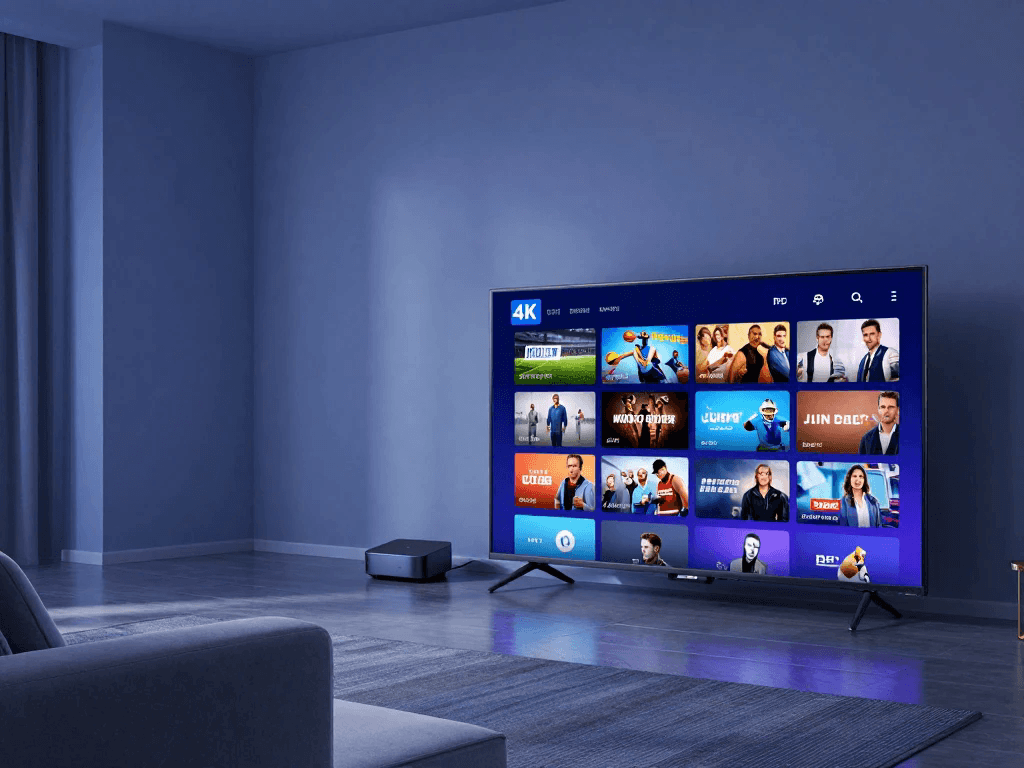
Best IPTV Devices in the USA: Fire TV, Smart TVs, Android, and More
IPTV on Amazon Fire TV and Firestick
Amazon Fire TV devices are popular because they connect to a television through HDMI and support compatible streaming applications. For many households, this provides a convenient way to access internet television without replacing an older TV.
Before buying a subscription, check whether the provider offers an official application for your Fire TV device or supports another installation method that it documents. Do not assume that every IPTV app is available in the Amazon Appstore. Avoid unfamiliar installation files and services that require you to disable important security protections without a clear, legitimate reason.
The setup process generally involves connecting the device to your television, joining your home Wi-Fi network, signing in to your Amazon account, and installing a supported application. You can then sign in to the television service using its official instructions.
If playback is slow, check the Wi-Fi signal, device storage, software updates, and the provider’s service status. An older streaming device may also struggle with certain formats or demanding applications, so verify compatibility before assuming the subscription itself is responsible.
IPTV on Samsung and LG Smart TVs
Samsung and LG Smart TVs can offer a convenient streaming experience because compatible apps run directly on the television. This may reduce the need for an additional streaming box and simplify everyday viewing.
Compatibility depends on the TV model, operating system, region, and app availability. An application available on a newer television may not work on an older model, and an app offered in one region may not be available in another. Confirm support using the television manufacturer’s official app store and the provider’s device documentation.
If your television does not support the application you need, you may be able to use a compatible external streaming device. Before spending money, check whether the service supports that device and whether it provides the features you expect.
Also consider how easy the interface is to use with your TV remote. A service may work technically but still be inconvenient if navigation is slow, subtitles are difficult to configure, or the application is poorly optimized for television screens.
IPTV on Android TV and Google TV
Android TV and Google TV devices support a range of streaming applications, although availability varies by model and service. These platforms can be suitable for households that want to combine live television with other streaming apps on one device.
Check the official app listing and the provider’s compatibility requirements before subscribing. If the service requires account credentials, use the instructions supplied directly by the provider. Do not share login details through public forums or enter them into unfamiliar applications.
Performance can depend on device specifications, available storage, software updates, and network conditions. A low-cost device may be sufficient for everyday HD streaming, while demanding applications or higher-resolution video may require more capable hardware.
If you plan to watch television regularly, look for a device with a responsive interface, reliable Wi-Fi support, appropriate video capabilities, and ongoing software updates. Those factors can influence your experience as much as the subscription itself.
IPTV on Apple TV, iPhone, and iPad
Apple devices can provide a convenient way to watch supported internet television services at home or while traveling. Depending on the provider, you may be able to use an official app on Apple TV, stream through an iPhone or iPad, or access content through a compatible browser.
Check the Apple App Store and the provider’s official documentation for availability. Review supported operating-system versions, subscription requirements, and any restrictions on external displays or casting. Some services allow a subscription to be used across several Apple devices, while others have more specific account or household rules.
Mobile streaming can use a substantial amount of data, especially at higher resolutions. If you frequently watch away from home, check your mobile data allowance and the application’s video-quality settings. Downloading content for offline viewing is not a standard feature of live-TV subscriptions, so verify it separately if it matters to you.
IPTV on Windows and Mac
A computer can be a useful streaming device if you prefer watching television at a desk, in a home office, or while traveling. Some providers offer browser-based playback, while others supply dedicated applications for supported operating systems.
Check the provider’s official browser requirements and use a current version of a supported browser. An outdated operating system, browser extension, or graphics driver can sometimes cause playback problems. If you experience errors, test the service in another supported browser and check whether the provider reports an outage.
Your computer’s display resolution, speakers, and network connection also affect the experience. A large monitor may provide a comfortable viewing option, but a television could be better for a group watching together. Consider how you will connect audio and whether the device can handle the content quality you intend to watch.
Device Compatibility Comparison
| Device | Main Advantage | Important Consideration |
|---|---|---|
| Amazon Fire TV | Convenient TV streaming | Confirm app availability |
| Samsung Smart TV | No separate box required when supported | Model and operating-system compatibility |
| LG Smart TV | Direct television app access | Regional app availability |
| Android TV / Google TV | Broad app ecosystem | Device performance and support |
| Apple TV | Integrated Apple experience | Service and app compatibility |
| iPhone / iPad | Portable viewing | Mobile data and account restrictions |
| Windows / Mac | Flexible browser-based access | Supported browser and operating system |
The best device is not necessarily the most expensive one. Start by identifying what you already own, then check whether your preferred provider supports it. If you need new hardware, compare its total cost with the benefits you will receive rather than purchasing a device simply because a provider recommends it.
Internet Speed Requirements for IPTV Streaming
What Internet Speed Do You Need?
Your internet connection plays a major role in streaming quality. A fast connection can help deliver higher-resolution video and support several people watching at once, but speed is not the only factor. Network stability, Wi-Fi signal strength, congestion, and the performance of the streaming device also matter.
As a general starting point, many households use the following approximate estimates for a single stream:
| Video Quality | Indicative Download Speed per Stream |
|---|---|
| Standard definition | 3–5 Mbps |
| HD | 5–10 Mbps |
| Full HD | 10–15 Mbps |
| 4K UHD | 25 Mbps or more |
These figures are general planning estimates, not guarantees or universal minimums. Actual requirements depend on the service, video compression, and the quality level selected. Check the streaming provider’s official recommendations whenever possible.
You should also leave capacity for other household activities. If one person watches 4K television while another joins a video meeting and a third downloads large files, your network needs more bandwidth than a single-stream estimate suggests.
How to Improve IPTV Streaming Quality
If your video buffers frequently, upgrading your internet plan is not always the first step. The issue could be a weak Wi-Fi signal, interference, a busy network, or a device that struggles with playback. Test the connection before deciding where to spend money.
Try these practical steps:
- Move the router to a central, open location.
- Connect the streaming device through Ethernet when practical.
- Restart the router and streaming device if they have become unresponsive.
- Pause large downloads or other bandwidth-heavy activities.
- Update the device operating system and supported streaming application.
- Run a speed test near the television and compare the result with your provider’s requirements.
- Check whether the problem affects one application or several services.
If other streaming platforms work normally while one service consistently fails, the problem may be specific to that service or its delivery network. Contact official support with the time of the problem, device model, and any error message. Avoid repeatedly purchasing new equipment before you have identified the cause.
What Causes Buffering, Freezing, and Poor Picture Quality?
Buffering occurs when the player cannot receive video data quickly enough to continue playback smoothly. This can happen because of insufficient bandwidth, an unstable wireless connection, network congestion, device limitations, or problems with the service’s servers.
Poor picture quality may have a different cause. A service might deliver a lower-resolution source, automatically reduce quality to accommodate your connection, or use compression that affects detail. A 4K television cannot create genuine 4K detail from a lower-resolution source.
To troubleshoot efficiently, change one variable at a time. Test the same content on another supported device, compare Wi-Fi with Ethernet if possible, and check whether other applications experience the same issue. If only one channel fails, the issue may involve that particular stream rather than your whole internet connection.
A reliable provider should offer clear support instructions and a way to report outages. Persistent service failures, unexplained interruptions, and a lack of meaningful support should factor into your next subscription decision.
Is IPTV Legal in the USA?
Understanding Licensed IPTV Services
IPTV is a technology for delivering television over internet networks. Its use does not automatically make a service legal or illegal. The important question is whether the provider has the necessary authorization to distribute the channels, films, sporting events, and other copyrighted material it offers.
Legitimate television services typically identify their business, publish subscription terms, explain their offerings, and provide official support channels. Their available content is subject to distribution agreements, regional restrictions, and other licensing conditions. These restrictions may mean that a service cannot offer every channel or event in every location.
By contrast, a provider that advertises thousands of premium channels at an unusually low price but refuses to explain its content rights deserves careful scrutiny. A large channel count is not proof of unauthorized distribution by itself, but it is not proof of legitimacy either.
For US consumers, the sensible approach is to evaluate the service’s identity, content authorization, payment terms, and privacy practices before subscribing. For legal questions about a specific provider, consult reliable legal information or a qualified attorney rather than relying on a marketing claim.
Warning Signs of an Unreliable IPTV Provider
Some warning signs are related to customer service and security rather than proving a copyright violation. A provider may have poor support without necessarily distributing unauthorized content. Nevertheless, several warning signs together should encourage you to investigate further.
Look out for:
- No identifiable business name or meaningful contact information.
- Unclear terms describing the content included in the subscription.
- Claims of guaranteed access to virtually every premium channel or sporting event worldwide.
- No transparent cancellation or refund policy.
- Requests to install unfamiliar software from questionable sources.
- Payment instructions that change unexpectedly or require unusual transfers.
- Requests for unnecessary personal information.
- No credible explanation of content distribution rights.
Do not rely on online testimonials alone. Reviews can be incomplete, outdated, or manipulated, and a polished website does not prove that a provider has the right to distribute its content.
Before subscribing, look for consistent business information, official documentation, and clear terms. If you cannot establish who operates the service or how it obtains the content it sells, choosing a better-documented alternative is the safer decision.
How to Choose a Safer IPTV Subscription
Begin with the provider’s official website. Read the subscription terms, privacy policy, cancellation rules, and refund conditions before entering payment information. Verify that the advertised channels and programs are available in your area and that the provider identifies the service you are actually purchasing.
Use a payment method with clear transaction records and applicable dispute procedures. Keep your order confirmation and a copy of the plan description. Avoid reusing important passwords, and do not share account credentials publicly. If you are asked to install an application, check its source and verify that it is supported by the provider or device manufacturer.
You should also consider data privacy. Streaming applications may collect information about usage, device identifiers, or account activity. Read the privacy policy to understand how information is handled and whether the terms meet your expectations.
Official resources such as the U.S. Copyright Office can help you understand copyright principles. The Federal Communications Commission provides consumer information on communications services. These sources can provide background, but neither should be treated as a certification that a particular IPTV provider is authorized to distribute every program it advertises.
How to Choose the Best IPTV Service in the USA for Your Needs
Best IPTV Option for Sports Fans
If sports are your top priority, begin with the events you actually watch instead of choosing a provider based on its marketing. Write down your favorite teams, leagues, and competitions, then identify which authorized broadcasters carry them in your region.
A sports-focused subscription may offer a wide selection of networks, but regional blackouts and separate event rights can still affect access. Some events may be available through a national channel, while others require a regional network or a dedicated streaming subscription.
Compare the full cost of the required services. A broad live-TV package may be good value if you watch many sports, news, and entertainment channels. If you follow only one league, a smaller or league-specific service could be more economical.
Before paying, confirm the exact channels and restrictions that apply to your location. If a particular game is essential, verify the official broadcaster for that event rather than assuming your preferred service will carry it.
Best IPTV Option for Families
Families often need a combination of entertainment, children’s programming, news, and sports. They may also need several simultaneous streams because different people want to watch different programs at the same time.
Look for parental controls, profiles where available, suitable content filters, and clear account-sharing rules. Check whether the service supports every television and mobile device used by your household. If several people regularly stream simultaneously, calculate whether the plan’s limits are sufficient.
A family bundle can offer good value when it combines services you would otherwise buy separately. However, the apparent savings may disappear if you do not use the included apps or if the bundle requires add-ons for your preferred channels.
Ask each household member which channels or features matter most. You may discover that a smaller package plus one carefully chosen add-on provides everything you need without paying for a large premium plan.
Best IPTV Option for Movie Lovers
If your evenings revolve around films and television series, an extensive live-channel lineup may not be your most important requirement. Focus instead on the availability of the titles you want, the ease of finding them, and whether the service offers suitable playback features.
Compare the on-demand catalogs of licensed services and check whether they include the genres, languages, subtitles, and accessibility features you need. If you regularly watch new releases, investigate how content availability changes and whether individual films require an additional rental or purchase.
A subscription with a large library can still be disappointing if your favorite titles are missing. Search for several specific films before choosing a provider, and compare the total cost against other legitimate streaming options.
You should also decide whether you need live television at all. If you rarely watch scheduled programming, a dedicated on-demand service may be more economical than a full live-TV replacement package.
Best IPTV Option for Budget-Conscious Users
A low advertised price can be attractive, but the best value is determined by the content and features you receive for the money. A service that costs less but lacks your essential channels may force you to purchase additional subscriptions, making the combined cost higher.
Start by setting a realistic monthly budget. Include taxes where applicable, premium channels, additional streams, device purchases, and any other recurring fees. If an introductory offer expires after a few months, calculate the cost over an entire year.
Consider whether you can use a free, authorized streaming service for some of your viewing needs. You may be able to reduce costs by combining free ad-supported television with one paid subscription instead of maintaining several premium plans.
Avoid committing to a long-term subscription before testing compatibility and confirming the content you need. Flexibility can be worth paying slightly more for when you are trying a new service or are unsure whether it will suit your household.
Best IPTV Option for Travelers
If you travel frequently, check where the provider allows you to watch and whether account access changes when you leave your home region. Some services impose household-location requirements, limit mobile viewing, or restrict content based on regional broadcasting rights.
An application that works at home may not offer the same channels when you travel. International access can also depend on licensing arrangements, local laws, and the service’s terms of use. Do not assume that a subscription purchased in the United States guarantees access to every program abroad.
Before leaving home, verify supported travel regions, device limits, offline-viewing features, and any restrictions on simultaneous streams. If you depend on a particular news channel or sports event, confirm its availability for your destination.
For extended travel, a service with clear portability rules and reliable mobile support may be more useful than one with a larger channel count but strict location limitations.
A Simple IPTV Buying Checklist
Before you select a plan, answer these questions:
- Which channels, shows, or sports events must be included?
- Are the channels available at your ZIP code or intended viewing location?
- Does the provider clearly identify its business and content authorization?
- Does the application work on your existing devices?
- How many simultaneous streams do you need?
- What is the regular monthly price after promotions expire?
- Are there extra charges for premium content, sports, or additional screens?
- What are the cancellation and refund conditions?
- How can you contact official customer support?
- Does the service’s privacy policy meet your expectations?
If a provider cannot answer important questions about pricing, compatibility, or its content offering, do not rush into a purchase. A reliable subscription should have clear terms that allow you to make an informed decision.
IPTV Free Trials, Refund Policies, and Customer Support
Are Free IPTV Trials Worth Trying?
A free trial can help you determine whether a streaming service fits your needs before you pay for a full subscription. You can use the trial period to explore the interface, confirm device compatibility, test playback quality, and check whether the channel lineup includes your preferred programs.
However, a trial is useful only when you understand its conditions. Some services require payment information at registration and automatically begin charging when the trial expires unless you cancel. Others offer promotional trials only to eligible new customers. Trial duration, included features, and cancellation procedures can change.
Before starting a trial, check the renewal date and set a reminder if you do not want to continue. Test the service on the device you expect to use most, rather than relying exclusively on a quick phone demonstration. If local stations or sports matter to you, check those specific channels during the trial.
A trial should be a genuine opportunity to evaluate the service, not a reason to ignore its terms. If a provider does not explain the trial clearly, consider a more transparent alternative.
What Makes a Good IPTV Refund Policy?
A refund policy explains the circumstances in which you can recover money after purchasing a subscription. It may distinguish between cancellation of future renewals and a refund for a payment already made. Those are not necessarily the same thing.
Read the policy before subscribing, especially if you are considering a longer-term plan. Check whether refunds are available for technical problems, service interruptions, accidental purchases, or unused subscription time. Look for eligibility deadlines, exclusions, processing procedures, and the payment method used for any refund.
Keep your order confirmation, receipt, and a copy of the applicable terms. If you need assistance, contact the provider through its official support channel and describe the issue clearly. Include relevant error messages and troubleshooting steps without sending passwords or unnecessary personal information.
Do not assume that a provider’s promise of a money-back guarantee means every request will qualify. The written terms determine the conditions the provider states, and your rights may also depend on applicable consumer-protection laws.
How to Evaluate IPTV Customer Support
Customer support becomes especially important when your service stops working shortly before a major sporting event or when you need help setting up a new television. A provider should make it reasonably clear how customers can obtain assistance and what kinds of issues its support team handles.
Look for a published support email, help center, troubleshooting guide, or other identifiable contact method. Check whether the provider explains its support hours and typical process for handling technical problems. Do not treat a claim of round-the-clock support as proof that assistance will always be immediate.
You can also assess support before subscribing by asking a simple question about device compatibility, channel availability, or billing. A clear, specific response is more useful than a generic promise that every issue will be resolved.
Read customer reviews with care. Look for repeated, detailed reports about billing, cancellation, reliability, or support rather than relying on isolated praise or complaints. Reviews are useful evidence to consider, but they do not replace checking the provider’s actual terms and capabilities.
Common IPTV Problems and How to Troubleshoot Them
Even a legitimate, well-established streaming service can experience technical problems. Before cancelling your subscription or buying a replacement device, identify whether the issue comes from your internet connection, hardware, account, application, or the service itself.
IPTV Buffering or Constant Freezing
Buffering usually indicates that the video player is struggling to receive or process the stream continuously. It can result from an unstable Wi-Fi connection, congestion, a slow internet connection, device limitations, or a temporary service outage.
Start with these steps:
- Test your internet connection on the device you are using.
- Restart the streaming device and router if necessary.
- Move the device closer to the router or use Ethernet where possible.
- Pause other high-bandwidth activities and test again.
- Check for application and operating-system updates.
- Try another supported program or streaming service to compare performance.
- Check the provider’s official service-status information or contact support.
If several services buffer simultaneously, investigate your home network or internet provider. If only one provider has problems while other applications work normally, the issue may be related to that service or its content delivery.
Avoid assuming that the number of channels advertised determines streaming quality. Reliable delivery depends on multiple technical factors, including the source, network capacity, and performance of the application.
IPTV Channels Not Loading
A channel that refuses to load can indicate several different problems. The channel may be temporarily unavailable, the provider may be experiencing an outage, the application may need updating, or your subscription may not include that content.
First, check whether one channel is affected or the entire service is unavailable. If only one channel fails, confirm that it is included in your plan and check whether the provider has published an outage notice. If every channel fails, verify your internet connection and account status.
Next, restart the application and device, and follow the provider’s official troubleshooting instructions. Avoid repeatedly deleting settings or changing technical configurations when you do not know what they do. If the issue continues, contact official support with the channel name, device model, approximate time, and any error message.
A recurring problem with essential channels should influence your evaluation of the service. Occasional outages can happen, but persistent failures and unhelpful support may indicate that the subscription does not meet your expectations.
IPTV Login Failed
Login problems can result from an incorrect password, expired subscription, account configuration issue, service outage, or a problem with the application’s stored credentials.
Begin by checking the spelling of your username and password, including capitalization where applicable. Confirm that your subscription is active and use the provider’s official account-recovery process if you have forgotten your credentials.
If the provider requires a particular application or account setup, verify that you are following its current instructions. Do not send passwords or sensitive account information to strangers who offer to fix the problem through social media.
If the login error persists, contact the provider’s official support team. Include the exact error message and your device type, but share personal account details only through an appropriate secure channel. Clear troubleshooting instructions and a straightforward account-recovery process are signs of a better customer experience.
IPTV App Not Working on a Smart TV
An application that crashes, freezes, or fails to open may be incompatible with your television model or software version. It can also result from insufficient device storage, an outdated app, or a temporary problem with the service.
Check the manufacturer’s documentation to confirm that your TV model and operating system support the application. Install official software updates, restart the television, and follow the app developer’s recommended troubleshooting steps.
If the application remains unavailable, ask the provider whether it supports an external streaming device that you already own or are considering purchasing. Confirm compatibility before spending money on new hardware.
Do not assume that every application described as an IPTV player is compatible with every IPTV subscription. A player is software for accessing supported streams; it does not automatically provide television channels or grant rights to copyrighted content. You still need an authorized source and the correct service configuration.
Best IPTV Service in USA — Final Comparison and Buying Checklist
By now, you should have a clearer understanding of the factors that separate a suitable television subscription from one that looks attractive only in an advertisement. The best choice depends on your actual viewing habits, the channels available in your region, the devices you own, and the amount you are comfortable paying each month.
Use the following summary to identify the priorities that matter most to you.
| Your Priority | What to Prioritize | What to Verify |
|---|---|---|
| Lowest overall cost | Transparent pricing and limited unnecessary extras | Regular renewal rate and annual total |
| Live sports | Authorized coverage of your preferred events | Network availability and blackout restrictions |
| Local television | Local broadcast affiliates | ZIP-code lineup |
| Movies and series | A useful on-demand catalog | Specific titles and availability |
| Family viewing | Profiles, parental controls, and stream limits | Simultaneous-stream policy |
| Flexible cancellation | Clear billing and renewal terms | Cancellation process and refund conditions |
| Better picture quality | Supported resolution and reliable delivery | Device capability and internet requirements |
| Travel | Portability and supported locations | Household and regional restrictions |
A comparison table is only a starting point. Before you purchase, confirm all important details on the provider’s official website. Pricing can change, channels can move between packages, and promotional offers may apply only to certain customers. If a provider advertises an exceptionally large number of channels, check whether it identifies those channels and explains the conditions under which they are available.
You should also distinguish the price of television from the price of internet service. If you already pay for broadband, you may only need to compare the additional streaming subscription. If you are choosing a new internet plan as well, include that expense in your household budget.
Finally, choose a service that you can evaluate before making a long commitment whenever possible. A suitable trial, clear terms, and responsive support can reduce the risk of paying for a service that does not meet your needs.
Frequently Asked Questions About the Best IPTV Service in USA
What Is the Best IPTV Service in the USA in 2026?
The best IPTV service in the USA depends on the channels you watch, your budget, your preferred devices, and the features you need. YouTube TV may suit viewers looking for a broad live-TV package, Hulu + Live TV combines live television with on-demand entertainment, Sling TV offers customizable packages, DIRECTV has different genre-focused and broader plans, Fubo is worth evaluating for sports, and Philo focuses on entertainment programming. Compare current channel lineups and pricing before deciding.
There is no universal winner for every household. Check local channel availability, sports rights, stream limits, cancellation conditions, and the provider’s content authorization. The right choice is the service that reliably provides the programming you want under terms you understand.
How Much Does the Best IPTV Service in USA Cost?
The cost depends on the provider, package, promotional offer, and optional features. Some focused entertainment plans cost less than broad live-TV bundles, while subscriptions that combine live channels, sports, and additional streaming libraries may cost substantially more.
For example, Hulu + Live TV has advertised a package at $89.99 per month after a three-day trial. Other providers publish different plan prices and introductory offers. These figures can change, so check the current official pricing before subscribing.
Compare the regular renewal price rather than looking only at the first month’s cost. Include any required add-ons, premium channels, taxes, or additional-stream charges to estimate the total amount you will pay.
Is IPTV Legal in the USA?
IPTV technology is not inherently illegal. The important issue is whether a particular provider has the necessary authorization to distribute the television channels, movies, sports, and other copyrighted content it offers.
Look for a clearly identified provider, transparent subscription terms, reliable customer support, and verifiable information about its content offering. Be cautious when a service makes sweeping claims about premium content but provides no meaningful explanation of its distribution rights.
If you have concerns about a particular provider, review the relevant terms and seek qualified legal advice when necessary. Do not rely solely on the provider’s own claims or on an online review to establish that its content is authorized.
What Internet Speed Is Best for IPTV?
Your required internet speed depends on the resolution you watch, the streaming service, and the number of simultaneous streams. As a general estimate, one HD stream may need around 5–10 Mbps, while a 4K stream may require 25 Mbps or more. Actual requirements vary, so consult the provider’s recommendations.
You should also allow capacity for other household activities. A stable connection with good Wi-Fi coverage can be more useful than a high advertised speed that is not consistently available where your television is located.
If you experience buffering, test the connection near your streaming device and compare performance over Wi-Fi and Ethernet when possible.
Can I Watch IPTV on Firestick and Smart TVs?
Yes, many internet television services support compatible Fire TV devices, Smart TVs, Android TV, Apple TV, mobile devices, or computers. However, compatibility depends on the provider, application, device model, operating system, and region.
Before subscribing, confirm that the provider supports your exact device. Check the official app store and the manufacturer’s documentation rather than assuming that an application with a similar name will work.
If your TV does not support the required app, a compatible external streaming device may be an option. Verify compatibility before buying new equipment.
Can I Watch Live Sports with an IPTV Subscription?
You can watch live sports through authorized internet television services when the relevant networks or events are included in your package. Availability depends on broadcasting rights, your location, the subscription tier, and possible blackout restrictions.
Check the networks that carry your favorite teams and competitions. Some games are shown on national channels, while others require regional networks or separate subscriptions.
Do not assume that a provider carrying several sports channels includes every major event. Verify the exact event and its official broadcaster before paying for a plan.
Are Free IPTV Trials Available?
Some legitimate television streaming providers offer free trials or promotional access, while others do not. Trial duration, eligibility, payment requirements, and included features vary.
Before starting a trial, check when billing begins and how to cancel. Some promotions automatically convert into paid subscriptions unless you cancel before the deadline.
Use the trial to test your actual devices, preferred channels, and streaming quality. Read the terms carefully rather than assuming that a trial includes every feature in the full package.
Is a Cheap IPTV Subscription Always the Best Choice?
No. A low price does not guarantee reliable streaming, useful channel selection, good customer support, or authorized content distribution. An inexpensive subscription may become more costly if you need several add-ons or must purchase another service to access your preferred programs.
Compare the complete price with the value you receive. Check the channel lineup, stream limits, renewal terms, support options, and refund conditions.
You should also investigate the provider’s identity and content rights. A transparent, appropriately licensed service with the channels you actually watch may offer better value than a much cheaper package whose claims cannot be verified.
How Do I Choose a Reliable IPTV Provider in the USA?
Start by identifying your essential channels and devices. Compare the official plans of several providers, check the current prices, and confirm that the content you want is available in your region.
Next, examine the provider’s business information, privacy policy, cancellation terms, and customer-support options. Look for clear explanations of what your subscription includes and avoid making a decision based solely on marketing claims or unverified reviews.
If a suitable trial is available, use it to test the service before making a long-term commitment. Save your payment confirmation and review the renewal conditions. These steps can help you make a more informed choice.
Conclusion — Find the Best IPTV Service in the USA for 2026
Finding the best IPTV service in the USA is not simply a matter of choosing the provider with the most advertised channels or the lowest monthly price. You need a service that delivers the programming you care about, supports your devices, works reliably with your internet connection, and offers transparent subscription terms.
Start by comparing established providers such as YouTube TV, Hulu + Live TV, Sling TV, DIRECTV streaming, Fubo, and Philo according to your viewing habits. Check their current official pricing, local channel availability, sports coverage, on-demand libraries, and simultaneous-stream policies. The best choice for a sports fan may be very different from the best option for a family that mainly watches entertainment and movies.
Remember to consider content authorization, privacy, customer support, and cancellation policies alongside features and price. An impressive channel count is not a substitute for clear terms and verifiable content availability.
Ready to choose your next television subscription? Make a shortlist of your essential channels, compare the official plans, calculate your expected monthly and annual costs, and verify device compatibility before paying. If a trial is available, use it to test the service on your own equipment. A little research now can help you avoid unnecessary expenses and find a television experience that fits your household in 2026.