
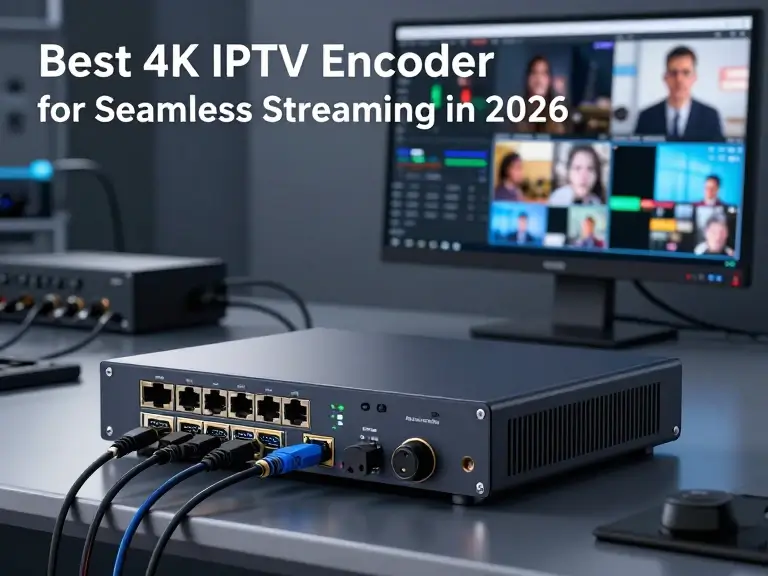
Streaming high-definition video is key in today’s world. It’s important for campus networks, businesses, and home setups. A top-notch 4k iptv encoder turns your HDMI sources into smooth digital streams. These streams reach your audience quickly and without trouble.
Finding the right device can be tough with so many choices. This guide will help you find the best 4k iptv encoder for your needs. We’ll show you how to set up your hardware for the best performance and reliability.

You’ll learn how to mix image quality with network capacity for a smooth viewing experience. We’ll also cover important setup choices, troubleshooting tips, and legal matters. By the end, you’ll know how to create a professional video system that lasts.
Key Takeaways
- Understand the core function of hardware in converting HDMI signals to digital streams.
- Learn how to select equipment that fits the needs of homes, businesses, and campuses.
- Discover the balance between high-resolution image quality and available network bandwidth.
- Master the configuration process to ensure stable and reliable video delivery.
- Gain insights into troubleshooting common issues and maintaining legal compliance.
What a 4K IPTV Encoder Does for Your Streaming Workflow
An iptv encoder connects your video source to the digital network. It makes your content ready for streaming on local networks or the internet.
How an HDMI source becomes an IPTV stream
Start by connecting your device to an hdmi iptv encoder. The encoder captures the video signal and compresses it for network transmission.
The compressed data is then sent over your network. It goes to a media server or set-top box for decoding and display.
The difference between encoding, transcoding, and HDMI-to-IP conversion
Encoding turns raw video into a digital stream. Transcoding changes an existing stream into a different format or bitrate.
An hdmi to iptv converter might just pass the signal. But a true hdmi encoder for iptv manages bitrates, frame rates, and protocols.
When you need a dedicated IPTV encoder instead of a capture card
A capture card records video on a computer. But it uses the computer’s CPU. A dedicated iptv encoder hdmi is a standalone device for 24/7 use.
Choose a dedicated hdmi to iptv solution for reliability. These devices prevent system crashes and keep your stream stable.
Common IPTV delivery methods, including SRT, RTMP, RTP, UDP, and HLS
Choosing the right protocol is key for your hdmi to iptv encoder setup. Each method is best for different networks and destinations:
- SRT (Secure Reliable Transport): Ideal for high-quality, low-latency streaming over unpredictable networks.
- RTMP (Real-Time Messaging Protocol): The standard for content delivery to platforms like YouTube or Facebook.
- RTP/UDP: Best for local network distribution where speed is crucial.
- HLS (HTTP Live Streaming): The most compatible format for mobile devices and web browsers.
How to Define Your 4K IPTV Streaming Requirements
Before buying any equipment, map out your 4K video distribution needs. This step helps you pick the right hardware for your workflow. It also saves you from spending too much money.
Start your IPTV channel planning by understanding your technical setup. Documenting your needs early helps guide your future hardware choices.
Choose between one-channel and multi-channel distribution
Decide if you need a single stream or multiple ones. A single-channel encoder works for simple delivery. But, if you have many sources, a multi-channel unit is better.
Identify your source devices, including cameras, set-top boxes, and media players
Make a list of all devices that will feed your encoder. This includes professional cinema cameras, set-top boxes, and media players. Knowing your input types is crucial. Make sure your encoder supports your devices’ outputs.
Decide whether you need local-network IPTV, internet streaming, or both
Think about where your audience is. For local streaming, use multicast. But for remote viewers, you need internet protocols like SRT or HLS for reliable delivery.
Set your required resolution, frame rate, HDR support, and audio format
Decide on the visual quality you need. For high-end 4K, aim for 60 frames per second and HDR. Also, choose your audio format, like AAC or professional-grade audio, to match your video.
Estimate simultaneous viewers and required network capacity
Your streaming requirements depend on how many viewers you expect. Calculate your bandwidth needs by multiplying your stream’s bitrate by the number of viewers. This ensures a smooth viewing experience.
| Requirement Category | Key Consideration | Impact on Hardware |
|---|---|---|
| Channel Count | Single vs. Multi-stream | Encoder density and cost |
| Source Type | HDMI, SDI, or IP | Input port compatibility |
| Delivery Path | Local LAN vs. Internet | Protocol support (SRT/UDP) |
| Visual Quality | 4K, HDR, 60fps | Processing power needed |
By following this structured approach to IPTV channel planning, you ensure your infrastructure is ready for modern 4K content. A well-defined plan is key to a successful streaming project.
How to Compare the Best 4K IPTV Encoder Features
Choosing the right hardware for your video workflow is more than just looking at marketing claims. The real value of a 4k iptv encoder is in its architecture and flexibility. You need to see how it handles your signal chain for a smooth viewer experience.
Evaluate 4K input support and pass-through behavior
Make sure your iptv hdmi encoder supports your source’s full resolution and refresh rate. A true 4K device should handle 60 frames per second without any issues. Pass-through functionality is also key, letting you send the original signal to a monitor while encoding for your network.
Check codec options, including H.264, H.265, and practical compatibility limits
Understanding codec compatibility is crucial for reaching your audience. H.264 is widely supported, but H.265 offers better compression for 4K. Using H.265 can cut down your bandwidth, if your devices can decode it.
“Efficiency in streaming is not just about the bitrate; it is about choosing the right tool for the specific network environment you are operating within.”
Match bitrate, frame rate, chroma subsampling, and color depth to your content
Your iptv encoder needs to let you control your stream settings finely. High-motion content needs a higher bitrate to avoid pixelation. Static content can often use lower settings. Chroma subsampling and color depth affect your broadcast’s visual quality.
Confirm audio inputs, embedded HDMI audio, AAC encoding, and professional audio support
Don’t forget about your iptv hd encoder‘s audio setup. It should support embedded HDMI audio for ease, but also have analog inputs for professional equipment. Reliable AAC encoding is essential for compatibility with most media players and set-top boxes.
Look for redundant streaming, recording, and failover capabilities
For critical broadcasts, you need encoder features that prevent failure. Redundant streaming sends your signal to two places at once. Local recording is also key, ensuring a high-quality master file even if the network fails.
Assess web controls, APIs, presets, monitoring, and remote administration
Managing your iptv encoder should be easy and efficient. Look for a web interface that monitors your stream and network in real-time. Advanced users should look for API access and preset management for quick setup during live events.
Best 4K IPTV Encoder Options for 2026
Looking to upgrade your streaming setup? These four devices are at the top of the game. Picking the best 4k iptv encoder depends on your needs, budget, and technical needs. Each model has unique strengths for different professional settings.
Kiloview E3 for flexible HDMI-to-IP streaming
Key features and supported workflows
The Kiloview E3 is a dual-channel encoder for HDMI and SDI inputs. It’s great at converting high-quality video into various IP protocols like SRT, RTMP, and NDI.
Advantages for IPTV distribution
Its incredible flexibility lets you manage multiple streams at once. It’s small and fits well in any setup, whether it’s a rack or a portable kit.
Limitations to consider before purchase
The interface might be complex for beginners. You might need time to get used to the advanced settings in the web dashboard.
Who should choose the Kiloview E3
This encoder is great for creators and small studios. It’s reliable and handles different inputs without costing too much.
Magewell Ultra Encode AIO for versatile 4K contribution
Key features and supported workflows
The Magewell Ultra Encode AIO is for high-end streaming and contribution. It supports many protocols and has strong encoding for tough video tasks.
Advantages for IPTV distribution
Its main strength is its versatility. It works well with various bitrates and resolutions, keeping your content clear and stable.
Limitations to consider before purchase
This device is more expensive than basic models. Make sure your budget can handle it before buying.
Who should choose the Magewell Ultra Encode AIO
Go for this if you need a top-notch device for high-quality encoding and wide compatibility with streaming platforms.
Epiphan Pearl Nano for managed professional streaming
Key features and supported workflows
The Epiphan Pearl Nano is a compact, powerful encoder for professional use. It has great local control and monitoring features.
Advantages for IPTV distribution
This unit offers unmatched reliability and ease of use. It’s perfect for managed environments where stability is key for your viewers.
Limitations to consider before purchase
It’s designed for managed workflows, not for encoding many streams at once. It might not be the best for high-density encoding.
Who should choose the Epiphan Pearl Nano
This is ideal for corporate, educational, or house-of-worship settings. It’s a “set it and forget it” solution for 4k iptv encoder needs.
Haivision Makito X4 for enterprise-scale contribution
Key features and supported workflows
The Haivision Makito X4 is the top choice for large-scale video delivery. It has ultra-low latency and high-density encoding for critical applications.
Advantages for IPTV distribution
You get redundant streaming and advanced failover features. It’s built for 24/7 operation in big broadcast networks.
Limitations to consider before purchase
The Makito X4 is expensive and complex. It’s for professional engineers managing large, complex networks.
Who should choose the Haivision Makito X4
For large-scale enterprise networks where failure is unacceptable, this is the top choice for your infrastructure.
| Model | Primary Strength | Best Use Case | Complexity |
|---|---|---|---|
| Kiloview E3 | Flexibility | Small Studios | Moderate |
| Magewell AIO | Versatility | Contribution | Moderate |
| Epiphan Nano | Reliability | Managed Ops | Low |
| Haivision X4 | Enterprise Scale | Broadcast | High |
How to Choose the Best 4k IPTV Encoder for Your Budget
When you decide to buy a 4k iptv encoder, think about more than just the price. It’s not just about the initial cost. You need to consider the long-term costs too.
Start by figuring out what you need. This way, you can avoid unexpected costs later on.
Compare entry-level, prosumer, and enterprise encoder costs
The 4k iptv encoder market has three main types. Entry-level devices are good for simple tasks and cost a few hundred dollars. Prosumer models offer better reliability and more features for a bit more money.
At the top, you have enterprise-grade hardware. These are for big operations and cost more. Choose based on how often you need it and how big your network is.
| Tier | Typical Use Case | Reliability | Price Range |
|---|---|---|---|
| Entry-Level | Small events | Basic | $200 – $600 |
| Prosumer | Corporate streaming | High | $700 – $2,000 |
| Enterprise | Broadcast/Campus | Mission-Critical | $2,500+ |
Calculate the total cost of ownership beyond the hardware price
Your total cost of ownership includes more than just the device. You’ll need accessories like HDMI cables and network switches. Also, consider installation costs and ongoing maintenance.
Don’t forget about the time needed for training. A hard-to-use device can cost more in lost productivity than a simpler one.
Balance 4K capability against subscription, licensing, and support fees
High-end streaming comes with ongoing costs. Some features, like cloud management, may need monthly or yearly fees. Make sure to check if the 4k iptv encoder includes these or if they’re extra.
Support packages are also key. While basic support is free, 24/7 phone support costs more. Make sure your budget includes these services for smooth streaming.
Decide when buying a 4k encoder is better than renting equipment
If you only use it a few times a year, renting might be cheaper. But, if you use it often, buying is more cost-effective. Owning lets you test and change settings whenever you want.
Buying is better for a permanent setup. It saves you from rental hassles and risks. Over time, owning is cheaper than renting.
Use warranty coverage, firmware support, and replacement availability as buying factors
Reliability is key for streaming. Always check the warranty before buying. A good warranty protects your investment.
Also, look for brands with regular firmware support and updates. This keeps your device up-to-date with streaming standards. Make sure replacement units are easy to get in the US to avoid downtime.
How to Verify HDMI and Source Compatibility Before You Buy
Checking if your gear works together is key before you buy 4k iptv encoder hardware. A smooth streaming process needs your source device and capture hardware to talk to each other. Checking your equipment now can prevent big tech problems later.
Check HDMI version, HDCP restrictions, and supported resolutions
Today’s video signals are complex, and your hdmi iptv encoder must understand them. Make sure your source device’s HDMI version matches your encoder’s. Also, check if your encoder supports the HDCP version your source needs.
Confirm compatibility with cameras, game consoles, computers, and streaming boxes
Each device acts differently with an hdmi encoder for iptv. Cameras send “clean” HDMI signals, but game consoles or streaming boxes might send signals that confuse standard hardware. Before buying, check if your camera or computer works with your hdmi to iptv encoder.
Understand why protected commercial video sources may not encode legally or technically
Many commercial media players have strict copy protection. Using an iptv encoder hdmi input might block encrypted content to prevent unauthorized sharing. This is both a technical and legal measure to protect copyrighted material.
Match input frame rates and refresh rates to your source equipment
For a smooth visual experience, consistency is crucial. If your camera shoots at 60 frames per second, your encoder must handle that rate to avoid stuttering. Make sure your source and encoder settings match to avoid dropped frames.
Test audio extraction, lip-sync controls, and embedded versus external audio
Audio problems can be tricky to solve. Whether using an hdmi to iptv converter or a dedicated encoder, check how it handles audio. Testing your HDMI compatibility early helps adjust lip-sync settings for perfect audio and video alignment.
How to Design the Network for Reliable 4K IPTV Playback
Your 4K IPTV setup needs a strong network to work well. It’s not just about fast internet. You need a stable network that can handle high-bitrate data without problems.
Calculate bandwidth for one 4K stream and multiple simultaneous outputs
To figure out your 4K IPTV bandwidth needs, start with the bitrate of your video. A single 4K stream needs between 15 Mbps and 30 Mbps. This depends on the codec and compression settings.
If you’re streaming to more than one screen, multiply this by the number of viewers. Add 20% to your total to cover network overhead and unexpected traffic.
Use wired Ethernet, suitable switches, and reliable uplinks
Wireless connections aren’t stable enough for high-resolution video. Always use hardwired Gigabit Ethernet for a steady data flow between your encoder and the network switch.
Make sure your switches can handle high throughput without dropping packets. Use Cat6 or Cat6a cabling to avoid signal loss over long distances.
“A network is only as fast as its slowest link, and in video streaming, that link is often the difference between a smooth broadcast and a frozen screen.”
Network Engineering Best Practices
Separate video traffic with VLANs and quality-of-service rules
Video traffic is very sensitive to congestion. Use VLANs to keep your video stream separate from other data. This stops other devices from messing with your broadcast.
With Quality-of-Service (QoS) rules, you can make video packets a priority. This means your stream gets the best treatment from your router and switches.
Reduce packet loss, jitter, and latency across the delivery path
Packet loss and jitter can ruin your viewing experience. Keep your network simple and avoid extra hops between the encoder and the destination.
Use monitoring tools to find bottlenecks in real-time. If you see high latency, check your switch buffers and update your firmware.
Plan internet upload capacity for remote viewers and cloud platforms
When streaming to remote locations, your network capacity is limited by your ISP’s upload speed. Make sure your upload bandwidth is at least 1.5 times the total bitrate of your stream.
If your upload speed is too low, your remote viewers will face constant buffering. Consider getting a dedicated fiber connection if you plan to use multiple cloud platforms.
Build redundancy with dual network paths, backup encoders, or secondary streams
For critical broadcasts, you need a failover plan to avoid downtime. Use dual network paths or secondary encoders that take over if the primary stream fails.
Using multicast IPTV protocols in your local network can also help. It sends one stream to many receivers at once, reducing the load on your encoder and keeping your network organized.
| Network Metric | Recommended Standard | Impact on Quality |
|---|---|---|
| Connection Type | Wired Gigabit Ethernet | High Stability |
| Packet Loss | Less than 0.1% | Prevents Artifacts |
| Jitter | Below 5ms | Ensures Smooth Motion |
| Upload Speed | 1.5x Stream Bitrate | Eliminates Buffering |
How to Configure Your IPTV Encoder for Quality and Stability
To get a stable 4K stream, you need a clear setup plan. This IPTV setup guide will help you set up your device for top-notch broadcasts.
Step 1: Connect the HDMI source, network cable, audio path, and power
First, connect your gear. Use a top-notch HDMI cable to link your video source to the iptv hdmi encoder. Make sure your network cable is plugged into a fast gigabit switch. Also, connect your audio source if you’re using external inputs.
Step 2: Open the encoder dashboard and install current firmware
Open the web interface through your browser. It’s crucial to update to the latest firmware right away. This step fixes bugs and boosts your iptv encoder‘s stability.
Step 3: Select a 4K resolution and frame rate that the source can sustain
Match your encoder settings to your source’s native output. Don’t upscale if your source is less than 4K. Always check your network’s bandwidth for your chosen frame rate.
Step 4: Choose H.264 or H.265 according to receiver and platform compatibility
Choose H.264 for wide compatibility or H.265 for better 4K efficiency. Most IPTV setup environments prefer H.265 to save bandwidth, if your devices support it.
Step 5: Set bitrate, keyframe interval, profile, and rate-control options
Adjust your bitrate for quality and network capacity. A two-second keyframe interval is good for smooth playback. Use Constant Bitrate (CBR) mode for predictable streams.
Step 6: Configure audio codec, sample rate, channel layout, and delay
Use AAC as your main audio codec for quality and compatibility. Match your sample rate to your source, usually 48kHz. Adjust the delay to fix sync issues.
Step 7: Select SRT, RTP, UDP, RTMP, or HLS for the intended IPTV destination
Choose the right protocol for your needs. Here’s a guide to help you decide:
- SRT: Best for unreliable networks and low latency.
- RTMP: Ideal for social media and standard streaming platforms.
- UDP/RTP: Perfect for local multicast distribution.
- HLS: Recommended for broad compatibility across web players.
Step 8: Save the profile and confirm that the stream reaches its destination
After setting up your encoder configuration, save your settings as a profile. Test the stream to make sure it reaches your server. A successful iptv hdmi encoder setup needs this final check for quality and uninterrupted feeds.
How to Optimize 4K Picture Quality Without Causing Buffering
Streaming in 4K can be a challenge. You need to keep the picture clear without overloading your network. Finding the right balance is key to a smooth viewing experience for everyone.

Choose a bitrate that matches content movement and network conditions
Bitrate is crucial for avoiding buffering. For fast-moving scenes, like sports, you need a higher bitrate to prevent pixelation. But for still images, you can use a lower bitrate to save bandwidth and keep your network stable.
Use H.265 when compatible receivers need better compression efficiency
Switching to H.265 compression is a smart choice. It offers better quality at lower bitrates than older standards. Make sure your devices support H.265 before making the switch to ensure smooth playback.
“Efficiency in encoding is the bridge between high-fidelity visuals and reliable delivery across constrained networks.”
Keep frame pacing, keyframes, and GOP structure consistent
A stable Group of Pictures (GOP) structure is key for smooth playback. If your keyframe interval is too long, viewers might see long startup times or stuttering. Keeping these settings consistent helps your iptv hd encoder stream smoothly without sudden data spikes.
Manage HDR, SDR conversion, color space, and television compatibility
Working with High Dynamic Range (HDR) needs careful color space settings. If your display doesn’t support HDR, converting to SDR is necessary to avoid washed-out colors. Proper color management ensures your 4K content looks great on any screen.
Prevent overheating, dropped frames, and thermal throttling
Your hardware needs to stay cool during long streams. If it gets too hot, it might drop frames or slow down, causing visible issues. Keep your iptv hd encoder in a well-ventilated area to ensure it runs at its best.
Identify when lowering resolution improves the viewer experience
At times, scaling down can improve the viewing experience. If your network can’t handle 4K, dropping to 1440p or 1080p might be better. Prioritizing smooth motion over high pixel count is a smart strategy for avoiding buffering.
How to Connect a 4K IPTV Encoder to Your Distribution Platform
Once you have your hardware ready, it’s time to connect your signal to the right place. Making sure your hdmi iptv source is connected well ensures your video quality reaches everyone. This is crucial whether you’re setting up a private network or streaming to the public.
Send a stream to an IPTV middleware or private media server
Connecting your encoder to IPTV middleware helps manage your content from one place. This is great for places like hotels, hospitals, or offices where you need to control who sees what. By connecting to a private media server, you can manage who gets to watch what.
Configure multicast IPTV for a controlled local or campus network
In a closed environment, multicast IPTV is the best choice. It sends one stream that many devices can join without using too much bandwidth. It’s perfect for campus-wide broadcasts where you want to keep things local and predictable.
Use unicast delivery when viewers connect from separate networks
If your viewers are in different places or on different networks, unicast IPTV is needed. It creates a unique stream for each viewer. This uses more bandwidth but ensures remote viewers get your content reliably.
Publish to compatible platforms through RTMP, SRT, or HLS
Modern hdmi to iptv workflows use various protocols to reach many platforms. RTMP is good for social media, SRT works well over the internet, and HLS is great for mobile devices and web browsers.
Protect streams with authentication, access controls, and encrypted transport
When sharing professional video content, security is key. Always use strong authentication to keep your stream URLs safe. Use encrypted transport to keep your data private while it travels over networks.
Confirm that each receiver supports the selected codec and protocol
Before going live, check that your devices can play the stream you’re sending. Wrong codecs or protocols can cause problems. Always check that your encoder settings match the devices your viewers use.
| Delivery Method | Best Use Case | Network Impact | Security Level |
|---|---|---|---|
| Multicast | Local Campus/LAN | Low (Single Stream) | Controlled/Internal |
| Unicast | Remote/Internet | High (Per-User) | High (Encrypted) |
| SRT/RTMP | Cloud Platforms | Moderate | High (Authentication) |
How to Test Playback Before You Launch Your IPTV Channel
Starting an IPTV channel is more than just pressing play. You need to make sure the signal is strong and clear from start to finish. This means doing thorough IPTV playback testing to ensure a top-notch experience for your viewers.
Check the encoder preview and destination stream simultaneously
Good encoder monitoring means watching both your local dashboard and the stream itself. This way, you can spot problems early, whether they’re at the source or in the network. Always check that the stream and metadata look good on both screens.
Test televisions, set-top boxes, computers, mobile devices, and web players
Viewers will watch your content on many devices. So, it’s key to test your stream on different platforms. Here’s a checklist for your testing:
- Smart TVs: Make sure the app works well and colors are right.
- Set-top boxes: Check if your stream protocol works as it should.
- Mobile devices: Test how it works over Wi-Fi and mobile data.
- Web players: Make sure your stream plays smoothly in browsers.
Measure startup time, latency, buffering, audio sync, and picture artifacts
For a smooth broadcast, you need to focus on key metrics. Keep an eye on stream latency to ensure it’s as fast as possible. Also, check audio sync to avoid lip-sync issues that can annoy viewers.
Run sustained tests during peak network usage
A stream that works fine at night might struggle during busy times. Test your stream for hours during peak times. This helps you find any network issues.
Verify recovery after source, network, power, and server interruptions
Real-world situations aren’t always perfect. You should test how your system handles problems. Try simulating a power outage or network glitch to see if it automatically fixes itself.
Record baseline performance metrics for future troubleshooting
Keep a record of your test results. This will help you spot problems later. Documenting your setup ensures your IPTV channel stays reliable over time.
How to Troubleshoot Common 4K IPTV Encoder Problems
Even the most reliable iptv encoder can sometimes face technical issues during live broadcasts. If your stream fails, stay calm and follow a step-by-step diagnostic process. This way, you can quickly fix the problem without making unnecessary changes.

Fix a missing or unstable HDMI input signal
If your encoder shows no signal, first check the physical connection. Make sure the HDMI cable is securely connected and is of high quality. Sometimes, simply restarting the source device can solve HDMI signal problems right away.
Resolve black screens caused by HDCP or unsupported formats
A black screen often means a problem with High-bandwidth Digital Content Protection (HDCP). Many encoders can’t handle encrypted signals from commercial devices. Make sure your source output matches your encoder’s supported resolution and frame rate to avoid compatibility issues.
Correct dropped frames, stuttering, buffering, and excessive latency
These issues usually mean network congestion or an overloaded processor. Check your bitrate settings to avoid going over your upload bandwidth. Using a wired Ethernet connection is key for a stable, low-latency stream.
Repair audio delays, missing sound, and incompatible audio codecs
Audio sync issues often happen when video processing time is longer than audio processing. Look for an audio delay feature in your encoder settings to align sound with video. Also, make sure your audio codec is set to AAC for best compatibility.
Diagnose encoder overheating, firmware errors, and unexpected restarts
Encoder overheating can cause sudden reboots during long broadcasts. Make sure your device has good airflow and isn’t in a tight space. If it keeps restarting, check for firmware updates on the manufacturer’s website. These updates often fix stability issues.
Use logs, test streams, and a controlled replacement process
When standard fixes don’t work, look into the device logs for error codes. Run a short test stream to a local server to see if the problem is with your encoder or the network. If it’s a hardware issue, swap it with a known working device before claiming a warranty.
How to Operate Your IPTV Encoder Safely and Legally
Using a 4K IPTV encoder means you handle your digital setup and legal rules. It’s key to keep your content delivery safe, reliable, and in line with industry rules.
Stream content you own or have permission to distribute
At the heart of legal IPTV streaming is having the right to show every video. Only stream content you own or have permission to share.
Streaming without permission can cause big legal problems and stop your service. Always check your rights before going live on any network.
Respect copyright, retransmission, subscription, and regional distribution rules
Keeping up with copyright compliance is crucial. Know the rules for where your content can be seen, especially with global audiences.
Also, make sure your retransmission follows your source providers’ rules. Breaking these rules can harm your reputation and lead to legal fights.
Protect administrator accounts, API credentials, and stream URLs
Focus on stream security to stop unauthorized access. Change default passwords right away to protect your encoder from hackers.
Keep your API keys and stream URLs secret. If they get out, hackers could take over your stream or get into your network.
Keep firmware, passwords, certificates, and network controls current
Regular upkeep is key for encoder safety. Always update your firmware to fix security holes and avoid cyber threats.
Update your security certificates and check your network logs often. A well-kept system is less likely to have downtime or security issues.
Provide ventilation, surge protection, and safe cable management
Protecting your hardware is as important as digital security. Keep your encoder in a cool place to avoid video quality drops.
Use good surge protectors to protect your gear from power spikes. Also, organize your cables to avoid tripping and disconnections during broadcasts.
| Category | Action Item | Frequency |
|---|---|---|
| Legal | Verify Licensing | Before Every Stream |
| Security | Update Passwords | Quarterly |
| Maintenance | Firmware Check | Monthly |
| Physical | Clean Vents | Bi-Annually |
How to Make the Final 4K IPTV Encoder Decision
You’re ready to pick the best streaming solution for your needs. Choosing the best 4k iptv encoder means finding the right fit for your scale and goals. This way, your investment will be valuable and reliable in the long run.
Choose the Kiloview E3 for practical HDMI-to-IP flexibility
The Kiloview E3 is great for those who value versatility. It’s a top hdmi iptv encoder for handling different signals. Its design makes it easy to set up in various places.
Choose the Magewell Ultra Encode AIO for broad workflow compatibility
The Magewell Ultra Encode AIO is perfect for broad compatibility. It supports many streaming protocols. This makes it ideal for creators who need to stream to many places at once.
Choose the Epiphan Pearl Nano for managed professional operation
The Epiphan Pearl Nano is great for managed professional operation. It has tools for easy monitoring and quality control. It’s a solid choice for those who need reliable, high-quality streams.
Choose the Haivision Makito X4 for enterprise contribution and scale
The Haivision Makito X4 is top for enterprise contribution. It’s built for big, complex tasks. It’s perfect for large networks that need stable, high-quality broadcasts.
Use a pre-purchase checklist for inputs, codecs, protocols, network, and support
Before buying a 4k iptv encoder, check this list:
- Inputs: Make sure it supports your HDMI or SDI sources.
- Codecs: It should use H.265 for better bandwidth.
- Protocols: Check it works with your delivery methods like SRT or RTMP.
- Network: Your network should handle the bitrate.
- Support: Look for reliable updates and help from the maker.
Confirm the encoder works with your complete playback chain before you buy
Always test the hdmi to iptv path from start to finish. Make sure your 4k iptv encoder works well with your whole system. This step avoids surprises after you buy.
Conclusion
Choosing the right 4k iptv encoder means understanding your whole technical setup. First, look at what you need from your sources, the resolution you want, and the codecs you prefer. Your choice should fit well with your current network, how many viewers you have, and your protocol needs.
The best 4k iptv encoder isn’t just about high resolution. It’s about finding a balance between flexibility and the power needed for big projects. Whether you pick a Kiloview E3 or a Haivision Makito X4, make sure it fits your future plans.
Before you start, test your setup for quality, stability, and security. Make sure you follow all legal rules and respect copyrights. A well-thought-out setup means your viewers will always get a great stream.
FAQ
What exactly is a 4k iptv encoder and how does it fit into my 2026 setup?
A 4k iptv encoder is a device that takes high-quality video and turns it into a streamable format. It’s great for turning professional video into streams for local or remote viewers. Choosing a high-performance encoder ensures your content looks great and streams smoothly.
Why should I use a dedicated hdmi iptv encoder instead of a computer with a capture card?
Dedicated iptv encoders are more stable and efficient than computers with capture cards. They’re built for 24/7 use without crashing. Devices like the Kiloview E3 offer top-notch compression and support for multiple protocols, freeing up your computer.
Which compression codec should I select when I buy 4k iptv encoder hardware?
Choose between H.264 and H.265 for your 4k iptv encoder. H.264 is compatible with older devices, but H.265 is better for 4K. If you have limited bandwidth, pick H.265 for the best quality.
How do I know if my source device is compatible with an hdmi to iptv converter?
Most modern devices work well with hdmi to iptv converters. But, be aware of HDCP. Protected content might not work. Make sure your device’s HDMI version and refresh rate match the encoder’s.
What are the main differences between the Kiloview E3 and the Magewell Ultra Encode AIO?
The Kiloview E3 is known for its flexibility and NDI support. The Magewell Ultra Encode AIO supports many protocols and inputs, making it great for different video gear. Choose based on your needs.
When is the Epiphan Pearl Nano a better choice than the Haivision Makito X4?
The Epiphan Pearl Nano is ideal for easy use in professional settings. It’s great for small productions. The Haivision Makito X4 is better for large-scale, low-latency needs. It’s perfect for big networks or broadcasts.
How much network bandwidth do I need for a stable hdmi iptv stream?
For 4K streams at 60fps, plan for 15-25 Mbps per stream. Your network should have at least 1.5 times the total bitrate for smooth streaming. Use multicast protocols for many viewers to save bandwidth.
Can I use an iptv hdmi encoder to stream to platforms like YouTube or Twitch?
Yes! Most encoders support RTMP or SRT for social media and CDNs. SRT is great for stable streams over unpredictable connections. Just enter your stream key and URL in the encoder’s web interface.
What should I do if my hdmi to iptv converter is causing audio sync issues?
Audio sync issues happen when video processing is slower than audio encoding. Adjust the “Audio Delay” or “Offset” settings in your encoder’s dashboard. Use a consistent sample rate for your entire signal chain.
Is it better to rent or buy 4k iptv encoder equipment for my project?
Buying is better for permanent installations. Renting is good for one-off events or short-term needs. Consider the cost of updates and support when deciding.









