
Table of Contents
Running an IPTV reseller business can look deceptively simple from the outside. You attract customers, process subscriptions, answer questions, manage renewals, and keep everything moving. In reality, the workload can grow much faster than your customer list. Every new subscriber creates another account to manage, another payment to monitor, another renewal to remember, and another potential support request.
That is where IPTV Automation Tools become valuable. Instead of spending your day repeating the same administrative tasks, you can connect your customer management, billing, support, marketing, and analytics systems so routine actions happen automatically. You still control the business, but your systems handle predictable work in the background.
For a U.S.-based IPTV reseller, automation is not simply about saving a few hours each week. It can help you create a more consistent customer experience, reduce avoidable administrative mistakes, improve reporting, and make growth easier to manage. At the same time, automation introduces responsibilities around security, privacy, payments, marketing communications, and lawful content distribution that you should take seriously.
This guide explains how IPTV automation works in 2026, what you should automate first, which categories of tools matter most, how APIs and webhooks fit into the picture, how to measure automation ROI, and how to build an automation stack that can grow with your business.
What Are IPTV Automation Tools?
IPTV automation tools are software applications, integrations, and workflow systems that reduce the amount of repetitive manual work required to operate an IPTV subscription business.
The phrase can refer to several different categories of software rather than one specific product. Your CRM may automate customer communication. Your billing platform may automate invoices and payment events. Your helpdesk may automatically categorize support requests. Your email platform may send renewal reminders based on customer status. An integration platform can connect these systems and move information between them.
The important concept is the workflow.
Imagine that a customer completes a legitimate subscription purchase. Without automation, you might need to confirm the payment, update a spreadsheet, create or update a customer record, send a welcome message, record the subscription date, and remember when the customer should receive a renewal reminder. With a connected system, the completed payment can trigger a predefined sequence of actions.
The result is not necessarily a completely hands-off business. Instead, automation lets you reserve human attention for decisions that genuinely require judgment.
How IPTV Automation Works
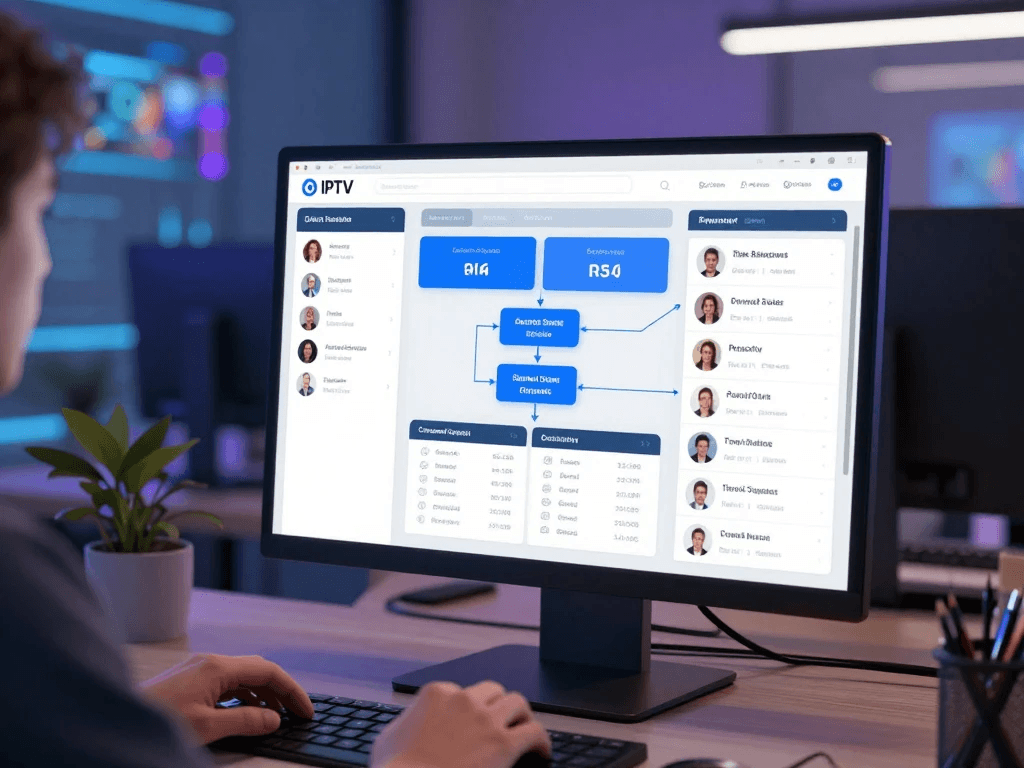
A typical automated business environment contains several connected layers:
- Website or storefront: Where customers learn about your service and begin the purchase process.
- CRM: Stores customer and communication information.
- Billing system: Records invoices, subscriptions, and payment events.
- Customer support platform: Handles tickets, conversations, and knowledge-base requests.
- Email or messaging platform: Sends transactional and marketing communications.
- Automation platform: Connects otherwise separate applications.
- Analytics system: Turns operational data into reports and dashboards.
- Database or internal system: Stores business information that needs to be shared between applications.
The architecture might look like this:
Customer → Website → Payment → CRM → Automation Workflow → Email/Support → Analytics
The exact technology will vary according to the size of your business, but the principle remains the same: an event occurs, the system recognizes it, and an appropriate action follows.
What Can You Automate?
Almost any predictable, rule-based administrative process can potentially be automated.
| Business Task | Manual Approach | Automated Approach | Primary Benefit |
|---|---|---|---|
| Customer onboarding | Create records manually | Trigger onboarding workflow | Saves administrative time |
| Payment confirmation | Check payment manually | Payment event triggers confirmation | Faster communication |
| Renewal reminders | Maintain calendar | Scheduled notifications | Fewer missed reminders |
| Support routing | Read every ticket | Categorize and route automatically | Faster response |
| Customer segmentation | Update spreadsheets | CRM rules assign segments | Better targeting |
| Reporting | Build spreadsheets | Automated dashboards | Faster decision-making |
| Marketing | Send campaigns manually | Behavior-based campaigns | More consistent communication |
| Failed payments | Monitor transactions | Trigger customer notification | Faster recovery |
| Internal alerts | Check systems repeatedly | Send exception alerts | Better visibility |
The key is not to automate every available task. Your goal is to automate the right tasks.
Why IPTV Resellers Need Automation in 2026
The biggest challenge in a growing subscription business is often not acquiring customers. It is managing everything that happens after acquisition.
A business with 50 customers can sometimes survive on spreadsheets, email, and manual reminders. A business with hundreds or thousands of customers needs stronger systems because the number of interactions grows quickly. Even if every individual task takes only a few minutes, those minutes accumulate.
Automation gives you leverage.
Instead of adding another manual process every time your customer base grows, you build workflows that can handle increased volume. The business becomes less dependent on your memory and more dependent on documented processes.
That distinction matters because manual operations often become fragile as they expand.
Reduce Repetitive Administrative Work
Consider a simple renewal process.
Without automation, you might need to:
- Identify customers approaching expiration.
- Check their current subscription status.
- Prepare a reminder.
- Send the reminder.
- Track whether they renewed.
- Follow up with customers who did not renew.
- Update the customer record.
None of these tasks is particularly difficult. The problem is repetition.
An automation workflow can identify customers approaching renewal, trigger an appropriate message, record the communication, and update the customer’s status after the payment event is received.
You still need to design the process correctly, but once it is working, you do not have to perform every step manually.
Scale Without Matching Every New Customer With More Administrative Work
One of the strongest arguments for automation is operational scalability.
Suppose your business doubles its customer base. You do not necessarily want your administrative workload to double. A well-designed automation system allows your infrastructure to absorb additional volume without requiring the same proportional increase in manual effort.
That does not mean automation eliminates staffing needs. As you grow, you may actually need more people for sales, customer service, compliance, technical operations, and management.
The difference is that your employees can spend more time on meaningful work rather than copying information between systems.
Improve Customer Experience
Customers generally do not care whether a message was sent manually or automatically. They care whether it is accurate, timely, and useful.
A well-designed automated experience can provide:
- Immediate purchase confirmation.
- Clear subscription information.
- Timely renewal reminders.
- Fast acknowledgement of support requests.
- Consistent answers to common questions.
- Easy escalation when automation cannot solve a problem.
The objective is not to make your business feel robotic. It is to remove unnecessary friction.
Reduce Human Errors
Manual administration creates opportunities for mistakes.
You might enter the wrong date, forget a reminder, duplicate a customer record, send the wrong message, or fail to update a status after a payment.
Automation reduces some of these risks by applying the same rules consistently.
However, automation can also amplify mistakes. If a workflow is configured incorrectly, it can send the wrong message to hundreds of customers instead of one. That is why testing, monitoring, logging, and human oversight remain essential.
The Core Types of IPTV Automation Tools
There is no single “best IPTV automation tool” for every reseller. Your technology stack should reflect your business model, customer volume, budget, technical capability, and operational requirements.
The easiest way to understand the landscape is to divide tools into categories.
IPTV CRM and Customer Management Tools
A customer relationship management system, or CRM, gives you a central location for customer information and interactions.
Instead of keeping customer information across spreadsheets, email inboxes, payment dashboards, and support applications, a CRM can provide a unified customer record.
A typical customer profile might contain:
- Name.
- Email address.
- Customer status.
- Subscription status.
- Purchase history.
- Renewal date.
- Support history.
- Marketing preferences.
- Customer segment.
- Internal notes.
The precise fields you collect should be limited to information you genuinely need.
Features to Look For in an IPTV CRM
When evaluating a CRM for your business, look beyond the number of features listed on the sales page.
Look for:
- Custom fields.
- Customer segmentation.
- Workflow automation.
- API access.
- Webhooks.
- Role-based permissions.
- Audit history.
- Data export.
- Integration support.
- Reporting.
- Search and filtering.
- Duplicate detection.
- Security controls.
The ability to integrate with your other systems may be more important than having dozens of built-in features.
A simple CRM that communicates reliably with your billing and support platforms can be more valuable than a feature-heavy platform that keeps your customer data isolated.
IPTV Billing and Subscription Automation Tools
Billing automation is one of the most useful areas for a subscription business.
A properly configured billing platform can help you manage invoices, payment events, subscription status, and customer notifications without requiring you to manually check every transaction.
Common Billing Automation Tasks
Depending on your payment provider and business model, you may automate:
- Invoice creation.
- Payment confirmation.
- Subscription status updates.
- Failed-payment notifications.
- Renewal reminders.
- Receipts.
- Refund workflows.
- Internal payment alerts.
- Accounting exports.
The goal is to create a predictable relationship between a payment event and your internal systems.
For example:
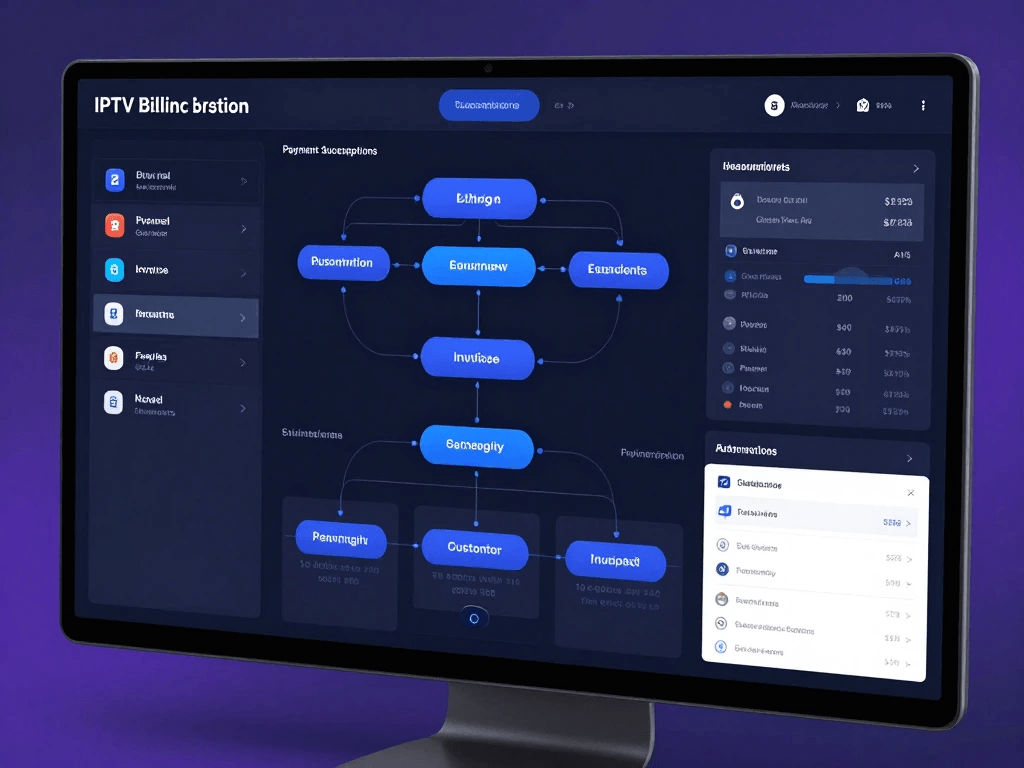
Successful payment → billing record updated → CRM updated → customer receives confirmation → analytics record updated
The same principle can work for failed transactions:
Payment failure → subscription flagged → customer notified → retry or customer action → final status recorded
Billing Automation Checklist
| Feature | Why It Matters |
|---|---|
| Recurring billing | Reduces repetitive administration |
| Automated invoices | Keeps records organized |
| Payment notifications | Keeps customers informed |
| Failed-payment workflows | Makes exceptions visible |
| Refund support | Improves administrative consistency |
| Reporting | Simplifies reconciliation |
| API access | Enables integration |
| Webhooks | Enables event-driven workflows |
| Access controls | Reduces unauthorized changes |
For payment security, you should understand what your payment provider handles and what remains your responsibility. The PCI Security Standards Council provides specific guidance around e-commerce payment implementations and the circumstances under which merchants may qualify for particular self-assessment approaches.
IPTV Subscription and Customer Lifecycle Automation
Your customer journey should be treated as a sequence rather than a collection of unrelated transactions.
A typical lifecycle may include:
Lead → Signup → Payment → Onboarding → Active Subscription → Renewal → Retention or Cancellation
Each stage can contain opportunities for automation.
Automated Customer Onboarding
Onboarding is one of the first experiences a customer has after purchasing.
A poor onboarding process can create unnecessary support tickets. A good onboarding process answers obvious questions before customers need to ask them.
Your automated onboarding sequence could include:
- Purchase confirmation.
- Welcome message.
- Account information.
- Getting-started instructions.
- Links to legitimate support resources.
- Frequently asked questions.
- Contact information.
- Important billing or renewal information.
You should avoid overwhelming the customer with a long sequence of messages immediately after purchase.
A better approach is to deliver information progressively.
For example, the first message confirms the transaction. A later message explains how to get started. Another communication can provide troubleshooting information or direct the customer to your knowledge base.
Why Onboarding Automation Matters
A strong onboarding process can reduce repetitive support questions because customers receive relevant information at the right time.
You should monitor which questions new customers ask most often. If the same question appears repeatedly, that is a signal that your onboarding material may need improvement.
Automation therefore becomes part of a feedback loop:
Customer question → identify pattern → improve documentation → automate communication → reduce future friction
Automated Renewal Reminders
Renewals are a natural use case for automation.
Instead of manually reviewing a list of upcoming expirations, you can create a workflow that identifies customers whose subscription is approaching renewal.
A sequence might contain:
- Initial reminder.
- Follow-up reminder.
- Renewal confirmation.
- Exception handling.
The exact timing should depend on your business model and customer expectations.
Avoid sending excessive reminders simply because your automation platform allows it. Every communication should have a purpose.
Renewal Workflow Example
Renewal approaching
↓
Check subscription status
↓
Customer receives appropriate reminder
↓
Payment completed
↓
Subscription record updated
↓
Confirmation sent
↓
Analytics updated
This workflow creates consistency without eliminating human support.
Failed-Payment Automation
Failed payments are another area where automation can reduce administrative work.
A failed payment does not always mean a customer intentionally cancelled. Cards expire, banks decline transactions, payment details change, and temporary authorization problems occur.
A sensible workflow should therefore distinguish between an unsuccessful transaction and a confirmed cancellation.
A basic sequence could be:
- Payment attempt fails.
- Billing system records the event.
- Customer receives a clear notification.
- A permitted retry process occurs where supported.
- Customer updates payment information if necessary.
- Billing status is updated.
- Support is alerted if the issue remains unresolved.
The language you use matters.
Instead of threatening immediate cancellation, explain what happened and what the customer can do next.
Customer Win-Back Automation
Customers who cancel are not necessarily lost forever.
A win-back workflow can ask why the customer left, provide useful information, or make it easy to return when appropriate.
However, retention automation should remain respectful.
Your workflow should not repeatedly message people who have opted out of marketing communications.
In the U.S., commercial email campaigns must comply with applicable requirements under the CAN-SPAM Act, including accurate header information, non-deceptive subject lines, a valid physical postal address, and a mechanism for recipients to opt out of future marketing emails.
IPTV Customer Support Automation Tools
Customer support can consume enormous amounts of time because many requests are repetitive.
Customers may ask about:
- Billing.
- Subscription status.
- Account information.
- Setup instructions.
- Passwords or login issues.
- Supported applications.
- Troubleshooting.
- Refund policies.
- Renewal dates.
A support automation system helps you organize those requests.
Automated Helpdesk Ticketing
A helpdesk gives customers a structured way to request assistance and gives your team a structured way to respond.
Instead of relying entirely on direct messages, you can create tickets with:
- Customer identity.
- Request category.
- Priority.
- Assigned agent.
- Status.
- Conversation history.
- Resolution.
- Internal notes.
Automation can then route tickets based on predefined rules.
For example:
Billing question → billing queue
Technical question → technical queue
Account issue → customer-service queue
Potentially sensitive issue → human review
The exact categories depend on your organization.
Why Ticket Routing Matters
Without routing, every employee may need to read every incoming request.
With routing, each person sees the requests relevant to their role.
That creates a simple operational advantage: less context switching.
IPTV Chatbots and AI Customer Support
AI-powered support tools have become increasingly accessible, but you should treat them as assistants rather than replacements for human judgment.
A chatbot can be useful for:
- Frequently asked questions.
- Knowledge-base searches.
- Basic troubleshooting.
- Billing-status explanations.
- Ticket creation.
- Routing customers to the appropriate department.
The chatbot should also know when to stop.
A customer describing a complex account issue should not be trapped in an endless automated conversation.
What AI Support Should Not Do
Your support automation should not:
- Invent answers.
- Claim an issue is fixed when it is not.
- Expose private customer information.
- Make consequential decisions without appropriate oversight.
- Pretend to be human when disclosure is required or expected.
- Provide instructions that facilitate unlawful access to content or systems.
A useful rule is simple:
Automate information delivery; escalate judgment-heavy decisions.
IPTV Marketing Automation Tools
Marketing automation helps you communicate consistently with customers and prospects without manually sending every message.
However, automation should improve relevance rather than increase message volume.
A customer should receive a message because it is useful to them—not because your software can send it.
Email Marketing Automation
Common automated campaigns include:
- Welcome sequences.
- Educational content.
- Product announcements.
- Renewal communications.
- Customer feedback requests.
- Re-engagement campaigns.
- Post-purchase information.
The most effective campaigns generally begin with a specific customer event or need.
For example:
New customer → onboarding email
Renewal approaching → renewal communication
Support issue resolved → feedback request
Customer opted into marketing → relevant promotional communication
The trigger gives the message context.
Customer Segmentation
Segmentation allows you to send different communications to different groups.
For example:
| Customer Segment | Potential Communication |
|---|---|
| New customers | Welcome and onboarding |
| Active customers | Product education |
| Renewal approaching | Renewal reminder |
| Inactive customers | Re-engagement |
| Customers requesting support | Helpful resources |
| High-value customers | Loyalty or retention communication |
Segmentation can be based on legitimate business information and customer preferences.
You should be careful with sensitive personal information and avoid collecting data simply because it might someday be useful.
CRM + Email Automation
Your CRM can act as the decision layer for marketing automation.
For example:
Customer status = active
Marketing consent = yes
Relevant campaign = available
↓
Send campaign
This is more precise than simply sending the same email to everyone.
Your marketing system should also respect unsubscribe requests and suppression lists.
CAN-SPAM is particularly relevant for U.S. businesses sending commercial email. The FTC states that commercial messages must provide recipients with a way to opt out, and opt-out requests must be honored.
IPTV Analytics and Reporting Automation
Automation becomes much more powerful when you can measure what it is doing.
Without analytics, you may know that a workflow runs. You may not know whether it improves your business.
A good analytics system answers questions such as:
- How many customers are active?
- How many subscriptions renew?
- Where are customers dropping out?
- How quickly does support respond?
- Which acquisition channels produce customers?
- How many payment attempts fail?
- Which workflows generate the most support contacts?
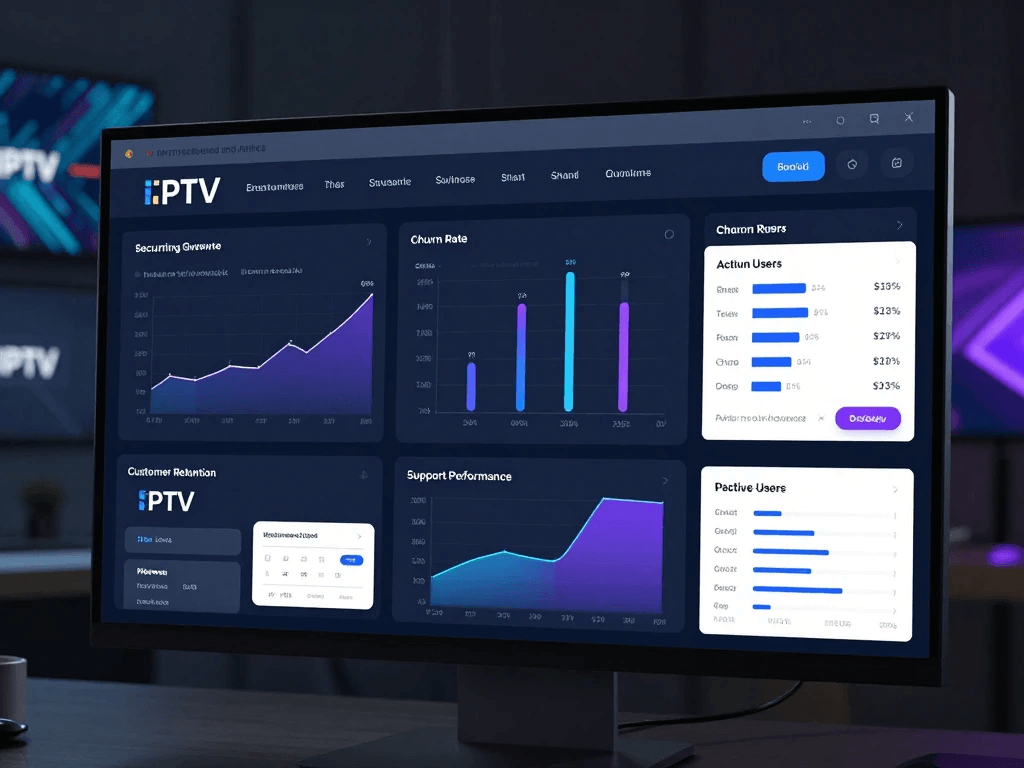
Key IPTV Business Metrics to Track
Monthly Recurring Revenue
MRR provides a view of recurring subscription revenue.
It is useful because it focuses attention on recurring business rather than one-time transactions.
Customer Acquisition Cost
CAC estimates how much you spend to acquire a customer.
You can compare CAC with customer lifetime value to understand whether your acquisition model is sustainable.
Customer Lifetime Value
LTV estimates the economic value associated with a customer over the relationship.
Your calculation method should match your business model and accounting practices.
Churn Rate
Churn measures customers or revenue that leave during a given period.
A rising churn rate can indicate problems with:
- Product quality.
- Customer support.
- Pricing.
- Onboarding.
- Expectations.
- Competition.
Renewal Rate
Renewal rate is especially relevant to subscription businesses because it shows how many customers continue their relationship.
Support Response Time
Support response time tells you how quickly customers receive an initial response.
You should also track resolution time because a fast first response does not necessarily mean the issue was solved quickly.
Example KPI Dashboard
| KPI | What It Measures | Why It Matters |
|---|---|---|
| MRR | Recurring revenue | Revenue visibility |
| Churn | Customer loss | Retention health |
| CAC | Acquisition cost | Marketing efficiency |
| LTV | Customer value | Long-term economics |
| Renewal rate | Continued subscriptions | Retention |
| Failed-payment rate | Payment problems | Revenue recovery |
| Response time | Support speed | Customer experience |
| Resolution time | Support efficiency | Operational quality |
The dashboard should not become a wall of numbers.
Choose metrics that lead to decisions.
If you cannot explain what action you would take when a metric changes, reconsider whether that metric deserves a prominent position.
IPTV Automation Tools Comparison
Rather than asking which automation platform is universally best, compare tools according to the problem you need to solve.
| Tool Category | Best For | Important Features | Integration Requirements |
|---|---|---|---|
| CRM | Customer management | Segmentation, workflows, profiles | API/webhooks |
| Billing platform | Subscription payments | Invoices, payment events | Payment integration |
| Helpdesk | Customer support | Tickets, routing, knowledge base | CRM integration |
| Email platform | Marketing | Segmentation, automation | CRM/API |
| Automation platform | Connecting applications | Triggers and actions | Multiple APIs |
| Analytics platform | Reporting | Dashboards, attribution | Data integrations |
The right stack may contain several specialized products rather than one platform attempting to do everything.
How to Choose the Right IPTV Automation Software
Choosing software based solely on the number of features can lead you into an expensive mess.
Instead, begin with your workflow.
Ask:
- What tasks consume the most time?
- Which tasks happen repeatedly?
- Which tasks produce the most errors?
- Which tasks affect customers directly?
- Which systems already contain important data?
- Which integrations are essential?
- Who will manage the automation?
- What happens when automation fails?
Then compare vendors against those requirements.
Business Size Matters
A small reseller may need only:
- Basic CRM.
- Billing system.
- Email automation.
- Helpdesk.
- Simple analytics.
A growing business may require:
- Advanced segmentation.
- APIs.
- Webhooks.
- Multiple support queues.
- Automated reporting.
- More detailed permissions.
A larger organization may need:
- Custom integrations.
- Dedicated infrastructure.
- Advanced monitoring.
- Enterprise identity management.
- Formal security processes.
- Data governance.
You should not buy enterprise software simply because it has a long feature list.
The best system is one your organization can operate reliably.
How to Build an IPTV Automation Stack
Building automation is easier when you approach it as a process-design project rather than a software-shopping exercise.
Step 1: Map Your Current Business Processes
Write down what happens from the moment a customer arrives until the moment they leave.
For example:
Lead
↓
Purchase
↓
Payment
↓
Customer record
↓
Onboarding
↓
Support
↓
Renewal
↓
Retention or cancellation
Now document who performs each step, which software they use, and how information moves between systems.
You may discover that your team spends significant time copying the same information between multiple applications.
That is an obvious automation opportunity.
Step 2: Identify Repetitive Tasks
Create a simple list.
| Task | Frequency | Time Per Task | Automation Potential |
|---|---|---|---|
| Payment reconciliation | Daily | 30 min | High |
| Customer onboarding | Daily | 5 min | High |
| Support routing | Daily | 30 min | High |
| Reporting | Weekly | 2 hours | High |
| Complex complaints | Variable | 15–60 min | Low |
| Business decisions | Variable | Variable | Low |
Do not automate simply because you can.
Prioritize repetitive, predictable tasks.
Step 3: Choose a Central Customer Database
Your CRM or customer database should become the reliable source for customer information.
If three different systems contain different versions of the same customer’s status, automation becomes dangerous.
For example:
CRM says active
Billing says expired
Support system says pending
Which one is correct?
Your architecture should define which system owns which information.
This is often called a source of truth.
Step 4: Connect Your Systems
A typical architecture may look like:
Website
↓
Billing
↓
CRM
↓
Automation layer
↓
Email + Support
↓
Analytics
The integration method might be:
- Native integration.
- API.
- Webhook.
- Zap-style workflow.
- Custom middleware.
- Database synchronization.
The more complex your architecture becomes, the more important monitoring becomes.
Step 5: Build One Workflow at a Time
Do not launch 25 automations simultaneously.
Start with one high-value workflow.
For example:
Payment → confirmation → CRM update
Test it thoroughly.
Then add:
Renewal reminder
Then:
Failed payment alert
Then:
Support routing
This incremental approach makes troubleshooting easier.
IPTV Automation Workflows Every Reseller Should Consider
The following workflows provide a useful starting point.
New Customer Workflow
Customer submits purchase
↓
Payment confirmed
↓
Customer record created or updated
↓
Subscription information stored
↓
Welcome message sent
↓
Onboarding sequence begins
↓
Customer enters active segment
This workflow removes multiple administrative steps while maintaining a consistent customer experience.
Renewal Workflow
Renewal date approaches
↓
Check account status
↓
Send appropriate reminder
↓
Payment received
↓
Update subscription
↓
Send confirmation
↓
Record analytics event
The workflow should also contain an exception path.
If the payment does not arrive, the customer should not remain incorrectly marked as renewed.
Failed-Payment Workflow
Payment fails
↓
Record failure
↓
Notify customer
↓
Retry if supported and appropriate
↓
Wait for customer action
↓
Update status
↓
Escalate unresolved cases
This workflow is particularly valuable because payment problems can otherwise remain hidden until someone notices them manually.
Support Workflow
Customer contacts support
↓
Ticket created
↓
Category identified
↓
Priority assigned
↓
Ticket routed
↓
Agent responds
↓
Issue resolved
↓
Customer receives closure
↓
Feedback collected
Automation should handle routing and administration while agents focus on actual problem-solving.
API and Webhook Automation for IPTV Businesses
If you want advanced automation, you will eventually encounter two technical concepts: APIs and webhooks.
You do not need to become a software engineer to understand the basics.
What Is an API?
An API allows one software system to communicate with another according to defined rules.
Think of it as a structured way for one application to ask another application for information or perform an authorized action.
For example, a CRM might request:
“Give me the customer’s current subscription status.”
Or an internal application might send:
“Update this customer’s status to active.”
The exact capabilities depend on the API.
What Are Webhooks?
A webhook is commonly used to notify another system when an event happens.
For example:
Payment completed
↓
Payment provider sends webhook
↓
Your automation receives event
↓
CRM updates customer
↓
Confirmation workflow runs
This is useful because your system does not have to repeatedly ask whether something happened.
Instead, the event can trigger the workflow.
No-Code vs. Low-Code vs. Custom Automation
| Approach | Advantages | Disadvantages | Best For |
|---|---|---|---|
| No-code | Fast, accessible | Limited flexibility | Small businesses |
| Low-code | More control | Requires technical skills | Growing businesses |
| Custom development | Maximum flexibility | Higher cost | Complex operations |
No-code automation can be extremely effective for straightforward workflows.
Custom development becomes more attractive when your processes are unique, your data volume is large, or you need tighter control over security and performance.
Security, Privacy and Compliance for IPTV Automation
Automation creates efficiency, but it also creates new risks.
Every integration is another connection that could expose information if configured poorly.
Every employee account is another potential access point.
Every third-party vendor is another organization that may process business or customer data.
For U.S. businesses, there is no single privacy law covering every commercial business in every situation. Requirements can depend on your industry, customers, state, data practices, and specific business activities. You should therefore treat compliance as a business requirement rather than a checkbox.
Protect Customer Data
Start with basic security hygiene.
The FTC recommends practices such as strong passwords, multi-factor authentication, encryption, software updates, access controls, regular backups, employee training, and incident-response planning for small businesses.
Your automation stack should follow the same principles.
Use:
- Strong authentication.
- Multi-factor authentication.
- Role-based access.
- Least-privilege permissions.
- Encryption where appropriate.
- Regular software updates.
- Secure backups.
- Monitoring and logging.
- Vendor security reviews.
You should also avoid collecting information you do not need.
Data you never collect cannot be exposed through your systems.
U.S. Privacy Considerations
Your privacy obligations depend on your circumstances.
Depending on where and how you operate, you may need to consider federal requirements, state privacy laws, marketing rules, breach-notification obligations, contractual requirements, and sector-specific rules.
California is an especially important example because the California Consumer Privacy Act and related regulations create rights and obligations for covered businesses.
Other states have also adopted comprehensive privacy laws, so a nationwide U.S. business should not assume that compliance with one state’s requirements automatically satisfies every other state’s rules.
Your automation platform should therefore support practical privacy controls such as:
- Data export.
- Data deletion.
- Customer preference management.
- Consent records where applicable.
- Access controls.
- Retention policies.
- Audit logs.
For legal advice, work with qualified counsel familiar with your business and the states in which you operate.
Payment Security
Do not assume that because you use a reputable payment provider, every payment-security responsibility disappears.
Your payment architecture still matters.
The PCI Security Standards Council distinguishes between different e-commerce implementations and explains that eligibility for specific self-assessment approaches depends on how payment pages and systems are implemented.
In practical terms, you should:
- Use established payment providers.
- Avoid unnecessarily storing sensitive payment data.
- Restrict administrative access.
- Secure your website.
- Keep integrations updated.
- Review vendor documentation.
- Understand your applicable PCI responsibilities.
Payment security should be designed into the architecture from the beginning.
Marketing Compliance
Marketing automation can become a liability when businesses prioritize volume over compliance.
For U.S. commercial email, CAN-SPAM requirements include accurate header information, truthful subject lines, identification of commercial messages where required, a valid physical postal address, and an opt-out mechanism.
Your automation system should therefore maintain suppression and unsubscribe information reliably.
A customer who opted out should not receive another promotional email because one of your systems failed to synchronize their preference.
Common IPTV Automation Mistakes to Avoid
Automation is powerful, but poorly designed automation can create more problems than it solves.
Automating a Broken Process
If your existing workflow is confusing, automation will not magically fix it.
It may simply execute the confusion faster.
Before automating a workflow, ask:
- Is the process necessary?
- Is the sequence logical?
- Who owns each step?
- What happens when something fails?
- What information is required?
- What should happen in exceptional cases?
Fix the process first.
Then automate it.
Using Too Many Disconnected Tools
Adding another software platform can feel like progress.
Sometimes it is the opposite.
Every new application can create:
- Another login.
- Another data source.
- Another integration.
- Another subscription.
- Another security concern.
- Another place where information can become outdated.
Your goal should be a coherent stack rather than the largest possible stack.
Ignoring Failed Automation
Every workflow needs an exception path.
Suppose a payment is completed but the CRM update fails.
What happens?
If the answer is “someone will eventually notice,” your automation is incomplete.
A robust workflow should create an alert.
For example:
Payment completed
↓
CRM update attempted
↓
Update failed
↓
Internal alert
↓
Human review
Automation should make failures visible rather than hiding them.
Poor Customer Communication
Automation should sound like your business.
Avoid messages that feel like system errors.
Instead of:
“EVENT_TRIGGER_PAYMENT_FAILURE_CODE_72”
use clear customer language explaining:
- What happened.
- What it means.
- What the customer needs to do.
- Where to get help.
Customers do not need to know the technical architecture behind the workflow.
Neglecting Human Support
Automation should make your team better, not make your customers feel abandoned.
A customer should always have an appropriate path to human assistance when automation cannot resolve the issue.
That is especially important for:
- Billing disputes.
- Refund questions.
- Account-security concerns.
- Complex technical problems.
- Complaints.
- Exceptional cases.
How Much Do IPTV Automation Tools Cost in 2026?
There is no single price for IPTV automation software.
Your cost depends on your customer volume, number of users, integrations, transaction volume, automation frequency, support requirements, and level of customization.
Instead of looking only at the advertised monthly subscription, calculate the total cost of ownership.
Common Cost Categories
| Expense | Common Pricing Model |
|---|---|
| CRM | Per user/month |
| Helpdesk | Per agent/month |
| Email platform | Subscribers or sends |
| Automation platform | Tasks or operations |
| Payment processing | Per transaction |
| Analytics | Free or tiered |
| Custom development | Project/hourly |
| Integration maintenance | Internal/vendor cost |
| Security tools | Per user/device/month |
A cheap platform can become expensive if it requires extensive custom development.
A more expensive platform can be economical if it eliminates several separate tools.
Calculate Automation ROI
A simple conceptual formula is:
Automation ROI = (Time Saved + Additional Revenue + Avoided Costs − Automation Costs) ÷ Automation Costs
The challenge is assigning realistic values.
Suppose an automation saves your team 20 hours each month.
Those 20 hours only have financial value if you know what your team could otherwise accomplish with that time.
Perhaps the saved time allows an employee to answer more support tickets. Perhaps it allows you to focus on sales. Perhaps it reduces overtime.
Track actual outcomes.
Do not assume that every automated task creates direct revenue.
Best IPTV Automation Tools for Different Business Sizes
The best automation strategy depends on your stage of growth.
Small IPTV Reseller
If you are operating a small legitimate subscription business, simplicity should be your priority.
Your core stack might include:
- CRM.
- Payment platform.
- Basic helpdesk.
- Email automation.
- Analytics.
You probably do not need a complicated custom infrastructure.
Focus on:
- Reliable billing.
- Customer records.
- Automated onboarding.
- Renewal reminders.
- Support organization.
- Basic reporting.
Get those foundations working before adding advanced automation.
Growing IPTV Reseller
As your customer base grows, integration becomes more important.
You may benefit from:
- Advanced CRM workflows.
- API access.
- Webhooks.
- Customer segmentation.
- Automated support routing.
- Advanced reporting.
- Exception alerts.
- More sophisticated permissions.
At this stage, document your processes.
You should be able to explain how a customer moves through your system from signup to cancellation.
Larger IPTV Operation
A larger operation may require a more formal technology strategy.
Priorities can include:
- Custom integrations.
- Advanced monitoring.
- Role-based access.
- Data governance.
- Formal security controls.
- High availability.
- Detailed audit logs.
- Disaster recovery.
- Vendor management.
At this level, automation is no longer just an efficiency tool.
It becomes part of the company’s operating infrastructure.
IPTV Automation Tools Evaluation Checklist
Before purchasing software, run every potential platform through a checklist.
Functionality
- Does it solve the specific problem you have?
- Does it support the workflows you need?
- Can you customize those workflows?
Integration
- Does it provide API access?
- Does it support webhooks?
- Does it integrate with your existing CRM?
- Does it integrate with your billing system?
- Can you export your data?
Security
- Does it support MFA?
- Are permissions configurable?
- Does it provide audit logs?
- Does the vendor explain its security practices?
- Can you control access by role?
Privacy
- Can you manage customer preferences?
- Can you export customer information?
- Can you delete information when appropriate?
- Does the vendor provide appropriate contractual documentation?
- Do you understand where customer information is processed?
Business
- Is pricing predictable?
- Can it scale with you?
- Is support available?
- Can you migrate away if necessary?
- Does the vendor have a stable product roadmap?
The Future of IPTV Automation in 2026 and Beyond
Automation is moving beyond simple triggers.
Modern systems can increasingly interpret information, classify requests, summarize conversations, recommend actions, and help employees work faster.
That does not mean every business should immediately introduce AI into every workflow.
The better approach is to start with reliable fundamentals.
AI-Powered Customer Support
AI can help support teams classify tickets and identify relevant knowledge-base information.
For example:
Customer question
↓
AI identifies topic
↓
Relevant documentation retrieved
↓
Suggested response generated
↓
Human reviews when necessary
This can reduce repetitive work without eliminating human oversight.
The quality of the knowledge base becomes critical.
AI cannot reliably compensate for outdated or incorrect source information.
Predictive Customer Retention
Analytics can eventually help you identify patterns associated with churn.
For example, you might discover that customers who experience repeated unresolved support issues are more likely to cancel.
That insight can lead to a workflow:
Multiple unresolved tickets
↓
Customer flagged for review
↓
Support team intervenes
This is different from automatically making a consequential decision about the customer.
When automation profiles people or makes decisions with significant effects, privacy and legal considerations become more important.
More Connected Business Systems
The long-term direction of business automation is toward connected systems.
Instead of:
CRM
Billing
Support
Marketing
Analytics
operating independently, they increasingly communicate with each other.
That creates a unified operational picture.
The customer buys something.
The billing system knows.
The CRM knows.
The support system can know.
The analytics system records it.
The marketing system can respond appropriately, subject to customer preferences and applicable requirements.
The technology becomes less about individual tools and more about how the tools work together.
A Practical 30-Day IPTV Automation Implementation Plan
You do not need to rebuild your entire business overnight.
A phased approach is safer.
Week 1: Audit
Document:
- Customer acquisition.
- Purchase process.
- Billing.
- Onboarding.
- Support.
- Renewals.
- Cancellations.
- Reporting.
Identify your five most repetitive tasks.
Week 2: Select Your Core Tools
Choose the systems that will serve as your:
- Customer database.
- Billing platform.
- Support platform.
- Communication platform.
- Analytics platform.
Avoid adding unnecessary tools.
Week 3: Build Core Workflows
Start with:
- New customer onboarding.
- Payment confirmation.
- Renewal reminder.
- Failed-payment notification.
- Support ticket routing.
Test every path.
Do not test only successful scenarios.
Test failures too.
Week 4: Measure and Improve
Track:
- Time saved.
- Support response time.
- Customer questions.
- Failed workflows.
- Payment issues.
- Renewal activity.
- Customer feedback.
Then improve the workflows.
Automation should be treated as a continuous optimization process rather than a one-time installation.
How to Know Whether Your Automation Is Working
A workflow running successfully does not necessarily mean it is delivering business value.
You need to compare before and after.
For example:
Before Automation
- Manual onboarding.
- 30 minutes of daily administrative work.
- Customers frequently ask basic setup questions.
- Renewal reminders require spreadsheet management.
After Automation
- Onboarding triggered automatically.
- Administrative time reduced.
- Common questions redirected to documentation.
- Renewal communication scheduled automatically.
The result should be measurable.
Create a baseline before launching automation.
If you do not know your starting point, it becomes difficult to demonstrate improvement.
The Human Side of Automation
Technology is only one part of the equation.
Your team needs to understand what automation is supposed to accomplish.
Employees should know:
- Which processes are automated.
- Which actions remain manual.
- What alerts mean.
- When to override automation.
- Who owns each workflow.
- What to do when an integration fails.
Document your workflows.
A simple internal document can contain:
Workflow name
Trigger
Actions
Owner
Expected result
Failure condition
Escalation process
This turns automation from mysterious software behavior into a manageable business process.
How Automation Can Improve Customer Retention
Retention is not created by reminders alone.
Customers stay when they perceive ongoing value.
Automation can support that experience by ensuring that important interactions happen consistently.
For example:
- New customers receive useful onboarding information.
- Customers receive clear billing communications.
- Support requests are acknowledged promptly.
- Renewal information arrives before expiration.
- Feedback is collected after support interactions.
- Customers receive relevant educational content.
These are small interactions, but together they create the customer experience.
Automation makes consistency easier.
It does not create value by itself.
IPTV Automation and Customer Self-Service
Self-service can be one of the most effective ways to reduce support volume.
Your customer portal or knowledge base might provide:
- Account information.
- Billing history.
- Subscription status.
- Frequently asked questions.
- Setup documentation.
- Troubleshooting guides.
- Contact options.
The more straightforward questions customers can answer themselves, the more time your support team has for complicated issues.
However, self-service should never become an excuse to hide support contact information.
The goal is convenience.
If customers want human help, give them a clear path to it.
Building a Useful Knowledge Base
Automation and documentation work together.
A chatbot cannot provide a reliable answer if your documentation is outdated.
Start with your most common support questions.
For each question, create a concise article containing:
- The problem.
- The likely cause.
- The recommended solution.
- When to contact support.
- Any relevant limitations.
Review the articles regularly.
Your support tickets can tell you which documentation needs improvement.
If the same question appears repeatedly, you have an opportunity to improve both your knowledge base and your automation.
Monitoring Your IPTV Automation Stack
Once you automate critical business functions, monitoring becomes essential.
You should know when:
- An integration fails.
- A webhook stops arriving.
- A payment synchronization fails.
- An email workflow encounters an error.
- A system experiences downtime.
- A large number of unusual transactions occur.
Your monitoring system does not need to be complicated.
At minimum, you should have:
- Error alerts.
- Workflow logs.
- Integration status monitoring.
- Backup procedures.
- Clear ownership.
The FTC emphasizes the importance of protecting business data, limiting access, using strong authentication, maintaining updates and backups, and having an incident-response plan.
NIST’s Cybersecurity Framework 2.0 also provides small businesses with a structured approach for understanding, assessing, prioritizing, and communicating cybersecurity risk.
Backup and Disaster Recovery
Automation does not eliminate the possibility of failure.
Your website can go offline.
Your CRM can experience an outage.
An integration can break.
A vendor can change an API.
Your database can become corrupted.
A backup strategy helps you recover.
At a minimum, identify:
- What data is critical.
- Where it is stored.
- How it is backed up.
- How often it is backed up.
- Who can restore it.
- How you test restoration.
A backup that has never been tested is not a complete recovery strategy.
NIST provides small-business guidance for cybersecurity and risk management that can help you develop a more structured approach.
IPTV Automation Tools and SEO: Building a Better Online Presence
If you are publishing content about your IPTV business, automation can also support your marketing operations.
But SEO automation should be used carefully.
Google’s guidance emphasizes people-first content that provides original value, demonstrates expertise, answers users’ questions, and avoids creating content primarily to manipulate rankings.
That means you should not create hundreds of thin pages simply because your automation platform can generate them.
Instead, use automation to support quality.
For example, you can automate:
- Content briefs.
- Editorial reminders.
- Internal-link audits.
- Metadata checks.
- Broken-link monitoring.
- Reporting.
- Content performance alerts.
Human editors should remain responsible for accuracy, usefulness, and brand quality.
Creating People-First Content About IPTV Automation
If your goal is to rank for IPTV Automation Tools, the article should answer the questions people actually have.
That means addressing:
- What IPTV automation tools are.
- What they automate.
- Which tools you need.
- How much they cost.
- How to integrate them.
- How to secure them.
- How to measure ROI.
- Which workflows are most useful.
- How to choose software.
- What mistakes to avoid.
Avoid repeating the phrase “IPTV Automation Tools” in every paragraph.
Search engines can understand related concepts.
Use natural variations such as:
- IPTV automation software.
- IPTV reseller automation.
- IPTV business automation.
- IPTV CRM.
- IPTV billing automation.
- IPTV subscription management.
- IPTV customer support automation.
- IPTV API integration.
- IPTV workflow automation.
The content should read naturally first.
SEO comes second.
Frequently Asked Questions About IPTV Automation Tools
What are IPTV automation tools?
IPTV automation tools are software platforms and integrations that help automate repetitive administrative, customer-service, billing, marketing, and reporting processes for an IPTV business. Instead of manually performing every task, you can create workflows where an event triggers a predefined action.
For example, a legitimate subscription payment can trigger a customer-record update and confirmation message. A renewal date can trigger a reminder. A support request can be categorized and routed automatically. The exact capabilities depend on the platforms you use.
The most useful IPTV automation setup is usually a collection of connected systems rather than one application that attempts to manage everything.
What is the best IPTV automation tool in 2026?
There is no universally best IPTV automation tool.
The right choice depends on your business size, customer volume, budget, technical requirements, existing software, and desired workflows.
A small reseller may prioritize simplicity and affordability. A growing company may need APIs, webhooks, advanced CRM automation, and reporting. A larger operation may require custom integrations, stronger access controls, monitoring, and formal security processes.
Rather than asking which tool has the most features, ask which platform solves your most important operational problem reliably.
Can IPTV automation tools automate customer renewals?
Yes. Subscription businesses can automate legitimate renewal workflows.
A typical process can identify customers approaching renewal, send an appropriate reminder, record the payment event, update the subscription status, and send confirmation after a successful renewal.
The important part is exception handling.
If a payment fails, your system should not incorrectly mark the customer as renewed. Your workflow should recognize the failed event and route the customer into the appropriate payment-recovery or support process.
Can IPTV automation tools handle customer support?
Yes.
Automation can help with ticket creation, categorization, routing, notifications, knowledge-base suggestions, and basic frequently asked questions.
AI can also help summarize conversations or suggest responses.
However, you should maintain a human escalation path for complicated issues, billing disputes, security concerns, complaints, and situations where the automated system lacks sufficient information.
The best support automation usually reduces administrative work rather than attempting to eliminate human support completely.
Can IPTV automation tools integrate with CRM software?
Yes, provided the systems support an appropriate integration method.
Common integration options include:
- Native integrations.
- APIs.
- Webhooks.
- Automation platforms.
- Custom middleware.
For example, a billing system can send a payment event to an automation layer, which then updates a CRM.
Before purchasing software, confirm exactly what the API can do. An application may advertise “API support” while offering only limited access to certain features.
Are IPTV automation tools secure?
They can be, but security depends on the software, configuration, integrations, and practices of your organization.
You should evaluate:
- Multi-factor authentication.
- Encryption.
- Access controls.
- User permissions.
- Audit logs.
- Vendor security practices.
- Backup procedures.
- Incident-response processes.
- API authentication.
The FTC recommends basic protections such as strong passwords, MFA, encryption, updates, backups, access controls, and security training for small businesses.
NIST also provides a small-business cybersecurity framework designed to help organizations manage and reduce cybersecurity risk.
How much do IPTV automation tools cost?
Costs vary widely.
A small operation may use a relatively inexpensive combination of CRM, billing, email, and support software. Larger businesses may spend considerably more on enterprise platforms, integrations, custom development, monitoring, and security.
You should evaluate total cost rather than monthly subscription price alone.
Include:
- Software licenses.
- Transaction fees.
- Integration costs.
- Development.
- Maintenance.
- Training.
- Support.
- Security tools.
A platform that costs more but eliminates several manual processes can potentially provide better overall value.
Can IPTV automation tools reduce customer churn?
They can contribute to better retention, but automation alone cannot guarantee lower churn.
Automated onboarding can improve the initial customer experience. Renewal reminders can make customers aware of upcoming subscription events. Support automation can improve response times. Customer segmentation can help you send more relevant communications.
However, customers ultimately stay because they perceive sufficient value.
If the underlying product, service, pricing, or support experience is poor, adding more automation will not solve the root problem.
Can AI be used in IPTV customer support?
Yes, AI can assist with legitimate customer-support operations.
Potential applications include:
- FAQ responses.
- Ticket classification.
- Conversation summaries.
- Knowledge-base search.
- Suggested replies.
- Support routing.
You should establish clear boundaries.
AI should not invent account information, expose private data, make unsupported claims, or become the only route to assistance.
The higher the potential impact of a decision, the more important human oversight becomes.
What should you automate first?
Start with repetitive, predictable, high-volume processes.
Good first candidates include:
- Payment confirmations.
- Customer onboarding.
- Renewal reminders.
- Support ticket routing.
- Basic reporting.
- Internal alerts.
Avoid beginning with highly complex processes that require frequent human judgment.
The first automation should demonstrate measurable value and give your team confidence in the system.
Should you build custom IPTV automation software?
Not necessarily.
Custom development can make sense when your requirements are unique or when existing platforms cannot provide the required integrations.
However, custom software creates ongoing responsibilities:
- Development.
- Security.
- Maintenance.
- Testing.
- Documentation.
- Monitoring.
- Updates.
For many small businesses, integrating established platforms is more practical than building everything from scratch.
What is the difference between IPTV automation software and an IPTV CRM?
An IPTV CRM primarily focuses on customer information and relationships.
IPTV automation software is a broader concept that can include CRM workflows, billing automation, customer support, marketing automation, analytics, APIs, and integrations.
A CRM can therefore be one component of a larger IPTV automation stack.
Conclusion: Build a Smarter IPTV Reseller Business With Automation
Your biggest advantage in an increasingly competitive subscription business may not be another software feature or another marketing campaign. It may be the ability to operate efficiently while maintaining a reliable customer experience.
That is the real value of IPTV Automation Tools.
Automation can take repetitive work off your plate. It can connect your CRM and billing system, send timely renewal communications, organize support requests, generate reports, and make important operational information easier to access.
But successful automation starts with process design.
Do not automate chaos.
First, understand how your business works. Identify repetitive tasks. Decide which system owns each piece of information. Choose tools that integrate properly. Build one workflow at a time. Test successful and unsuccessful scenarios. Monitor your integrations. Protect customer information. Review your marketing and privacy obligations. Then measure whether automation is actually improving the business.
For a U.S.-based reseller, security and compliance deserve the same attention as efficiency. The FTC recommends practical cybersecurity controls for small businesses, while NIST provides a structured framework for managing cybersecurity risk.
Your automation strategy should ultimately make three things better:
Your operations.
Your customers’ experience.
Your ability to grow responsibly.
If you are ready to start, do not attempt to automate your entire business at once. Choose one repetitive process that consumes time every week. Document it, measure it, automate it, test it, and improve it.
Then move to the next process.
That is how you turn automation from a collection of software subscriptions into a genuine business advantage.
Your Next Step
Start by auditing your current workflow today.
Write down every step from customer signup through payment, onboarding, support, renewal, and cancellation. Mark each step as manual, automated, or partially automated. Then identify the three tasks that consume the most time or create the most errors.
Those three tasks are your starting point.
From there, you can build a practical automation stack around your actual business instead of buying tools simply because they advertise themselves as “all-in-one” solutions.
The goal is not to make your business completely automated.
The goal is to make your business more consistent, more efficient, more secure, and easier for you to manage as it grows.









