

Table of Contents
If you have a smart TV in the living room, another television in the bedroom, a phone in your pocket, and a tablet sitting on the kitchen counter, you probably do not want four separate entertainment subscriptions. You want one service that works across the screens you actually use. That is where IPTV for multiple devices becomes especially useful. Instead of thinking only about channels or monthly prices, you can choose a service according to the number of devices you own and, more importantly, the number of screens you need to use at the same time.
The challenge is that “multi-device” does not always mean unlimited simultaneous viewing. One provider may allow you to sign in on several devices but restrict you to one active stream, while another may sell additional simultaneous connections. Before you subscribe, you therefore need to understand device registration, concurrent streams, supported platforms, content rights, streaming quality, cancellation terms, and total cost. This guide walks you through those factors so you can make a more informed decision in the United States.
What Is IPTV for Multiple Devices?
IPTV for multiple devices refers to an internet-based television service that can be accessed on more than one compatible device. Depending on the provider, those devices might include smart TVs, streaming players, smartphones, tablets, computers, or other supported hardware. The exact experience varies considerably because providers establish their own rules for account access, applications, supported operating systems, and simultaneous streams. Consequently, you should never assume that every IPTV subscription offering “multi-device access” provides the same level of flexibility.
For you as a viewer, the most important distinction is between having access on multiple devices and being able to watch on multiple devices simultaneously. Suppose your subscription lets you register five devices but includes only one concurrent stream. You could potentially move between those devices, but two people could not necessarily watch different programs at the same time. A family that needs three televisions running simultaneously would need a plan that explicitly supports at least three concurrent streams, subject to its terms and geographic restrictions.
How Multi-Device IPTV Subscriptions Work
A multi-device IPTV subscription generally connects your account with one or more supported applications, platforms, or playback environments. You may sign in on your television and later use the same account on another supported device. Some services impose a maximum number of registered devices, while others focus primarily on concurrent connections. The authentication method can also differ: you may use an email and password, a platform account, a provider application, or another supported sign-in method.
When you compare subscriptions, look for wording such as “simultaneous streams,” “concurrent connections,” “screens,” “devices,” or “household access.” These terms can have very different meanings. A service might advertise support for multiple devices but impose a one-stream limit. Another may permit multiple streams only through a premium tier. You should read the provider’s current terms rather than relying on a reseller’s description or a promotional headline.
Registered Devices vs. Simultaneous Streams
This is one of the most important concepts to understand before choosing an IPTV plan. A registered device is simply a device that can access your account, whereas a simultaneous stream refers to an active viewing session. Those numbers can be completely different. If a plan allows six registered devices but two simultaneous streams, you may use your account across six compatible screens, but only two may be actively streaming at once under the plan’s rules.
| Term | Meaning | Why It Matters |
|---|---|---|
| Supported devices | Platforms the service works with | Determines whether your hardware is compatible |
| Registered devices | Devices associated with your account | Determines how widely you can move between screens |
| Simultaneous streams | Active streams permitted at once | Determines how many people can watch together |
| Household access | Rules governing shared use | May affect whether multiple viewers can use the account |
| Additional connection | Extra concurrent stream purchased separately | Can increase capacity where officially offered |
The distinction becomes especially important for families. Imagine that you have a television in the living room, one in the bedroom, a tablet, and two phones. You might need five compatible devices, but you may only ever watch on two screens simultaneously. In that situation, a two-stream plan could be more useful than a plan advertised with a large number of registered devices. Conversely, if three family members regularly watch different programs at the same time, the number of concurrent streams becomes the deciding factor.
Why Choose a Multi-Device IPTV Subscription?
The main attraction of a multi-device IPTV subscription is convenience. Your entertainment is no longer tied to one television or one room. If the provider supports your devices and your plan permits the required access, you can move between screens according to your routine. You might watch a live program on your television in the evening, use a tablet while traveling, or check a program on your phone when you are away from home. That flexibility can be valuable when your household relies heavily on connected devices.
For families, the benefit can be even greater. A single internet connection may serve several people with different viewing preferences. One person might be watching news while another watches a movie and someone else uses a tablet. A properly licensed service with an appropriate multi-stream plan can make that arrangement easier to manage. However, convenience should not encourage you to ignore account restrictions. If a provider permits only one stream, trying to bypass that limitation can violate its terms and potentially interrupt your service.
Better Value for Households
A multi-device plan can provide better value when it matches how your household actually watches television. You should not automatically choose the cheapest monthly subscription. Instead, calculate what you are receiving for the price. A low-cost plan with one simultaneous stream may be less useful to a family than a slightly more expensive plan supporting several legitimate concurrent streams. The same principle applies to device compatibility. A service that costs less but does not support your preferred television platform may require additional hardware or workarounds.
Before comparing prices, write down your household’s requirements. Count the screens you expect to use, then count the maximum number of people who may watch at the same time. Next, identify the content that matters most to you. If you mainly watch live television on one screen, your priorities will be different from those of a family that routinely uses three televisions. Once you know those requirements, you can compare subscriptions based on practical value instead of marketing claims.
Watch Across Different Screens
The modern American household can contain a surprising number of connected screens. Smart televisions, streaming devices, laptops, smartphones, and tablets all compete for your attention. A service that supports several of those platforms can make your viewing habits more flexible. You may not even realize how useful that flexibility is until you need it. For example, a family member can use the television while you watch a program on a supported mobile device, provided the subscription permits simultaneous viewing.
Device support should nevertheless be treated as a compatibility question, not an assumption. Two televisions from different manufacturers may use different operating systems and therefore have different application availability. Older hardware can also lose support for newer applications. Before buying a subscription, check the provider’s current support documentation for your exact device or operating system. If the provider does not clearly list your platform, contact its official support channel rather than assuming an unofficial application will provide an equivalent experience.
Convenience for Families
The best IPTV for multiple devices is ultimately the service that fits your household. If your family has two regular viewers, paying for a plan designed for five simultaneous streams may not make sense. If you have four people regularly watching different programs, however, a one-stream subscription is unlikely to meet your needs. You should therefore think about your viewing behavior rather than the number printed on the promotional page.
You should also consider how often simultaneous viewing actually occurs. Some households have multiple screens but rarely use them at the same time. Others routinely have several streams running during evenings, weekends, or major live events. Your maximum simultaneous demand is more important than your total device count. Once you know that number, you can avoid paying for capacity you will never use or, equally importantly, choosing a plan that repeatedly forces viewers to stop and switch screens.
What Should You Compare When Choosing IPTV for Multiple Devices?
Choosing IPTV for multiple devices requires more than comparing monthly subscription prices. You need to evaluate the entire service experience, including concurrent streams, device support, programming, reliability, video quality, customer service, cancellation policies, and legitimacy. A service can appear attractive because it advertises a huge channel list, but that number tells you very little about whether it will work well on your devices or provide the programming you actually want.
You should also separate verified facts from promotional claims. Provider websites are the best place to confirm current prices, official device compatibility, simultaneous-stream rules, and subscription terms. Independent reviews can help you understand user experience, but they should not override the provider’s current documentation. Pricing and policies can change, so any article publishing provider comparisons should include a “last verified” date and be updated regularly.
Simultaneous Connections
For most households, simultaneous connections should be near the top of your comparison checklist. If three people need to watch different programs at once, you need a plan that legitimately supports three concurrent streams. Do not confuse a statement such as “use on multiple devices” with a guarantee of multiple simultaneous streams. Those are different features.
Ask these questions before subscribing:
- How many devices can you register?
- How many streams can run simultaneously?
- Are simultaneous connections included in the advertised price?
- Can you purchase additional streams?
- Are there household or location restrictions?
- Does the provider count browsers, mobile devices, and televisions differently?
- What happens when you exceed the stream limit?
These questions can prevent one of the most common frustrations associated with multi-device subscriptions: discovering that your account works on every device individually but cannot support your household’s actual viewing pattern.
Supported Devices and Operating Systems
Device compatibility should be confirmed before you pay. Depending on the legitimate IPTV service you select, support may extend to smart TVs, mobile devices, computers, streaming platforms, or proprietary applications. The exact list changes from service to service. You should therefore identify your device model and operating system before comparing subscriptions.
Pay particular attention to older televisions and discontinued operating systems. Even when an application once worked on a particular device, future updates may change compatibility. You should also avoid installing unknown applications simply because a third-party website claims they are required. An official app store or provider-supported installation method is generally preferable because it gives you a clearer idea of where the software originated and what permissions it requests.
Channel and Content Availability
The number of channels advertised by an IPTV provider is not necessarily the most useful metric. What matters is whether the service legally offers the channels and programming you actually want to watch in your location. If you primarily care about national news, sports, local programming, movies, or particular networks, build your comparison around those priorities.
Content rights can vary by geography. A program available in one country may not be available in another because distribution rights are often negotiated by territory. You should therefore check the U.S. availability of the content you care about rather than relying on a generic worldwide channel list. If a provider refuses to explain where its programming comes from or makes extraordinary claims about access to premium content, that should prompt additional scrutiny.
Streaming Quality
Video quality is another important consideration, particularly when several devices are streaming simultaneously. Providers may advertise HD, Full HD, or 4K support, but advertised resolution is only one part of the viewing experience. Your actual result depends on the source stream, compression, network connection, device hardware, application quality, and provider infrastructure.
When evaluating quality, look beyond the highest resolution listed on a sales page. Consider whether the service provides stable playback, whether its application behaves consistently, and whether your device can decode the relevant video formats. You should also remember that higher-resolution streams generally place greater demands on your network. If several people are watching high-quality video simultaneously, your home network may become the limiting factor even when your internet plan looks adequate on paper.
Reliability and Playback Performance
A subscription is only useful if you can watch it consistently. Buffering can originate from several places, including your home Wi-Fi, local network congestion, device limitations, provider infrastructure, or the source stream. That means you should not automatically blame the IPTV service whenever playback pauses. Troubleshooting should begin by determining whether the problem affects one device, every device, one network connection, or only particular content.
Independent reviews can provide useful clues about reliability, but treat anecdotal claims carefully. A review written months ago may no longer reflect the provider’s current infrastructure. Likewise, a positive review does not guarantee identical performance in your location. When possible, use a legitimate trial or short-term subscription with clear terms so you can evaluate the service without committing unnecessarily to a long contract.
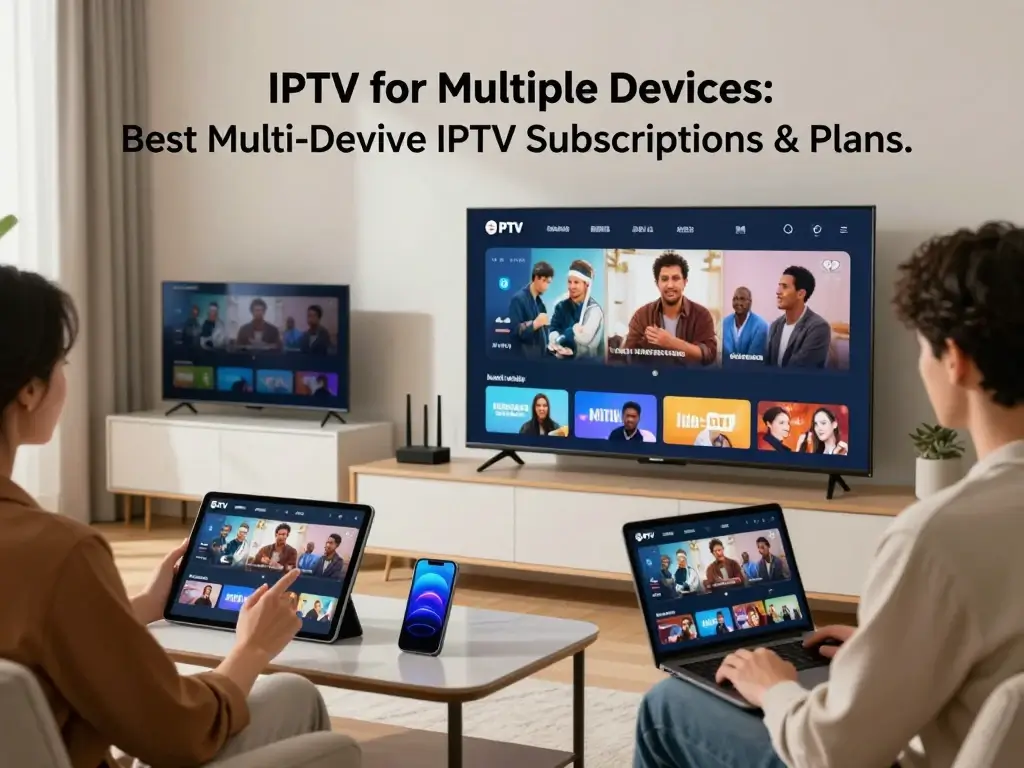
Best Multi-Device IPTV Subscriptions & Plans: How to Compare Them
There is no single IPTV subscription that can honestly be labeled “best” for every U.S. household. Your ideal plan depends on your devices, viewing habits, desired programming, simultaneous-stream requirements, and budget. A family of four has different requirements from a single viewer who watches one television. The most useful comparison therefore ranks services by specific use cases rather than declaring one universal winner.
For a publishable comparison article, verify every provider’s information immediately before publication. Prices, stream limits, device support, promotional offers, and content availability can change. Never populate a comparison table with invented prices or unsupported stream limits merely to make the article look complete. If a provider does not publicly disclose a feature, state that it should be confirmed directly with the provider.
| Comparison Factor | What You Should Verify | Why It Matters |
|---|---|---|
| Monthly price | Current U.S. subscription price | Establishes basic cost |
| Simultaneous streams | Exact concurrent limit | Determines household capacity |
| Device support | Current supported platforms | Prevents compatibility problems |
| Content | Desired channels and programming | Determines practical usefulness |
| Video quality | Supported resolutions and formats | Helps assess viewing experience |
| App availability | Official application or supported player | Simplifies installation |
| Customer support | Official contact methods | Helps resolve account issues |
| Cancellation | Current cancellation procedure | Reduces subscription risk |
| Terms | Household and usage restrictions | Helps you remain compliant |
Best IPTV Plan for Families
If you are choosing an IPTV plan for a family, start with simultaneous viewing. The number of televisions in your home is less important than the number of screens that might be active at once. If your family usually watches one program together, a single-stream plan could be enough. If two or three people regularly choose different content, you should compare plans that explicitly permit that number of concurrent streams.
Family suitability also depends on device compatibility. You may have a mixture of smart TV platforms, mobile devices, and computers, so a provider that supports only one platform could create unnecessary complications. You should also examine the service’s account-sharing and household policies. A plan designed for household use is preferable to trying to make a single-stream subscription behave like a family plan.
Best IPTV Plan for Two Simultaneous Devices
A two-stream subscription can be a practical middle ground for couples, roommates, and smaller households. You may have one person watching the living-room television while another uses a bedroom television, tablet, or other supported screen. The important point is to verify that two simultaneous streams are actually included rather than simply assuming that multiple device access means two active sessions.
When comparing two-stream plans, calculate the cost per concurrent stream and examine the other features you receive. A slightly more expensive service might provide better device compatibility, a more useful content lineup, or stronger customer support. You should also check whether the second connection is subject to special restrictions. Some services may impose household limitations, while others may count certain device types differently.
Best IPTV Plan for Many Devices
Households with several regular viewers need to focus on concurrent capacity. If you have multiple people watching different programs, the total number of registered devices becomes secondary. A plan might support ten devices but only one simultaneous stream, which would not solve your problem. Your comparison should instead identify the maximum number of concurrent streams permitted by each legitimate service.
You should also consider your network capacity. Four simultaneous high-quality streams can put significantly more demand on your internet connection and home network than one stream. If you choose a large multi-device plan, make sure your router, Wi-Fi coverage, and internet service can support your household’s typical usage. Otherwise, you could pay for additional streaming capacity without receiving a smooth experience.
Best Budget Multi-Device IPTV Plan
Budget shoppers often make one mistake: choosing the subscription with the lowest advertised price. A better approach is to compare cost per useful simultaneous stream. For example, a slightly higher monthly fee may provide twice the concurrent capacity and broader device compatibility. That can represent better value if you actually use those features.
You should also account for hidden or additional costs. Check whether additional streams require an upgrade, whether the advertised price is promotional, whether taxes or fees apply, and whether the subscription automatically renews. The Federal Trade Commission advises consumers to understand trial periods, renewal terms, and cancellation procedures before providing payment information.
How Many Devices Do You Actually Need?
Choosing the right IPTV plan starts with a simple calculation: how many people might watch at the same time? You can have ten devices in your home and still need only one concurrent stream. Alternatively, you could have three devices and need all three active simultaneously. Thinking about your real viewing habits prevents you from paying for capacity you do not need.
Start by listing every screen where you expect to use the service. Then identify the maximum number of simultaneous viewers. Do not count every device as a separate stream unless you genuinely expect to watch on all of them at once. This two-step approach makes plan comparisons much easier and helps you avoid being influenced by impressive but irrelevant device-count claims.
One Viewer
If you are the only regular viewer, a single-stream plan may be sufficient. Your priority should be compatibility, content, reliability, and ease of switching between supported devices. You may want to use the service on your television at home and your phone while traveling, but that does not necessarily mean you need two simultaneous streams.
You should still check the provider’s rules about device registration and account use. Some services may limit the number of devices that can be connected even if you never use them simultaneously. Others may allow several registered devices but limit active playback. Knowing the difference will make it easier to choose a plan that matches your actual needs.
Two Viewers
Two simultaneous viewers are common in households where people have different entertainment preferences. One person may use the primary television while another watches something else on a second screen. In this situation, a two-stream plan can be more useful than simply having a subscription that works across several devices.
Before subscribing, test the logic against your normal routine. If two viewers are only watching simultaneously once or twice a month, you might not need a premium plan. If simultaneous viewing happens almost every evening, however, the extra capacity could be worth paying for. The goal is to choose based on recurring behavior rather than occasional exceptions.
Three or More Viewers
Once you reach three or more simultaneous viewers, plan selection becomes more important. You should verify the exact concurrent-stream limit and determine whether the provider offers a legitimate way to add capacity. Do not assume that purchasing several subscriptions automatically gives you permission to combine them or share credentials. Each provider establishes its own rules.
You should also consider the impact on your home network. Multiple streams can consume substantially more bandwidth than a single session, particularly at higher resolutions. If several devices experience buffering at the same time, investigate your network before concluding that the provider is unreliable. A wired connection for stationary devices can sometimes improve consistency, while better Wi-Fi coverage may help mobile and wireless screens.
A Simple Connection Formula
A useful planning rule is:
Required simultaneous streams = the maximum number of people who need to watch at the same time.
| Household Situation | Likely Concurrent Requirement |
|---|---|
| One person, one screen | 1 |
| One person using different devices at different times | 1 |
| Two people watching separately | 2 |
| Three people watching separately | 3 |
| Four-person household with frequent separate viewing | 4 or more |
This table is a planning guide rather than a promise that a particular provider will offer those connection levels. You should always verify the provider’s current subscription rules before buying.
Devices That Can Work With Multi-Device IPTV
The phrase “multiple devices” can cover a broad range of hardware. Depending on the service, you might use IPTV through a smart TV application, streaming device, smartphone app, tablet, computer, or browser. The exact experience varies by provider and platform, so compatibility should be treated as one of your first purchasing checks.
You should also distinguish between a device being technically capable of playing internet video and being officially supported by your chosen service. A television might support streaming generally but lack the provider’s official application. In that case, you may need a supported external streaming device, if the provider permits one. Avoid downloading questionable applications from unknown websites simply to force compatibility.
Smart TVs
Smart TVs are among the most convenient ways to access internet television because they eliminate the need for a separate playback device. However, smart TV platforms vary. Different manufacturers and operating systems may have different application stores, software versions, and hardware capabilities.
Before purchasing a subscription, check the provider’s official compatibility information for your exact television platform. If your television is several years old, confirm that it still receives the required application updates. A newer TV may have no trouble running an application that performs poorly or is unavailable on an older model. Compatibility should therefore be confirmed before you commit to a long-term plan.
Streaming Devices and TV Boxes
External streaming devices can be useful when your television does not support the required application. Depending on the legitimate provider, supported options may include popular streaming platforms or operating systems. An external device can also provide a more consistent interface if your television’s built-in software is slow or outdated.
However, do not assume that every generic streaming box is compatible with every IPTV service. Check the provider’s official documentation and use legitimate applications. Be particularly cautious about devices marketed as “fully loaded” with hundreds or thousands of premium channels at suspiciously low prices. The Copyright Office has described how unauthorized services can distribute copyrighted programming without permission, including through subscription-based websites and services.
Smartphones and Tablets
Mobile devices can make IPTV-style streaming convenient when you are away from your primary television. A supported smartphone or tablet may let you watch content around the home or while traveling, subject to the provider’s geographic and account rules. Mobile playback can also be useful when another household member is using the main television.
You should check whether the provider has an official application for your mobile operating system. Also consider your mobile data usage if you stream over cellular networks. High-resolution video can consume substantial data, so you may prefer Wi-Fi when available. If you travel outside the United States, check the provider’s geographic restrictions before assuming that your subscription will work in another country.
Computers and Laptops
Computers can provide another convenient viewing option through an official web player or supported application. A laptop can be particularly useful when you want to watch in a room without a television. It also gives you a relatively easy way to test a service before purchasing additional hardware.
Browser compatibility can vary, so use the browser and operating system combinations officially supported by the provider. If playback problems occur, test another supported browser, update the application, and confirm that your network connection is stable. Avoid installing browser extensions or unknown software that claims to “unlock” content or bypass account restrictions.
Check Compatibility Before Buying
Before you purchase an IPTV subscription for multiple devices, run through this checklist:
- Is your exact device or operating system supported?
- Is there an official application?
- Is the application available through a legitimate app store?
- How many devices can be registered?
- How many streams can operate simultaneously?
- Are there household restrictions?
- Is the desired content available in the United States?
- Can you cancel easily if compatibility does not meet your expectations?
A few minutes of research can save you from buying a subscription that does not work on the screens you own.
How to Set Up IPTV on Multiple Devices
Setting up a legitimate IPTV service should generally be straightforward. The exact steps depend on the provider and device, but the process usually involves selecting a compatible subscription, installing the provider’s official application or using its supported player, signing into your account, and testing playback. You should follow the provider’s official documentation rather than relying on random setup guides that may recommend unsupported applications.
Start with one device instead of trying to configure everything simultaneously. This gives you a baseline. Once you confirm that your account works and the application plays content correctly, configure your other devices. If something goes wrong, you will have a clearer idea of whether the problem is related to the account, application, device, or network.
Step 1 — Choose a Compatible Subscription
Before installation, verify the plan’s device and stream limits. If you need two simultaneous screens, make sure the subscription explicitly permits two concurrent streams. If you need three, verify three. Do not rely on a vague phrase such as “multi-device support.”
You should also confirm geographic availability. A provider may offer a service in one market but restrict certain content in another. For U.S. viewers, check that the service is intended to provide the programming you want in the United States and that its terms explain how your subscription is governed.
Step 2 — Install the Official Application
Use the provider’s official installation instructions. If an official application is available through a recognized app store, that is generally preferable to downloading an unknown package from a third-party website. Unknown software can create unnecessary security and privacy risks.
If the service uses a browser-based player, navigate to the provider’s official website rather than clicking installation links from unrelated advertisements. You should also confirm that your browser is current and compatible. Keeping your operating system and applications updated can reduce avoidable playback and security problems.
Step 3 — Sign In and Authorize Devices
Enter your legitimate account credentials and complete any device-activation process required by the provider. Some services may ask you to confirm a device through an activation code or account dashboard. Others may simply require you to sign in.
Pay attention to the number of devices associated with your account. If you replace a television or phone, you may need to remove the old device before adding the new one. Keep your account credentials private and do not share them beyond what your subscription terms permit.
Step 4 — Configure Each Device
Once your first device is working, add the others one by one. Confirm that each screen can access the content included with your subscription. If you experience a problem on only one device, compare its operating system and network connection with the device that works.
You should also configure basic playback settings where available. If your network is struggling with several high-quality streams, reducing the resolution on one device may improve overall performance. However, persistent buffering across all devices may indicate a broader network or provider issue that requires further investigation.
Step 5 — Test Simultaneous Streaming
Finally, test the maximum number of streams included with your plan. If you purchased a two-stream subscription, start playback on two supported devices. If the provider allows three or more, test that capacity as well.
Do not intentionally exceed your subscription’s limits to see what happens. You are testing whether the service performs as advertised, not attempting to bypass restrictions. If an unexpected “too many connections” message appears while you are within the permitted limit, contact the provider’s official support team.
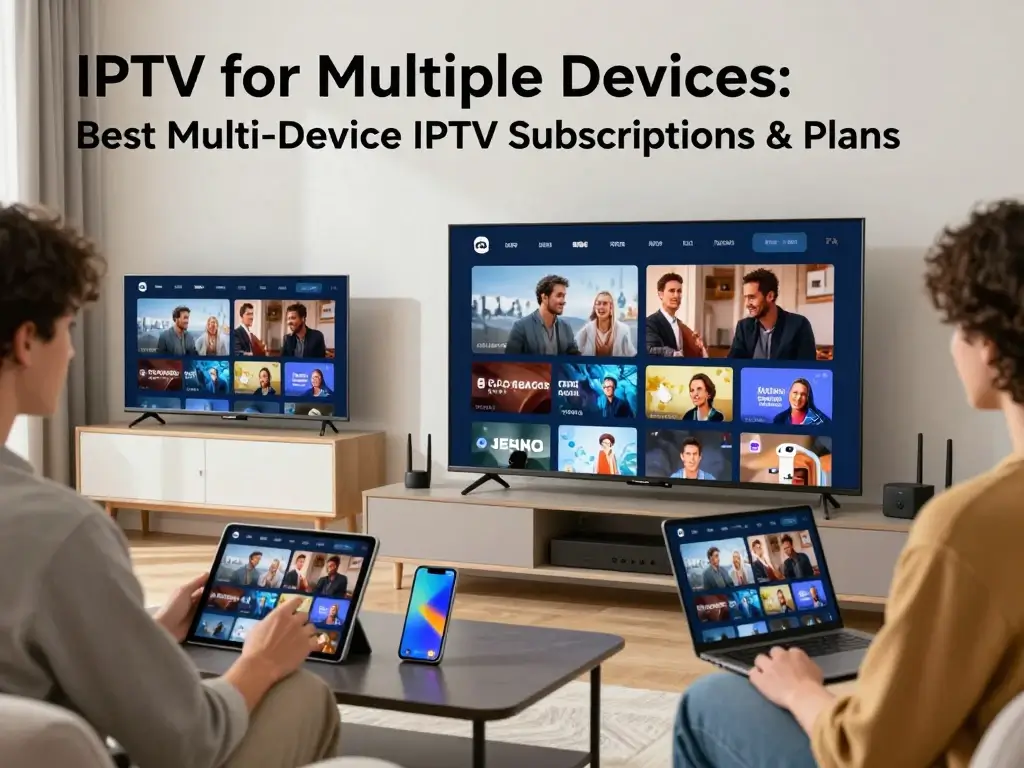
How to Improve IPTV Streaming on Multiple Devices
Your internet connection is only one part of the streaming equation, but it becomes particularly important when several devices are active. Every additional stream increases network demand. High-resolution video can require more capacity than lower-resolution playback, while Wi-Fi congestion can create instability even when your broadband package looks fast enough.
Start troubleshooting by identifying the scope of the problem. If only one device buffers, the issue may be local to that device or its connection. If every device buffers simultaneously, investigate your router, internet connection, and provider. If only one channel or program experiences problems while everything else works, the source stream may be the relevant factor.
Check Your Internet Connection
A speed test can give you useful information about your connection, but a single speed measurement does not tell the entire story. Latency, packet loss, Wi-Fi interference, congestion, and router performance can also influence streaming. If several people are using your network for video, gaming, downloads, and cloud backups simultaneously, your available capacity can fluctuate.
Try testing the service when fewer devices are active. If playback improves significantly, your household network may be reaching its practical limit. You can also compare Wi-Fi performance with a wired connection on a stationary device. This helps determine whether wireless connectivity is contributing to the problem.
Use Ethernet Where Practical
A wired Ethernet connection can provide a stable link between a router and a stationary television or streaming device. It avoids many forms of wireless interference and can be useful when you regularly stream high-quality video. You do not necessarily need to wire every device, but connecting the most important stationary screen can help establish a reliable baseline.
If Ethernet is not practical, improve your wireless environment instead. Place the router in a central location where possible and reduce physical obstacles. Modern Wi-Fi equipment can handle multiple devices well, but performance still depends on distance, interference, hardware, and the number of active devices.
Optimize Wi-Fi
If your IPTV streams buffer on wireless devices, check your Wi-Fi configuration. Your router may support multiple bands, and different devices may perform better depending on their location and capabilities. Keeping router firmware and device software updated can also improve stability.
Avoid placing your router next to equipment that may cause interference or inside enclosed furniture. If your home has dead zones, a properly configured mesh system or additional access point may help. The goal is not simply to increase theoretical speed but to provide consistent connectivity where your streaming devices are located.
Reduce Unnecessary Network Traffic
Large downloads, game updates, cloud backups, and other video streams can compete with your IPTV session. If you regularly watch several screens simultaneously, schedule bandwidth-heavy tasks for times when the household is not watching television.
You can also review which devices are connected to your network. An unexpectedly active device may be consuming capacity without you realizing it. If your router provides traffic-management or quality-of-service features, you can explore them, but make changes carefully because incorrect configuration can create new problems.
Common Problems With IPTV on Multiple Devices
Multi-device streaming introduces several potential points of failure. The subscription can have an account limitation, the application can have a compatibility issue, the device can have insufficient resources, or your network can become congested. Troubleshooting is therefore much easier when you isolate one variable at a time.
Start by asking whether the problem affects one device or multiple devices. Then determine whether it occurs with all content or only specific channels or programs. Finally, compare playback on another network if practical. This structured approach is more useful than repeatedly restarting every device without identifying the underlying cause.
“Too Many Connections” Error
A “too many connections” message usually means the service believes your account has reached its concurrent-stream limit. First, check how many devices are actively playing content. Close unnecessary sessions and allow a short period for the provider’s system to recognize that a connection has ended.
If the message persists while you are using fewer streams than your plan allows, contact official support. Do not attempt to bypass the limit with unauthorized account manipulation. Your provider’s support team can determine whether an old session is still active or whether there is an account-side problem.
Buffering on One or More Devices
Buffering can have several causes. If only one television buffers, test its network connection and application. If all devices buffer at the same time, investigate your internet connection and router. If playback is stable for most programs but fails on one particular stream, the issue may be associated with the content source.
You should also compare performance at different times of day. A recurring problem during periods of heavy household usage may point toward local network congestion. If the problem occurs consistently regardless of your network conditions, document the issue and contact the provider.
App Compatibility Issues
Application problems can occur after operating-system updates, application updates, or changes in platform support. If an app suddenly stops working, check the provider’s official support page for compatibility notices. Reinstalling the official application may help, but do not replace it with an unofficial version simply because someone online claims it works better.
Older hardware may also struggle with modern software. If the device no longer receives updates or cannot run the current application version, an officially supported external streaming device may be a more practical solution.
Different Devices Have Different Performance
It is normal for two devices connected to the same network to behave differently. One may have better Wi-Fi hardware, a newer processor, more memory, or a more capable video decoder. Your television’s built-in software may also perform differently from a dedicated streaming device.
When comparing devices, test them under similar conditions. If one device consistently performs well while another does not, the issue may be hardware or software rather than your subscription. This distinction can save you from switching providers when the real problem is an aging device.
Are Cheap Multi-Device IPTV Subscriptions Worth It?
Low prices can be attractive, particularly when a service advertises an enormous number of channels, premium sports, movies, and multiple simultaneous streams for a surprisingly small fee. But you should treat unusually cheap offers as a reason to investigate, not automatically as a bargain. The advertised price tells you nothing about whether the provider has the necessary rights to distribute its programming or whether its service will remain available.
The U.S. Copyright Office has explained that unauthorized online services can distribute copyrighted works without permission and that some unauthorized operations have used paid subscriptions as part of their business model. Consequently, you should evaluate the legitimacy of a provider alongside its technical features. A cheap subscription that disappears, violates content rights, exposes your information, or leaves you unable to obtain a refund is not necessarily good value.
Look Beyond the Headline Price
When you see an IPTV subscription advertised at a very low price, examine the details behind the offer. Is the price promotional? Does it renew at a higher rate? Are multiple streams genuinely included? Are there additional connection charges? Is the provider clearly identified? Can you find transparent terms and a customer-support channel?
You should also examine the cancellation process before paying. The FTC recommends understanding the terms of free trials and recurring subscriptions, including when charges begin and how cancellation works. A low introductory price can become expensive if you forget about automatic renewal or discover that cancellation is unnecessarily difficult.
Warning Signs to Watch For
Be cautious when a provider:
- Makes extraordinary channel or sports claims without explaining content rights.
- Has no clear company information.
- Provides vague or contradictory subscription terms.
- Requires unusual payment methods without a clear reason.
- Promises access to content that appears unavailable through legitimate distribution.
- Offers an enormous catalog at an implausibly low price.
- Uses aggressive pressure to make you purchase immediately.
- Makes cancellation or refund information difficult to locate.
- Requires you to install unknown software.
No single warning sign proves that a service is unlawful or fraudulent, but several together should make you pause. You can research the company, read its terms, verify its official website, and look for credible information about its content distribution arrangements before spending money.
Why Legality and Licensing Matter
IPTV should not be treated as synonymous with piracy. IPTV simply describes television or video delivered through internet protocol networks. Legitimate broadcasters and streaming companies use internet delivery every day. The issue arises when a provider distributes copyrighted programming without the necessary authorization.
For you as a consumer, the practical lesson is straightforward: choose services that clearly identify what they offer and operate through legitimate channels. If a provider refuses to explain the source of premium programming or encourages you to circumvent restrictions, look elsewhere. The Copyright Office has noted that unauthorized streaming and retransmission can implicate copyright law.
IPTV for Multiple Devices vs. Traditional TV Services
When comparing IPTV with traditional television, avoid assuming that one category is automatically better. Your choice depends on how you watch, what programming you need, how many devices you use, and what you value most. Internet-based television can provide flexibility across connected devices, while traditional services may offer different hardware, channel packages, local programming, or support arrangements.
The comparison becomes more useful when you evaluate specific services rather than broad categories. A legitimate internet-based television service may provide excellent device flexibility but require a strong internet connection. A traditional provider may offer a familiar television interface but impose different equipment or household restrictions. Your objective should be to find the arrangement that fits your actual viewing habits.
| Factor | Multi-Device IPTV | Traditional TV Service |
|---|---|---|
| Internet connection | Usually required | Depends on technology |
| Device flexibility | Often high | Varies by provider |
| Simultaneous viewing | Plan-dependent | Plan-dependent |
| Mobile viewing | Often available | Service-dependent |
| Installation | Often app-based | May require equipment |
| Content | Provider and location dependent | Provider and package dependent |
| Pricing | Varies widely | Varies widely |
| Technical issues | Network/app dependent | Hardware/service dependent |
The biggest advantage of a multi-device service is flexibility. If you regularly move between televisions, mobile devices, and computers, that flexibility may be important. However, it only helps when the provider officially supports your devices and allows the number of simultaneous streams you need.
How to Choose the Best IPTV for Multiple Devices
Choosing the best IPTV for multiple devices is easier when you turn the decision into a checklist. Start with your household’s actual requirements instead of looking at provider advertisements. Once you know the number of simultaneous viewers, supported devices, desired programming, and budget, you can eliminate unsuitable options quickly.
You should also evaluate trustworthiness. A service with transparent terms, legitimate content, clear support information, and straightforward billing is generally easier to assess than one that relies entirely on anonymous advertising. Search for the company’s official documentation rather than relying on affiliate pages that may have outdated prices or exaggerated claims.
Step 1 — Count Your Screens
Write down every device where you expect to watch. Include televisions, phones, tablets, computers, and streaming devices. Then separate devices you use regularly from devices you might use occasionally.
This prevents you from paying for features that do not matter. If you have six devices but use only one at a time, you may not need a large concurrent-stream package. If several household members watch independently, however, your stream requirement may be much higher than your device count initially suggests.
Step 2 — Count Simultaneous Viewers
Next, determine the maximum number of people who watch at once. This is your most important number for choosing a multi-device IPTV plan. If three viewers regularly watch different content, look for a plan that explicitly supports at least three simultaneous streams.
Do not rely on assumptions about account sharing. Read the provider’s current terms and confirm that the intended use is permitted. A service may technically allow several devices to sign in while still restricting simultaneous playback or household usage.
Step 3 — Check Device Compatibility
Verify compatibility for each important device before paying. Look for official application support and current operating-system requirements. If a service supports only certain smart TV platforms, determine whether your television belongs to one of them.
If your preferred device is not supported, decide whether you are comfortable using an officially supported external streaming device. Avoid solutions that require unknown applications or questionable downloads simply to make the service work.
Step 4 — Compare Content
Make a personal content checklist. If you care about particular networks, sports, news programs, or entertainment categories, verify that they are available in your location. A service advertising thousands of channels may still be a poor fit if it does not provide the programming you actually watch.
Also verify whether content is included in your plan or requires an additional package. Promotional pages can make a service look more comprehensive than the specific subscription you are purchasing. Read the plan details carefully before making your decision.
Step 5 — Compare Total Cost
Look beyond the first month’s price. Calculate the ongoing subscription cost, additional-stream charges, required equipment, and any applicable taxes or fees. If a promotional offer automatically renews at a higher price, include that future rate in your comparison.
You should also check the refund and cancellation policies. A service that costs slightly more but offers transparent billing and straightforward cancellation may provide better overall value than a cheaper subscription with confusing terms.
Step 6 — Verify Legitimacy and Terms
Finally, verify that the provider operates legitimately. Look for a clearly identified business, accessible terms, transparent customer support, and credible information about the programming it distributes. If the service appears to offer premium content at a fraction of normal market prices without explaining how it obtains those rights, be cautious.
The Copyright Office has long distinguished lawful uses of internet distribution technology from unauthorized distribution of copyrighted works. Your goal should therefore be to choose a service based not only on convenience but also on whether its content distribution appears legitimate.
Multi-Device IPTV Buying Checklist
Before you click the subscription button, run through the following checklist:
- Your smart TV or streaming device is officially supported.
- Your smartphone or tablet is supported if you need mobile viewing.
- The provider permits the required number of simultaneous streams.
- Your desired channels and programming are available in the U.S.
- The provider clearly explains pricing.
- Promotional pricing and renewal pricing are easy to understand.
- The cancellation procedure is clearly stated.
- The refund policy is available before purchase.
- The provider offers identifiable customer support.
- The application comes from an official or trusted source.
- The provider’s content rights appear legitimate.
- Your internet connection can handle your expected usage.
- Your router and Wi-Fi coverage are suitable for multiple streams.
- You understand the household and account-sharing rules.
This checklist is deliberately simple because the best purchasing decisions often come from verifying a handful of fundamentals. You do not need to be a networking expert or streaming-industry specialist. You simply need to know what you are buying, what your subscription permits, and whether the service is suitable for the devices and viewers in your home.
How to Avoid Subscription and Billing Problems
A technically excellent service can still become frustrating if its billing terms are unclear. Before entering your payment information, find the subscription’s renewal price, billing frequency, trial duration, cancellation method, and refund policy. Take a screenshot or save the relevant confirmation if the terms are important to your decision.
The FTC specifically recommends reading subscription and free-trial terms carefully and understanding how and when to cancel before charges begin. It also recommends monitoring your statements for unexpected charges. This advice applies broadly to online subscriptions, including streaming services. If you see a charge you do not recognize, contact the provider using an official channel and, when appropriate, your payment provider.
Free Trials
A free trial can be a useful way to test device compatibility and service quality, but “free” does not necessarily mean risk-free. Some trials automatically convert into paid subscriptions. You should know the exact date the trial ends and the amount that will be charged afterward.
The FTC advises consumers to understand the terms of free trials, including the length of the trial and how to cancel. Set a reminder before the trial expires if you are uncertain whether you will continue. If you cannot clearly determine how cancellation works, that uncertainty is itself a reason to reconsider signing up.
Automatic Renewal
Automatic renewal is convenient when you want to keep a service, but it can create unexpected expenses when you forget about a subscription. Check whether your introductory price will change at renewal. Also check whether the provider sends renewal reminders and how far in advance.
Keep your own record of active subscriptions. Reviewing your bank or credit-card statements periodically can help identify subscriptions you no longer use. If a company continues charging after you properly cancel, retain your cancellation records and contact your payment provider about the available dispute process.
Is IPTV for Multiple Devices Legal in the USA?
Yes, internet-based television delivery can be entirely legitimate. The important issue is not whether a service uses IPTV technology but whether the provider has the necessary rights to distribute the programming it offers. Legitimate broadcasters, television networks, and streaming services can all deliver content over internet networks.
The problem arises when a provider retransmits copyrighted programming without authorization. The U.S. Copyright Office has discussed unauthorized internet retransmission and streaming as forms of activity that can implicate copyright law. As a consumer, you should therefore evaluate the provider rather than assuming that every service using the term IPTV is legitimate.
You should also avoid providers that encourage you to circumvent geographic restrictions, authentication systems, or subscription limitations. Even when a technical workaround exists, it does not necessarily mean that the provider or use is authorized. Staying within the provider’s terms and choosing legitimate services is the safer approach.
Frequently Asked Questions About IPTV for Multiple Devices
What is the best IPTV for multiple devices?
The best IPTV for multiple devices depends on your household’s specific requirements. Instead of choosing a provider solely because it advertises a large channel count or low monthly price, compare simultaneous streams, supported devices, content availability, reliability, pricing, customer support, and terms. If you are a single viewer, one concurrent stream may be enough. If several family members watch independently, you should prioritize a plan that explicitly supports the required number of simultaneous connections.
You should also verify that the provider is legitimate and that the programming it offers is authorized for distribution in the United States. Because prices and device policies change, any comparison should be based on information verified close to the date of purchase. A service that was suitable six months ago may have different pricing or stream limits today.
Can I use one IPTV subscription on multiple devices?
Often, yes, but the exact rules depend on the provider. Some subscriptions permit multiple registered devices but restrict simultaneous playback. Others may provide several concurrent streams as part of a premium plan or as an additional feature. You should read the provider’s current terms rather than assuming that a single account automatically supports every device in your household.
If you want to use a television, smartphone, tablet, and computer, check whether all four platforms are supported. Then determine how many of them you can use simultaneously. The difference between registered devices and concurrent streams is critical when comparing IPTV for multiple devices.
How many devices can use IPTV at the same time?
There is no universal number. The simultaneous-stream limit is determined by the provider and subscription plan. Some services may permit one stream, while others offer higher limits. The number of devices you can register can also be different from the number you can use simultaneously.
The safest approach is to identify your maximum number of concurrent viewers and then choose a plan that explicitly supports that number. If three people need separate streams at the same time, do not purchase a plan simply because it says it works on multiple devices. Confirm that it supports at least three concurrent streams under its current terms.
Can IPTV work on a smart TV, phone, and tablet?
It can if the provider officially supports those platforms. Many internet television services are designed for multiple device types, but application availability differs between providers and operating systems. Your television may use a different platform from your phone, and the provider may support one while excluding another.
Before subscribing, check the provider’s official device list. If an official application is available, install it through a trusted source. If your device is not supported, ask the provider whether an officially supported alternative exists instead of downloading unknown software from an unofficial website.
Is multi-device IPTV better for families?
A multi-device IPTV plan can be convenient for families because several people may want to watch different content. However, the real benefit depends on the number of simultaneous streams included in the subscription. A plan that supports many registered devices but only one active stream may not meet a family’s needs.
You should also consider your home network. Several simultaneous video streams can increase bandwidth demand, particularly when multiple screens use high resolutions. If your family regularly watches different programs, choose a plan that matches your concurrent viewing requirements and make sure your network can support that usage.
Does using IPTV on multiple devices require faster internet?
Multiple simultaneous streams generally increase the amount of data moving across your network. Higher-resolution streams can increase the demand further. However, there is no single internet-speed number that guarantees perfect performance because streaming also depends on compression, network stability, Wi-Fi quality, device capability, and the service’s infrastructure.
If you experience buffering, test one device at a time and then add additional streams. This can help you determine whether the issue appears only when several devices are active. A wired connection can also help you distinguish Wi-Fi problems from broader internet or provider problems.
Can I watch IPTV on two TVs at the same time?
You can only do so if the provider and your subscription plan allow two simultaneous streams. Having the service installed on two televisions does not automatically mean that both screens can play different content simultaneously. Some providers count active sessions and enforce the limit automatically.
If two televisions are important to your household, look specifically for a subscription that advertises two concurrent streams. Then confirm that both television platforms are supported. This approach is much more reliable than choosing a plan based on its total number of registered devices.
Is IPTV for multiple devices worth paying more for?
It can be, particularly when several people regularly watch different programs. The value comes from the additional capacity and convenience rather than simply the number of devices. If you rarely use more than one screen at a time, paying for several simultaneous streams may provide little benefit.
Compare the additional monthly cost against how often you actually need multiple streams. Also consider whether the higher-tier plan provides other features you value. A good subscription should solve a real household need rather than simply offer a larger number because the marketing page makes it sound impressive.
Is IPTV for multiple devices legal?
The technology itself is not inherently illegal. IPTV refers to the delivery of television or video content through internet protocol networks. The key issue is whether the provider has the appropriate rights to distribute its programming.
You should therefore evaluate the individual service. Look for transparent company information, clear terms, legitimate applications, and credible information about its content. Be cautious about providers that advertise premium programming at implausibly low prices without explaining how the programming is licensed. The U.S. Copyright Office has discussed unauthorized online distribution of copyrighted content and the legal issues that can arise from it.
What should you check before buying a multi-device IPTV subscription?
Start with five essentials: simultaneous streams, device compatibility, content availability, total cost, and legitimacy. Then examine cancellation terms, renewal pricing, customer support, and the provider’s application. These factors tell you much more about the quality of a subscription than the size of its advertised channel list.
For U.S. viewers, also verify that the programming you want is available in your region. Content rights can vary by territory, so an international channel list may not accurately describe what you can legally access from the United States.
Final Verdict: Finding the Best IPTV for Multiple Devices
Finding the right IPTV for multiple devices is less about finding the service with the biggest number and more about finding the service that matches your real viewing habits. You should start by counting your screens, then determine how many people need to watch simultaneously. From there, verify device compatibility, content availability, pricing, reliability, and subscription terms. Most importantly, distinguish between registered devices and simultaneous streams because that single difference can completely change whether a plan works for your household.
You should also look beyond cheap offers and impressive channel claims. A legitimate service with transparent pricing, clear cancellation terms, reliable applications, and properly authorized programming can provide much better long-term value than an anonymous subscription that promises everything for almost nothing. The FTC recommends reviewing subscription terms and cancellation procedures carefully, while U.S. copyright guidance makes clear that unauthorized distribution of copyrighted programming can create legal problems.
Your Next Step
Before you subscribe, make a short list of your requirements:
- How many devices will you use?
- How many people will watch simultaneously?
- Which channels or types of content matter most?
- Which devices need official support?
- What is your realistic monthly budget?
- Does the provider clearly explain its terms and cancellation policy?
- Does the service appear to have legitimate rights to distribute its programming?
Once you have those answers, compare plans against your checklist rather than against advertising alone. If you are publishing or updating a provider comparison, verify every price, stream limit, device list, and feature immediately before publication. That keeps your information useful and reduces the risk of sending readers toward outdated plans.
The best multi-device subscription is ultimately the one that works reliably on your screens, supports your household’s simultaneous viewing needs, provides the content you actually want, and operates with transparent, legitimate terms. Take a few extra minutes to verify those details before you pay, and you will be far more likely to choose an IPTV solution that remains useful long after the initial signup.









