
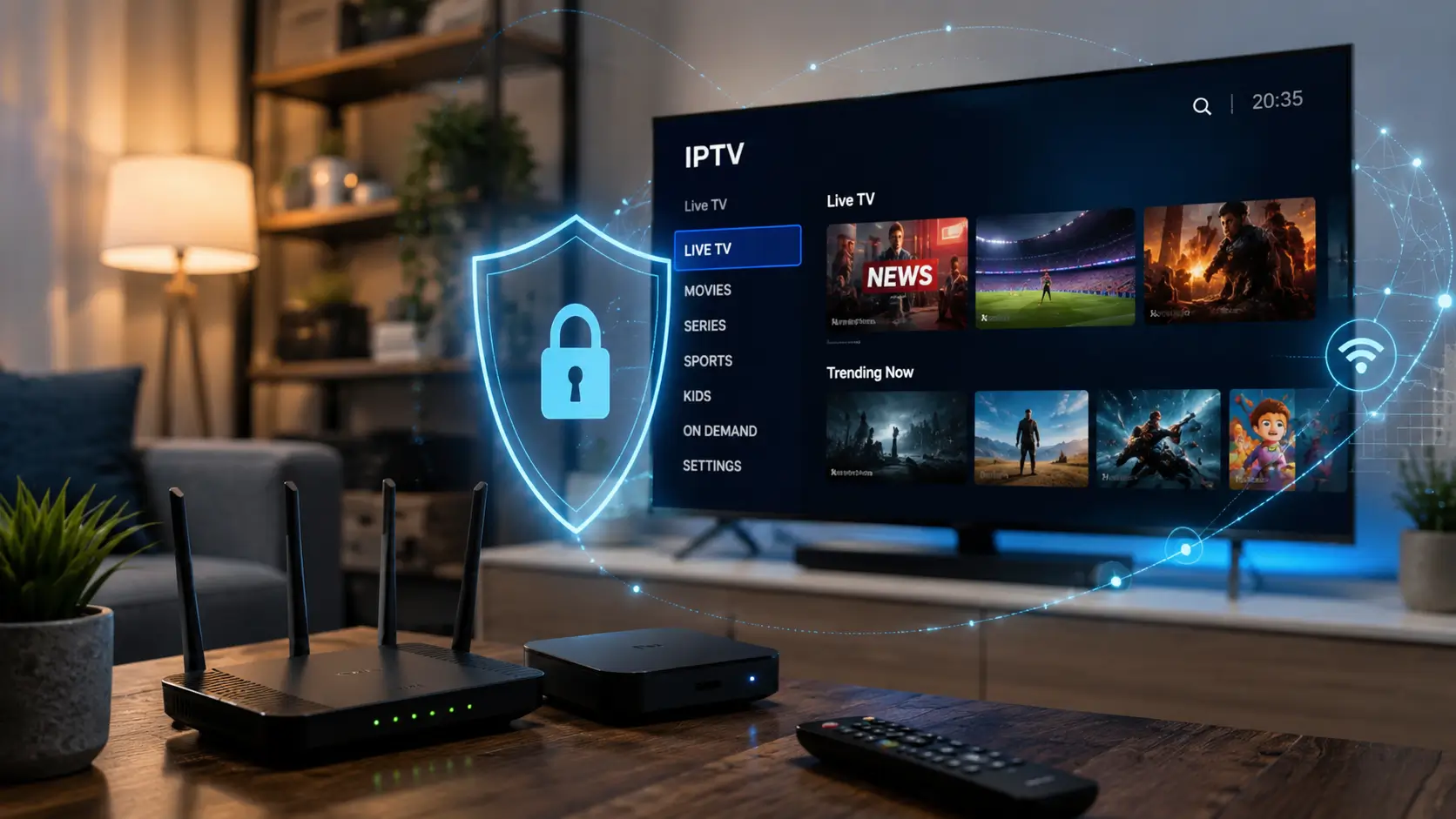
Ever thought your favorite streaming setup might risk your personal data? Digital entertainment is great, but keeping your iptv safety up is key. It’s not just about fast internet. It’s about being aware, protecting your devices, and keeping your info private.

Enjoy your shows without fear of hidden dangers or malware. This guide offers 13 key steps for safer choices before, during, and after signing up. Follow these tips for a confident and secure streaming experience on all devices.
Key Takeaways
- Know the legal side of your streaming services.
- Keep your devices safe to block unauthorized access.
- Shield your personal data from privacy breaches.
- Go for trusted providers to boost your iptv safety.
- Use these 13 steps to keep your digital space safe.
Table of Contents
Why IPTV Safety Matters for Your Devices and Privacy
Streaming habits can put your personal data at risk. Many think iptv security best practices are just for avoiding buffering. But, your choice of service can harm your devices, finances, and privacy.

How IPTV services can expose you to security and privacy risks
Connecting to unverified streaming services can risk your home network. These platforms may have hidden malware or tracking scripts. They can steal your personal info or monitor your activity.
“Security is not a product, but a process. In the digital age, your privacy is only as strong as the weakest link in your home network.”
— Anonymous Cybersecurity Expert
What safe IPTV usage should look like in the United States
To use IPTV safely, be proactive about your digital space. In the U.S., choose providers that are open about their licensing. Always use apps from official stores to ensure they’re secure.
The table below shows the difference between risky and safe streaming habits:
| Feature | Risky Behavior | Safe Practice |
|---|---|---|
| App Source | Third-party APK sites | Official App Stores |
| Credentials | Shared passwords | Unique, complex passwords |
| Provider | Anonymous/Unlicensed | Transparent/Licensed |
| Network | Open/Public Wi-Fi | Encrypted Private Network |
How convenience, cost, and streaming quality can affect your choices
Services offering cheap, high-quality channels can be tempting. But, these deals often hide iptv risks. Remember, high quality doesn’t justify ignoring security.
Be cautious of deals that seem too good. Choose reputable services to protect your devices and privacy. Stay informed to enjoy your favorite shows without risking your security.
Check Whether an IPTV Service Is IPTV Legal
Knowing the difference between legal and illegal content is key to safe IPTV usage. The legality of a service depends on if they have the right to distribute the content they offer. This includes channels and programs.
If a provider doesn’t have these rights, they’re breaking the law. This means you might be supporting piracy instead of creators.

Understand copyright laws explained for IPTV viewers
Copyright laws mean creators own their work. To show a movie or sports event, a service must get a license from the creator.
Legitimate services pay for these licenses. This ensures creators get their fair share. Using unauthorized services means you’re watching content without permission.
Distinguish licensed programming from unauthorized channel access
Licensed programming comes from well-known media companies. They show their partnerships and offer quality streams that don’t disappear.
On the other hand, unauthorized services promise too much for too little. They often have poor quality and lack official branding.
Verify provider transparency, licensing claims, and business information
Before subscribing, check the company behind the service. A iptv safe provider will be open about their location, contact info, and licenses.
Look for a real address, a professional website, and clear terms. If a company hides its identity or won’t talk about its rights, it’s a warning sign.
Why unusually cheap lifetime subscriptions deserve extra scrutiny
Services offering lifetime subscriptions for very low prices are likely not iptv legal. Running servers and paying for licenses costs a lot. No real business can make it on such low fees.
These deals often aim to get your payment info. Remember, if it seems too good, it probably is.
How to respond when a service cannot explain its content rights
If a provider can’t explain their content rights, leave right away. A good company will be proud to talk about their partnerships and legal status.
Choosing services that follow the law is key to protecting your online activities. By focusing on transparency, you make sure your entertainment is safe and fun.
Assess IPTV Risks Before You Subscribe
Protecting your digital life starts with checking every IPTV provider you think about. Taking a few moments to research a service can help you avoid big iptv risks. These risks often hide behind professional-looking websites.
Review the provider’s website, terms, and privacy policy
First, check the official website for clarity and professionalism. A good company will have clear terms of service and a detailed privacy policy. This policy should explain how they handle your data.
If the website has broken links, poor grammar, or vague legal language, it’s a big warning. These iptv safety tips help keep your personal information private and secure.
Identify payment, refund, and customer-support concerns
Before giving your credit card details, look for clear refund policies and easy customer support. A reliable provider should offer several ways to contact them, like a support ticket system or a verified email address.
Be cautious of services that make it hard to cancel your subscription or reach a human. If a company hides its contact information, you might struggle with billing issues later.
Look for reports of malware, stolen credentials, or service shutdowns
Check online forums and review sites for security issues with the service. If there are many reports of malware, stolen credentials, or sudden service shutdowns, it’s a high-risk platform.
Never ignore these red flags. They often mean the provider doesn’t care about user security. Keeping your devices safe from malware is key to a safe streaming environment.
IPTV scam warning signs in advertisements and social media messages
Many iptv scam warning signs appear in aggressive social media ads. These ads promise “unlimited” access to premium channels for a very low price. If an offer seems too good to be true, it probably is.
Be careful of unsolicited messages on platforms like Telegram or Facebook. Scammers often use these to trick people into signing up for insecure or illegal services.
Red flags in cryptocurrency-only and gift-card payment requests
Legitimate businesses usually offer standard payment methods like credit cards or secure payment gateways. If a provider only accepts cryptocurrency or gift cards, stay away. These payment methods are hard to trace and offer no consumer protection.
By following these iptv scam warning signs, you can keep your financial information safe from bad actors.
Step 1: Choose a Reputable IPTV Provider and App
Keeping your digital life safe starts with choosing the right streaming apps. Using iptv security measures is key to protecting your data. This way, you can enjoy your favorite shows without worry.
Compare official app availability on Roku, Amazon Fire TV, Apple TV, and Google TV
Make sure your service has an official app on big platforms like Roku and Apple TV. Official apps meet high standards for quality and security. If it’s on these stores, it’s likely a good choice.
Download apps from authorized stores instead of random APK websites
Always get apps from places like the Google Play Store. Stay away from random APK sites. They might have fake or harmful apps.
Confirm the provider supports secure account recovery and customer assistance
A good provider offers easy account recovery and help when you need it. Test their support before you sign up. Good communication shows they care about your safety.
Why sideloaded IPTV apps can increase malware exposure
Sideloading apps can let in malware. This is because you skip the security checks. Malware can steal your info or watch you without you knowing.
How to research developer names and app permissions before installation
Look up the app developer and their history before installing. Check what permissions the app needs. Knowing what an app can do is important for your privacy.
Step 2: Secure Your Streaming Device Before Installation
Staying safe while streaming starts with hardening your device before installing apps. By following iptv security best practices, you protect your hardware from digital threats. This makes your entertainment space safer.
Install operating-system and firmware updates on your streaming hardware
Manufacturers often release updates to fix security holes. Check your device’s settings to keep your firmware up to date. Always enable automatic updates if possible to stay safe easily.
Remove unused apps and disable unnecessary installation permissions
Every app you install can be a risk. Regularly check and remove unused software. Also, review your privacy settings to limit app permissions, like microphone or location access, to what’s needed.
Protect Roku, Amazon Fire TV, Apple TV, and Android TV settings with a device PIN
A PIN on your streaming device blocks unauthorized changes. This is a key part of iptv security best practices. You can set it up in your device’s parental control or security menu.
How outdated software creates avoidable security weaknesses
Running outdated software leaves your device vulnerable. Hackers target these weaknesses to access your data. Keeping your system updated is the best way to stay secure.
When a factory reset is appropriate after installing an untrusted app
If you think you’ve installed a bad app, a factory reset might be best. It cleans your device and removes malware. Reset if you see:
- Unexpected device slowdowns or crashes.
- Unexplained pop-ups or ads on your home screen.
- Unauthorized changes to your account or settings.
Step 3: Create Strong IPTV Account Credentials
Securing your digital life starts with managing your login credentials for streaming services. When you prioritize iptv safety, you protect your personal information. Taking control of your account security is a simple yet effective way to prevent unauthorized access to your streaming profile.
Use a unique password that you do not reuse elsewhere
Never use the same password for your streaming service that you use for your primary email or banking portals. If a streaming provider suffers a data breach, hackers will immediately test those stolen credentials on other popular websites. By keeping your passwords distinct and unique, you ensure that a single compromise does not lead to a wider security failure.
Store complex credentials with a trusted password manager
Managing dozens of complex, randomized passwords is nearly impossible without help. Using a reputable password manager like Bitwarden or 1Password allows you to generate and store high-entropy credentials securely. These tools act as a digital vault, ensuring that your login information remains encrypted and accessible only to you.
Enable multifactor authentication whenever the provider offers it
Multifactor authentication (MFA) adds a critical layer of defense by requiring a second form of verification beyond just your password. Even if a malicious actor discovers your login details, they cannot access your account without that secondary code. Always check your account settings to see if your provider supports app-based authenticators or SMS verification.
“Security is not a product, but a process.”
Bruce Schneier
How credential stuffing can affect your email, shopping, and banking accounts
Credential stuffing is a common attack where hackers use automated bots to test stolen username and password pairs across thousands of websites. If you reuse your credentials, a breach at a minor streaming site can quickly escalate into identity theft. This ripple effect can compromise your sensitive financial accounts, shopping profiles, and even your private email inbox.
What to do if you entered your password on a suspicious IPTV website
If you suspect that you have entered your credentials into a questionable or phishing website, you must act immediately. First, change the password for that specific account and any other accounts where you used the same credentials. Enable MFA on all your important accounts right away to block any unauthorized login attempts that might occur using your old information.
Step 4: Protect Your Home Network While Streaming
Your home network is the main entry point for all your digital activities, including streaming. To start iptv security best practices, focus on your router. Hardening your network makes it safer for your devices and data.
Secure your router with WPA3 or WPA2 encryption
Encryption is your first defense against unauthorized access to your wireless traffic. Always use WPA3 for the best security. If your router is older, WPA2-AES is still a strong choice for robust protection.
Replace the router’s default administrator username and password
Most routers have generic login details that hackers know. Change these to something unique and complex for secure iptv streaming. This simple step blocks unauthorized access and protects your network settings.
Create a separate guest or streaming network for less-trusted devices
Many routers let you create a “Guest” network, isolated from your main devices. Moving streaming devices to this network adds protection. If a streaming app is hacked, the attacker is trapped in the isolated network.
How to update router firmware and disable risky remote administration
Router manufacturers often release updates to fix security issues. Check your router’s settings page monthly for the latest version. Also, disable “Remote Administration” to prevent outsiders from accessing your router settings over the internet.
Why public Wi-Fi requires extra caution for IPTV account access
Public Wi-Fi networks are often unencrypted and vulnerable to eavesdropping. Accessing your streaming account on these networks risks your login details. Always use a secure connection or avoid logging into your accounts when away from your home network.
| Security Feature | Action Required | Benefit |
|---|---|---|
| Encryption | Enable WPA3/WPA2 | Prevents data interception |
| Admin Access | Change default login | Blocks unauthorized configuration |
| Network Isolation | Use Guest Network | Limits potential breach impact |
| Firmware | Enable Auto-Update | Patches known vulnerabilities |
By following these steps, you make your home network a secure base for your digital life. Keeping these settings up is crucial for secure iptv streaming and protecting your privacy.
Step 5: Use a VPN for IPTV Carefully
When you want to protect your privacy while streaming, a VPN is often suggested. But, it’s important to know how it works in your digital world. Using a vpn for iptv needs a smart approach to get the most benefits without false hopes of complete secrecy.
Understand what a VPN protects during IPTV streaming
A VPN makes your internet traffic encrypted. This stops your local network watchers, like your ISP or neighbors, from knowing what you’re watching. Yet, remember, a VPN doesn’t make you completely anonymous. The service provider can still see what you’re doing, so picking a reliable one is key.
Choose a reputable VPN with a clear privacy policy and reliable encryption
Not all services are the same when it comes to your data. Look for providers with a strict no-logs policy, meaning they don’t keep records of your browsing. Also, make sure they use strong encryption, like AES-256, to keep your data safe from unwanted eyes.
| Feature | High-Quality VPN | Low-Quality VPN |
|---|---|---|
| Logging Policy | Verified No-Logs | Keeps Connection Logs |
| Encryption | AES-256 | Weak or Outdated |
| Customer Support | 24/7 Live Chat | Email Only |
Install the VPN from its official website or an authorized app store
Always get your software from the official website or a trusted store like Google Play or Apple App Store. Stay away from third-party sites offering “cracked” or modified apps. These can have malware or spyware to steal your login details.
“Privacy is not about hiding; it is about having the power to selectively reveal yourself to the world.”
— Eric Hughes
Check for DNS leaks, IPv6 leaks, and accidental connection drops
Even a good vpn for iptv can fail if set up wrong. Regularly test your connection for DNS or IPv6 leaks to keep your real IP address hidden. Many apps have a kill switch feature, which cuts your internet if the VPN tunnel drops, keeping your privacy safe while streaming.
Understand that a VPN does not make copyright infringement legal
Many think a VPN makes streaming illegal content legal. But, using a VPN doesn’t change the law. You’re still responsible for making sure your streaming is legal under local laws and service terms.
Step 6: Protect Your Privacy While Streaming
Keeping your digital life private is key for safe IPTV usage. When you join new services, you might feel pushed to share a lot of personal info. But, it’s important to think about what you really need to share.
Limit the personal information you provide during account registration
Many services want your full name, address, or phone number when you sign up. But, you usually don’t need to give all that to watch videos. Always give the least amount needed to lower the chance of your data getting leaked or sold.
Review app permissions for location, contacts, microphone, and storage access
Today’s streaming apps often ask for a lot of permissions that don’t seem related to watching TV. It’s good to check these settings on your device often. If an app wants to access your contacts or microphone, say no right away.
Separate your streaming email address from sensitive financial accounts
It’s wise to have a special email just for your streaming services. This keeps your main email safe from possible hacks. This simple trick helps you keep better control over your online identity.
Manage cookies, browser tracking, and saved payment information
Websites track you through cookies and saved data. Clear your browser cache often and don’t save your credit card info in apps. Using a secure payment method is safer than saving your card details in apps.
Recognize why a provider promising total anonymity may be misleading
Some services say they offer total anonymity, but be careful. No one can make you completely invisible online. Such claims might just trick people into feeling safe when they’re not.
“Privacy is not an option, and it should not be the price we pay for our entertainment.”
— Digital Security Advocate
Being careful about protecting your privacy while streaming helps keep your network safe. Stay alert, update your settings, and always put your personal data first, even if it’s a bit inconvenient.
Step 7: Secure IPTV Payments and Personal Information
When you sign up for a new service, your payment method is your first defense. It keeps your personal data safe from threats. By being proactive, you can enjoy your favorite shows without worry.
Use credit cards or virtual card numbers when appropriate for added dispute options
Always choose to pay with a credit card. They offer stronger consumer protections and make it easier to dispute unauthorized charges. If you can, use virtual card numbers to keep your real account info safe.
Check the checkout page for HTTPS and accurate provider details
Make sure the website is secure before you enter your info. Look for a padlock icon in your browser’s address bar. Also, check that the company info matches the service you’re buying to protect your privacy while streaming.
Monitor bank and card statements after subscribing
Staying vigilant with your finances is crucial. Always check your bank and credit card statements monthly. This helps catch any issues before they get worse.
How to avoid sending payment details through text messages or direct messages
Real services won’t ask for your payment info via text or social media. These platforms are not secure and can expose your data. Always use the official, encrypted checkout on the provider’s website for transactions.
What to do after an unauthorized charge or suspected payment scam
If you see a charge you don’t recognize, act fast. Contact your bank or credit card issuer to report it and ask for a card cancellation. Prompt action is key to protect your money and recover any losses.
Step 8: Recognize IPTV Scam Warning Signs
Streaming can be fun, but you need to watch out for scams. Knowing how to spot iptv scam warning signs helps keep your data safe. This way, you can enjoy your shows without worrying about scams.
Question claims of unlimited premium channels for a few dollars
Be cautious of offers that seem too good to be true. Services promising lots of channels for little money are often scams. They aim to get your credit card info.
Identify fake reviews, copied websites, and pressure-based sales tactics
Scammers fake credibility with fake reviews and copied sites. They might use fake urgency to sell. Always check if a site is real before giving out your info.
Watch for suspicious support requests involving remote access or gift cards
Real companies don’t ask for gift cards or remote access. If someone asks for remote access, it’s a scam. They might try to steal your info.
How fraudulent IPTV sellers imitate legitimate brands and streaming platforms
Scammers copy real services to trick you. They use similar designs and logos. Always check the URL to make sure it’s the real site.
When to stop communicating and report suspected fraud
If you feel uneasy, stop talking to the seller right away. Don’t give out more info. Save all evidence and report it to your bank or consumer agencies. This helps others avoid scams.
Step 9: Reduce Buffering Without Sacrificing Security
When your stream starts to lag, it’s key to know how to fix your network. But, remember to keep your iptv safety in mind. Don’t disable security to speed up. Instead, make your home network better for secure iptv streaming.
Test your internet speed against the provider’s recommended bandwidth
First, check your internet speed. See if it meets the service’s minimum needs. Most HD streams need 10 to 25 Mbps for a smooth watch. If it’s lower, your ISP might be limiting you or your plan is too small.
Use Ethernet or a strong 5 GHz Wi-Fi connection for compatible devices
Use an Ethernet cable to connect your device to the router. This gives the most stable data path and cuts down on interference. If wireless is needed, use the 5 GHz band for faster speeds and less traffic.
Restart and reposition your router to improve signal reliability
Rebooting your router can fix temporary issues. Place it in an open spot, away from walls and other devices. This keeps the signal strong and your streaming stable.
Separate genuine performance problems from unsafe app behavior
It’s crucial to tell apart slow networks from bad apps. Look out for pop-ups, redirects, and apps asking for too much. Always prioritize your digital hygiene over speed if an app seems off.
“A secure network is the foundation of a reliable streaming experience. Never sacrifice your privacy for the sake of a few extra frames per second.”
— Digital Security Expert
Why lowering video quality can help during temporary network congestion
If your network is slow during busy times, try lowering video quality to 1080p. This cuts down data use without hurting your iptv safety. It’s a smart way to keep your stream smooth without changing security settings.
| Issue Type | Common Symptom | Recommended Action |
|---|---|---|
| Network Congestion | Consistent buffering | Lower video quality |
| Signal Interference | Dropped connections | Use Ethernet cable |
| Malicious App | Suspicious pop-ups | Uninstall immediately |
| ISP Throttling | Slow speeds at night | Check usage policy |
Step 10: Understand ISP Throttling and Streaming Privacy
Ever wondered why your favorite show buffers at the best moments? It’s often due to internet connection issues. Network congestion and data caps can slow your connection.
Performance impacts of network congestion and data caps
When many stream at once, your network gets crowded. This can cause video quality drops and pauses. Data caps can also slow your speed to manage the network.
Navigating provider acceptable-use and throttling policies
It’s key to check your provider’s terms on isp throttling. Some providers slow down certain types of traffic, like HD streaming. Knowing this can help you figure out if it’s your hardware or the network.
Balancing privacy and performance with a VPN
A vpn for iptv can hide your streaming from your provider. But, it can also slow your connection a bit. You need to decide if privacy is worth a slightly slower speed.
How to compare streaming speeds with and without a VPN
To see if a VPN is right for you, test your speed without protection first. Then, test it with the VPN. Testing at different times shows how much speed you might lose for security.
Why a VPN cannot fix insufficient bandwidth or poor home Wi-Fi coverage
A VPN can’t make more bandwidth appear. If your internet is too slow or your Wi-Fi is weak, no software can fix it. Always focus on a stable, fast connection first.
Step 11: Keep IPTV Apps and Devices Updated
Keeping your IPTV software and hardware up to date is key to staying safe. By following iptv security measures, you protect your personal data from new digital threats.
Turn on automatic updates from official operating-system settings
Many streaming devices, like Apple TV or Amazon Fire TV, have an auto-update feature. Turn it on to get the latest security updates without having to do it yourself.
“Security is not a product, but a process.”
Bruce Schneier
Check app permissions again after major updates
Big updates can change your privacy settings or ask for more data. It’s a good iptv security best practice to check your app permissions after big updates.
Make sure your apps don’t access your contacts, microphone, or location without your okay. This stops unauthorized data collection.
Uninstall apps that stop receiving security patches or developer support
Apps that don’t get updates anymore are a risk. Remove any software that’s no longer supported to keep your system safe.
How update delays can leave known vulnerabilities exposed
Waiting to update leaves your system open to hackers. Timely updates protect you by fixing known weaknesses before hackers can exploit them.
Why modified apps and cracked IPTV players are especially risky
Modified or “cracked” apps often hide malware that steals your login info. These unofficial versions skip security checks, posing a big risk to your privacy and device safety.
- Always download apps from official stores.
- Avoid third-party APKs that promise “unlocked” features.
- Regularly check your apps for anything suspicious.
Step 12: Monitor Your Streaming Account for Suspicious Activity
After setting up your streaming service, your safety work is just starting. To keep your streaming safe, you need to be proactive. Regularly checking your account helps catch problems early.
Review login notifications, connected devices, and account history
Look at your account’s login history often. This shows if unknown devices or locations have accessed your account. If you see something you don’t recognize, act fast.
Recognize unexpected password resets, charges, or subscription changes
Watch your email for any password reset notices you didn’t ask for. Unexpected changes to your subscription or charges are big warnings. These signs often mean someone else has gotten into your account.
Revoke access and change credentials after detecting unfamiliar activity
If you think your account has been hacked, log out right away. Change your password to something strong and unique. Quick action is key to keeping your data safe.
How to contact your provider without sharing your password
When you contact customer support, never give out your password. Real companies won’t ask for it. Use official channels to report any issues safely.
When to notify your bank, email provider, or identity protection service
If you see money being taken without your permission, tell your bank right away. Also, update your email security if you think it’s been hacked. Acting fast helps protect your identity and stops more loss.
Step 13: Respond Safely to Malware, Phishing, or Legal Notices
If you think your device is hacked or get a legal notice, stay calm. Follow these steps to protect your data and avoid damage to your network.
Disconnect a compromised device from the network
Notice odd behavior like pop-ups or slow performance? Turn off your streaming device’s Wi-Fi or unplug the Ethernet. This stops hackers and keeps your device safe.
Run trusted security scans and remove suspicious applications
When your device is offline, scan it with good antivirus software. Look for apps you don’t know or got from bad places. Get rid of these apps to fix your system.
Preserve evidence from phishing messages, receipts, and questionable websites
If you see iptv scam warning signs, don’t delete anything yet. Save screenshots of bad emails, receipts, and any sites asking for your info. This evidence is key for complaints or bank disputes.
How to report scams to the Federal Trade Commission and other appropriate authorities
Report scams to the Federal Trade Commission (FTC) on their website. Give them all the evidence you have. Also, tell your local consumer agency to make sure your issue is recorded.
When to seek professional legal advice about copyright-related notices
Getting a notice about your streaming can be scary, especially if you’re not sure what it means. If you get a letter from your internet provider or a rights holder, get help from a lawyer. This is crucial if the notice says you could face big fines or legal trouble.
| Incident Type | Immediate Action | Follow-up Step |
|---|---|---|
| Malware Infection | Disconnect from Wi-Fi | Run full system scan |
| Phishing Attempt | Do not click links | Report to FTC |
| Legal Notice | Do not ignore | Consult legal counsel |
Build Your Personal IPTV Safety Checklist
Creating a personal checklist is the best way to keep your streaming safe. It helps you enjoy your favorite shows while protecting your data. Follow these iptv safety tips to keep your digital space secure.
Complete these checks before subscribing
Before signing up, check if the provider is real. Look into their history, licensing, and privacy policy. Make sure the payment page is secure with HTTPS.
Repeat these checks after installing an IPTV app
After installing an app, review its settings. Ensure it’s not accessing too much data. Also, update the app regularly to fix security issues.
Use monthly reminders for passwords, updates, payments, and connected devices
Staying consistent is key to iptv safety tips. Set reminders for password updates and bank statement checks. Also, check your devices to avoid unauthorized access.
Essential IPTV security measures for your router and streaming device
Your hardware is your network’s first defense. Follow these steps to strengthen it:
- Change your router’s default admin credentials right away.
- Use WPA3 or WPA2 encryption for your Wi-Fi.
- Set a PIN on your streaming device to prevent unauthorized access.
- Create a guest network for your streaming devices.
Final questions to ask before continuing with an unfamiliar provider
Before you subscribe, ask yourself these important questions. Does the provider offer clear support and refund policies? If a deal seems too good or asks for gift cards, it’s a red flag. Look for a better, safer option.
Conclusion
Your journey to a better streaming experience starts with digital hygiene. True iptv safety comes from knowing the law, using trusted apps, and keeping devices clean. These steps help keep your data safe while you watch your favorite shows.
This guide has thirteen steps to help protect you online. A virtual private network helps with privacy, not illegal content. Choose providers that follow the law and are open about their business.
Be cautious if a service seems too cheap or secretive. If it offers too many channels for little money or won’t explain its licenses, don’t sign up. Your safety is more important than a cheap deal. Stay alert, update your software, and enjoy your shows worry-free.
FAQ
How can I determine if a specific service is IPTV legal?
To check if a service is IPTV legal, look for clear business operations. Legit providers show their licensing agreements and are on official platforms like Roku or Apple TV. If their copyright laws seem unclear or they offer many channels for a low price, it’s a warning sign.
What are the most common IPTV scam warning signs I should watch out for?
Be careful of providers that don’t use standard payment methods. Scams often ask for cryptocurrency or gift cards. Also, be wary of apps from unofficial sites instead of the Google Play Store. These can hide malware.
Is it necessary to use a VPN for IPTV streaming?
While not needed for IPTV to work, a VPN is a good practice. It encrypts your data, preventing ISP throttling. But, remember, a VPN doesn’t give legal access to copyrighted content without a subscription.
What are the primary IPTV risks to my personal data?
The biggest risks are identity theft and device compromise. Untrusted apps can steal your IPTV password, trying to access your banking or email. Always use a unique, complex password and store it safely.
Which IPTV security measures should I take on my home network?
Secure your home router first. Use WPA3 or WPA2 encryption and change the admin password. Keep your router’s firmware updated. Consider a “Guest” Wi-Fi for your streaming devices to keep them separate.
How can I reduce buffering without compromising my iptv safety?
Use a wired Ethernet or switch to 5 GHz Wi-Fi for better performance. If issues persist, check if your provider is being throttled. Never disable your firewall or grant apps “root” permissions to stop buffering, as this is dangerous.
What should I do if I suspect my streaming device has been compromised?
If your device acts strangely or shows unauthorized charges, disconnect it. Run a scan with a trusted tool, uninstall suspicious apps, and change passwords from a clean device. Report fraud to the FTC or local authorities.
How do I protect my privacy while signing up for a new service?
Limit personal info when streaming. Use a secondary email and a virtual credit card for privacy. Always check app permissions on your device to avoid unnecessary access to your data.









